
AI analyst workflow
Ask in plain language to extract data, transform tables, build reports, and surface insights without writing SQL, formulas, or code.

Rows is a spreadsheet-based AI data analyst that helps users extract, transform, and analyze data from PDFs, business tools, and other connected sources using plain language. It offers a free plan plus paid Plus, Pro, and Enterprise tiers.
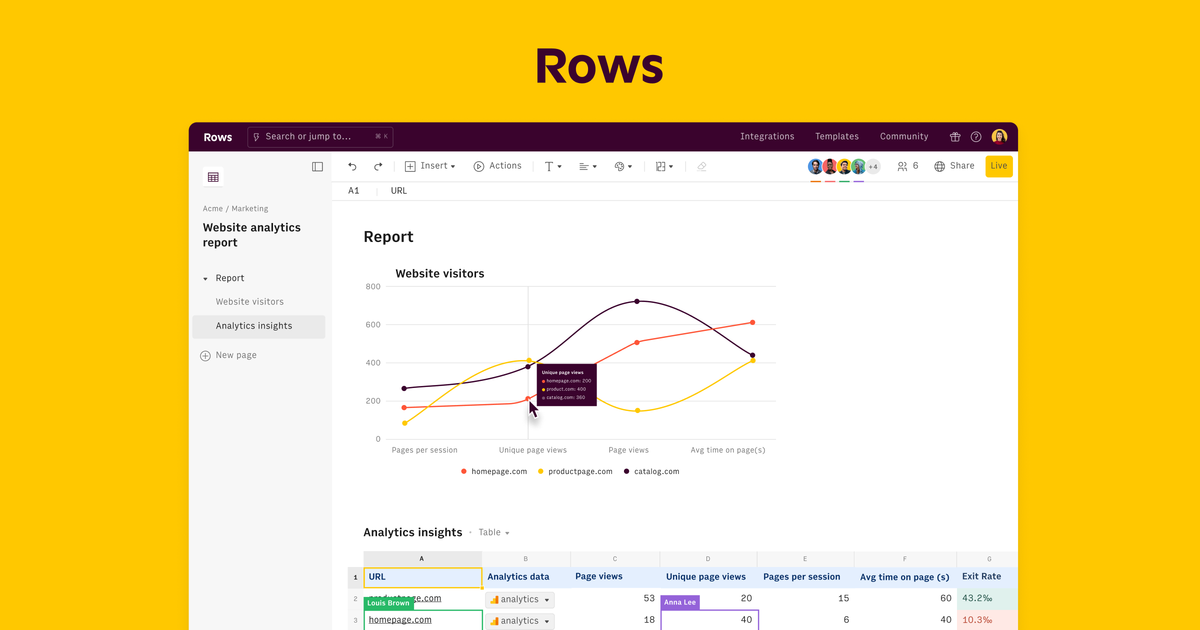
Rows is a spreadsheet-based AI data analyst for people who want to analyze and present data without using SQL, formulas, or traditional BI dashboards. It lets users extract data from PDFs and images, import information from business tools, and work with live tables in a plain-language interface.
The product combines AI analysis, built-in integrations, and spreadsheet workflows. Users can ask for summaries, reports, data cleaning, joins, forecasts, charts, and other transformations, then share the results as live dashboards or embedded views that stay in sync with the source data.
Ask in plain language to extract data, transform tables, build reports, and surface insights without writing SQL, formulas, or code.
Turn PDFs, invoices, screenshots, and images into editable tables, including extraction from documents and visual files.
Connect spreadsheet workflows to business apps, databases, analytics tools, bank accounts, and custom APIs through built-in integrations.
Create live tables, refresh them automatically, and combine data from multiple sources in one spreadsheet view.
Use AI to add columns, join tables, clean data, classify text, forecast, pivot, and generate charts or models.
Share reports and dashboards through embeds, keep them updated, and collaborate in real time with workspace members.
Use AI Analyst to pull data from PDFs, invoices, screenshots, or scans into editable tables for follow-up analysis.
Combine live data from multiple business sources to build reports, dashboards, and calculators that stay updated over time.
Ask Rows to clean data, join tables, create formulas, and summarize results when you need spreadsheet work done faster.
Use the AI tools to forecast trends, spot outliers, segment users, or run scenario comparisons without coding.
Share live dashboards or embeds with teammates and external viewers when the report needs to be read in other tools or on other pages.
Rows offers a Free plan that is free forever and does not require a credit card. Paid plans add higher AI usage, more automation, and additional workspace limits.
Rows is built around workspaces. A workspace has an owner, a pricing plan, and members or guests. Members can create spreadsheets and get access to shared folders, while guests can be invited to view or edit up to 3 spreadsheets.
AI Tasks are the actions that use Rows' AI features. They include direct prompts in the AI Analyst, AI actions triggered from tables or charts, and AI Vision processing for files such as PDFs and images.
Rows connects to external services through integrations, which can feed Data Tables or cell enrichment. The Free plan allows up to 10 integration accounts, while paid plans allow more connections.
Rows AI is available in all plans, but the Free plan includes a limited number of executions per month and paid plans include unlimited executions. Pricing also varies by billing period, with monthly and annual options on paid plans.

Skills Janitor is a GitHub-hosted set of slash commands for auditing, tracking, and managing Claude Code and OpenAI Codex skills. It helps users find duplicates, broken links, and unused skills, then clean them up with self-contained commands.

PromptScout tracks how ChatGPT, Gemini, Google AI Overviews, and Perplexity mention your brand or competitors, then pairs those results with source analysis and website audits. It helps teams decide what to fix in content, positioning, or site readiness next.

SaveMRR is a Stripe retention tool for SaaS teams that scans billing data for churn and MRR leaks, then automates recovery through dunning, cancel-save offers, win-back emails, and onboarding nudges. It is built for founders and bootstrapped teams using Stripe.

Hype is a web tool for finding trending YouTube topics by category, time range, and scoring mode. It helps creators spot emerging ideas, inspect source videos, and decide what to cover next.

Sleek Analytics is a privacy-friendly web analytics tool with real-time visitor tracking, Core Web Vitals, and revenue attribution. It helps site owners understand traffic and conversions without cookie banners or a heavy setup.

Struere is an AI-native platform for turning spreadsheet data into structured operational software with dashboards, alerts, and automations. It is aimed at teams that want to replace manual spreadsheet workflows without building custom tools from scratch.