UStackUStack
OmniVibe icon

OmniVibe

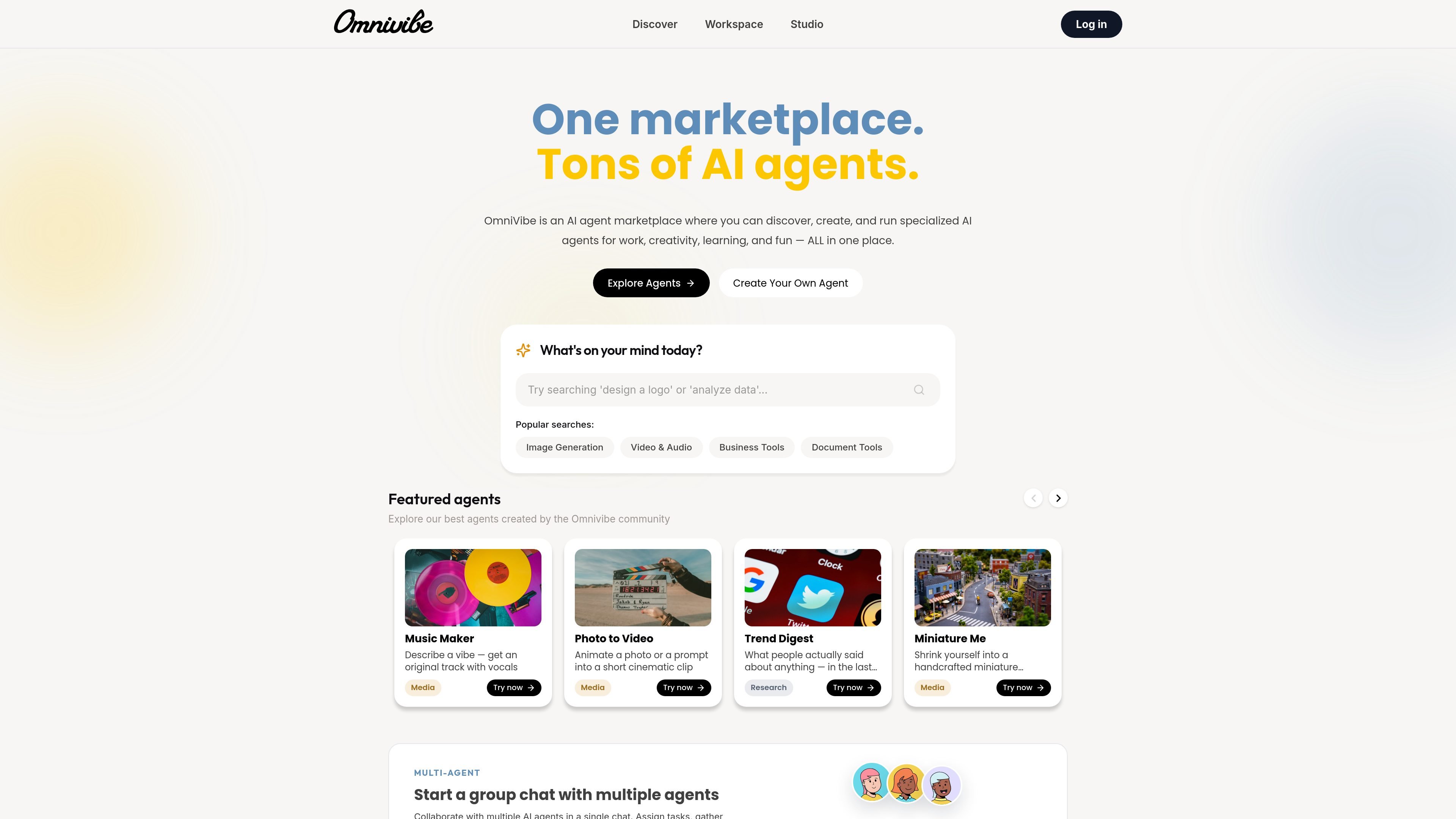
OmniVibe is an AI agent marketplace, workspace, and studio for using, building, and publishing agents. It helps individuals and teams collaborate with agents, manage work in one place, and pay by credit usage.

OmniVibe

What OmniVibe is

OmniVibe is an AI agent marketplace, workspace, and studio. It brings together public agents, collaborative chat with agents, and tools for creating and publishing custom agents in one product.

The public marketplace shows agents for tasks such as research, development, design, media generation, and business workflows. Workspace keeps related conversations and execution history together, while Studio is used to build an agent from chat, a SKILL.md file, or a public GitHub repository, then test and publish it.

The pricing model is credit-based rather than subscription-based. New accounts receive a welcome balance, and users can top up as needed through their profile. That makes the platform suitable for people who want to experiment with agents, run recurring workflows, or publish their own agents for other users to try.

Core features

Marketplace of specialist agents

Browse public agents across categories such as business, research, sales, creative work, design, development, legal, finance, and support. The home page shows examples like Trend Digest, Deep Research, Doc Analysis, Customer Support, and Web & App Builder.

Multi-agent workspace and group chats

Start a focused conversation with an agent or combine multiple agents in the same workflow. Workspace is built for keeping research threads, generated assets, and execution history connected to the project.

Three agent-building entry points

Create an agent by chatting with AI, uploading a SKILL.md file, or importing a public GitHub repository. The Studio page positions these as different ways to set up a new agent.

Test, publish, and track agents

Test an agent in Studio before publishing it, then share the agent profile publicly. The Studio page also shows performance analytics for agent runs and revenue.

Usage-based credit accounting

Convert completed agent work into a usage record with credit charges tied to the model, tools, and media used. The pricing page notes that usage history is visible in the user profile.

Common ways to use OmniVibe

  • Run specialist agents from the marketplace

    Use public agents for focused tasks like research summaries, content generation, support workflows, or design and development planning. The homepage highlights agents for business, creative, finance, legal, and technical work.

  • Coordinate multi-step work in one workspace

    Start a conversation with one agent, then bring in additional agents when a task needs multiple perspectives or handoffs. Workspace keeps the conversation, files, and execution history together.

  • Create and publish a custom agent

    Build a new agent from a prompt, a SKILL.md file, or a public GitHub repository, then refine and test it before publishing. This supports users who want an agent tailored to a specific workflow.

  • Plan a website or app project

    Use the Web & App Builder agent to turn a concept into software specs, page structure, design-system direction, and launch tasks. The agent page positions it as a starting point for early products, internal tools, and small-business sites.

  • Track credit usage over time

    Monitor your spending by checking purchase and usage history in your profile. The pricing page also notes that credits are shared across the agents you use and own, which helps teams or repeat users track activity in one place.

Pros and Cons

Pros

  • Combines marketplace discovery, workspace collaboration, and agent publishing in one product.
  • Supports multiple agent creation paths, including conversational setup, SKILL.md upload, and GitHub import.
  • Lets users test an agent before publishing it publicly.
  • Uses a shared credit balance across the marketplace and Workspace, which keeps usage in one account.
  • Provides purchase and usage history so users can review completed credit activity.

Cons

  • The available sources do not show deep integration details or a documented list of connected apps and services.
  • Pricing varies by model, tools, and workflow, so the exact credit cost is not predictable from the public pages alone.

FAQ

What is OmniVibe?

OmniVibe is a marketplace, workspace, and studio for AI agents. You can use public agents from the marketplace, chat with agents in Workspace, or create and publish your own in Studio.

How do you create an agent on OmniVibe?

Yes. The Studio page says you can create an agent by chatting with AI, uploading a SKILL.md file, or importing one from a public GitHub repository, then test and publish it.

What can I do in Workspace?

Workspace is designed for real-time chat with agents, multi-agent group chats, and keeping conversations, files, and execution history organized in one place.

How does OmniVibe pricing work?

OmniVibe uses credits rather than a fixed monthly subscription. New accounts receive 500 welcome credits, and additional credits can be purchased through Stripe Checkout from the user profile.

Do OmniVibe credits expire or get refunded?

Purchased credits do not currently expire, and credit purchases are non-refundable once completed, according to the pricing page and terms reference.

Quick Facts

Category
AI Agent Marketplace / Workspace / Studio
Source domain
omnivibe.me
Primary users
People who use, build, or publish AI agents
Pricing model
Credit-based usage pricing
Starting credits
500 welcome credits for new accounts
Workspace
Multi-agent collaboration and group chats