
Server and CDN log intelligence
Salience turns existing server and CDN request data into a dashboard showing request paths, response status codes, traffic over time, and bot activity without adding a browser tracking script.

Salience monitors server and CDN request data to show how search engines, AI crawlers, bots, and people access a website. It helps search, content, security, and engineering teams verify crawler identities, investigate response problems, and monitor crawl activity without adding a browser tracking script.
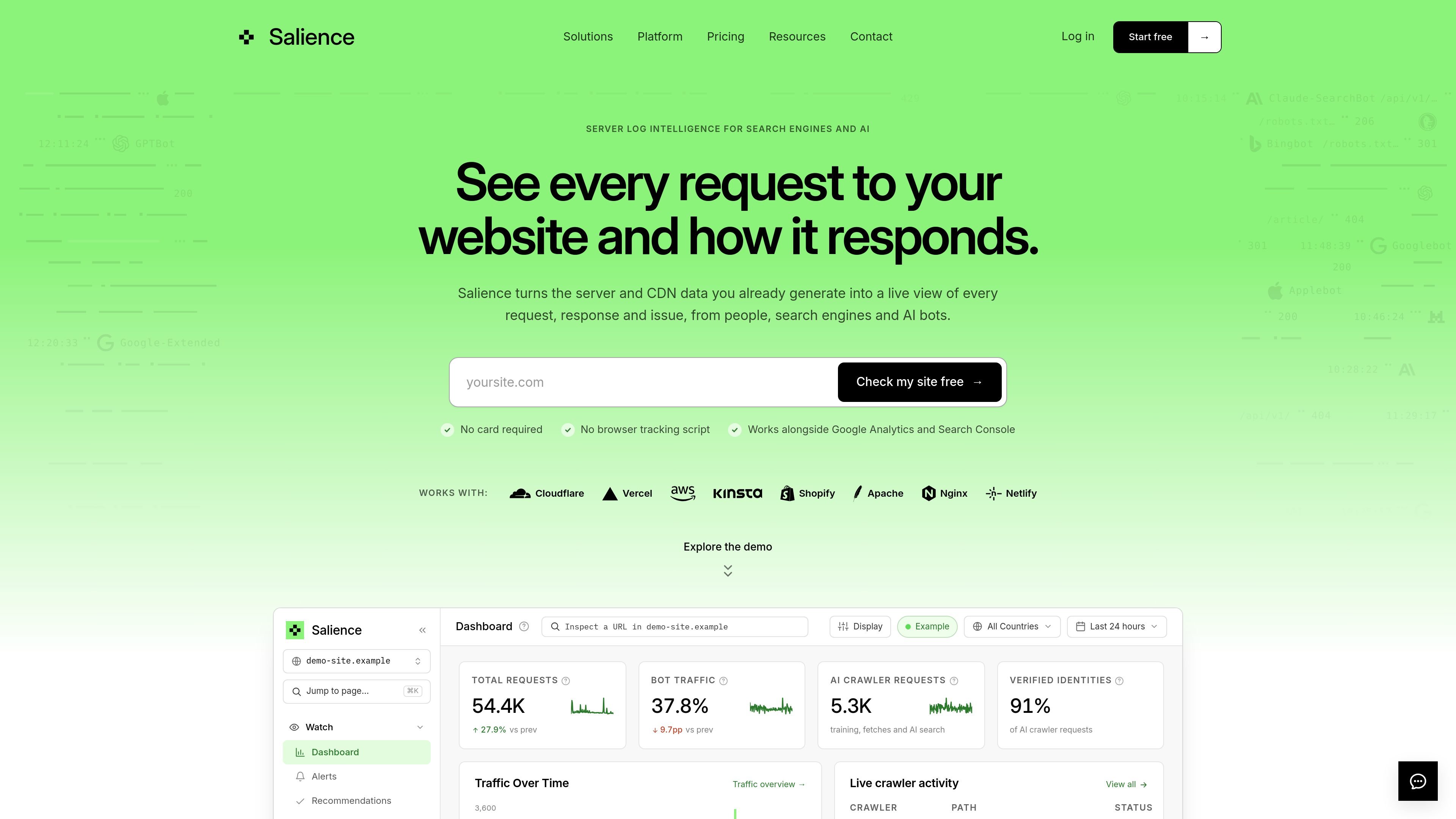
Salience is a server-log monitoring and crawler-intelligence product for search, AI, security, engineering, and commerce teams. It reads request data from supported CDN, hosting, ecommerce, web server, or raw log sources and presents what people, search engines, AI crawlers, and other bots requested, along with the responses they received.
Its core purpose is to make crawler behavior and site-response problems visible without changing the frontend or relying on browser analytics. Teams can inspect crawler identities and paths, distinguish types of AI access, find errors or blocked requests, and receive alerts when changes such as a deployment or WAF rule affect crawler access.
Salience turns existing server and CDN request data into a dashboard showing request paths, response status codes, traffic over time, and bot activity without adding a browser tracking script.
It identifies search crawlers and AI systems, checks supported identities against provider-published IP ranges, and labels activity as verified, unverified, or unknown.
Known AI requests can be separated into training and other crawls, AI search indexing, and user-triggered fetches, with the pages each system requests visible to the team.
The product surfaces 4xx and 5xx responses, blocked requests, redirects, missing pages, and suspicious or impersonated crawler traffic so teams can investigate infrastructure and crawl issues.
Alerts can identify the crawler, affected URLs, and a suggested next step. The site describes 16 detectors checked every five minutes, with alerts available in Salience or through email and Slack; webhooks are also available on eligible plans.
Teams can query crawler data through a REST API, CLI, or MCP server, and use shared dashboard links, weekly reports, and CSV exports where included by plan.
After changing sitemaps, URL structures, redirects, or page templates, search teams can inspect whether crawlers reached the intended paths and whether the infrastructure returned errors or redirects.
AI and content teams can review which systems request their pages, whether activity is associated with training, AI search, or a live-user fetch, and whether the claimed crawler identity is verified.
Security and platform teams can compare claimed bot identities with provider-published IP ranges and investigate spoofed traffic, suspicious requests, or WAF rules that block legitimate crawlers.
Engineering and commerce operations teams can monitor the crawler impact of deployments, URL changes, or site incidents, including sudden increases in 404, 403, or 5xx responses.
Agencies and teams managing multiple domains can use per-site dashboards, shared links, alerts, reports, exports, and programmatic access to review crawler activity across their portfolio, subject to plan availability.
Salience connects to supported CDN, hosting, ecommerce, web server, or raw log sources, including Cloudflare, Vercel, CloudFront, Netlify, Kinsta, Shopify, Apache, and Nginx. It reads existing request data and does not require a frontend tracking script.
It classifies requests from people, search engines, AI crawlers, and other bots, then shows the requested paths, response status, and crawler identity information in its dashboard. It can also send alerts through email, Slack, and webhooks on plans that include those channels.
For supported AI systems, Salience checks claimed crawler identities against provider-published IP ranges and reports verified, unverified, or unknown status. It reports this activity rather than blocking crawlers itself.
Salience separates AI activity into training and other crawls, AI search indexing, and user-triggered fetches where the source supports that classification. This helps teams evaluate different types of access instead of treating every AI request as the same.
There is a free plan for one production site, as well as paid Solo, Starter, Growth, and Pro plans. Enterprise options are available for larger traffic volumes or organizations requiring custom terms and controls such as SSO, audit logs, and an uptime SLA.

PromptScout tracks how ChatGPT, Gemini, Google AI Overviews, and Perplexity mention your brand or competitors, then pairs those results with source analysis and website audits. It helps teams decide what to fix in content, positioning, or site readiness next.

Sleek Analytics is a privacy-friendly web analytics tool with real-time visitor tracking, Core Web Vitals, and revenue attribution. It helps site owners understand traffic and conversions without cookie banners or a heavy setup.

MacSpoof — смена MAC-адреса в macOS: меняйте или рандомизируйте Wi‑Fi MAC, чтобы переподключаться и меньше светить идентификатор в публичных сетях.

ClawTick is an AI agent automation platform for scheduling jobs from the CLI, dashboard, or REST API. It is aimed at developers and teams running LangChain, CrewAI, webhook, or custom agent workflows that need monitoring, alerts, and logs.

ClayHog — платформа для AI-поиска, которая помогает отслеживать видимость бренда в ChatGPT, Gemini, Perplexity, Claude и Google AI Overviews из одной панели.

OpenFlags is an open-source, self-hosted feature flag platform for modern JavaScript teams. It supports local evaluation, targeted rollouts, and controlled launches while keeping flag data in your own infrastructure.