
Question-to-video generation
Type a question and receive a video explainer in return. The page frames Explain as a way to turn a prompt into a watchable learning asset rather than a static text answer.

Scrimba Explain turns questions, web pages, codebases, and uploaded documents into watchable video explainers. It runs in the browser, includes a Chrome extension flow, and can also work through Claude or Codex via MCP.
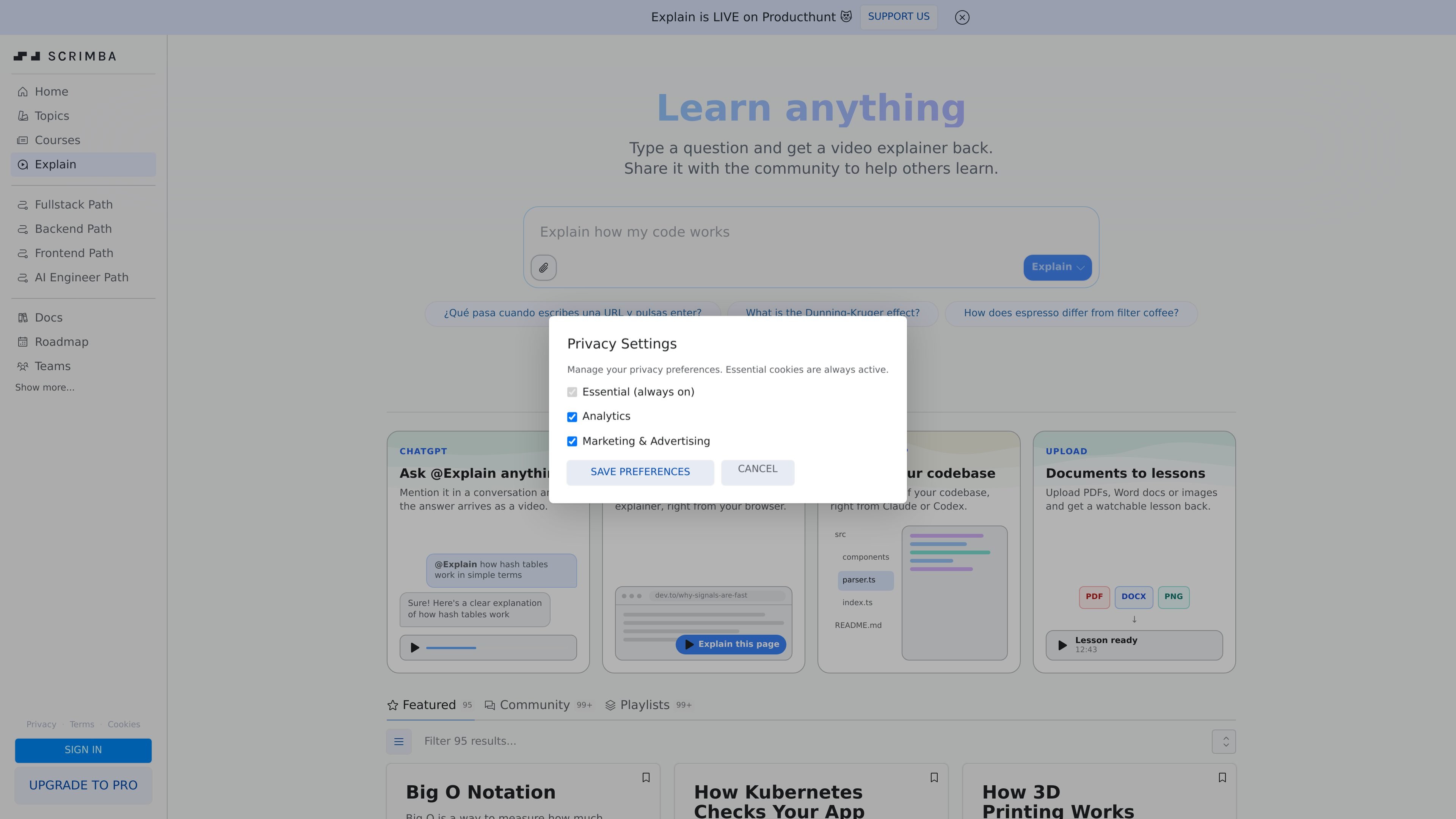
Scrimba Explain is a browser-based product for turning questions and source material into short video explainers. The homepage positions it as a way to type a question, then receive a watchable explanation back, with sharing built into the workflow.
It extends beyond text prompts. The product page shows ways to use it from a conversation by mentioning @Explain, from a Chrome extension that can explain any page, from Claude or Codex through MCP for codebase exploration, and by uploading documents such as PDFs, Word files, or images.
The result is presented as a lesson-style explainer that can be browsed in a community feed and organized into playlists. That makes it useful for quick learning, sharing explanations with others, and turning different kinds of source material into a more structured format.
Type a question and receive a video explainer in return. The page frames Explain as a way to turn a prompt into a watchable learning asset rather than a static text answer.
Mention @Explain inside a conversation and the response arrives as a video. This supports quick, conversational use when you want an explanation in context.
A Chrome extension can explain any page from the browser, turning an article or website into an explainer without leaving the page.
Through Claude + MCP, Explain can generate videos of a codebase from within Claude or Codex workflows, using source files as input.
Users can upload PDFs, Word documents, or images and get a watchable lesson back, which extends the product beyond web pages and code.
The homepage shows a community layer with Featured, Community, and Playlists sections, indicating that explainers can be browsed and shared beyond a single session.
Ask a direct question and get a short explainer that can be shared with others who need the same answer.
Use the Chrome extension to turn an article or documentation page into an explainer while you are browsing.
Run Explain through Claude or Codex with MCP to create a codebase-focused video that helps explain files and structure.
Upload a PDF, Word document, or image and convert it into a lesson-style video for review or study.
Publish or browse explainers in the community feed and playlists when you want reusable learning material rather than a one-off answer.
Scrimba Explain turns a typed question or source material into a watchable video explainer. The homepage shows it can be used from a question prompt, from a mention in ChatGPT-style conversation, from a Chrome extension on a web page, from Claude or Codex via MCP, or by uploading documents.
The homepage shows examples for questions asked in plain language, page-level explainers from the Chrome extension, codebase explainers through Claude + MCP, and lesson-style outputs from uploaded PDFs, Word documents, or images. Those are the supported workflows visible on the product page.
The page shows community browsing with Featured, Community, and Playlists sections. It also says you can share explainers with the community to help others learn.
The public pricing page does not list a separate plan for Explain. It sits within Scrimba’s broader product ecosystem, where free access, Pro, and Pro Teams are available, but the Explain page itself does not spell out which plan includes which usage rights.
The source does not describe an in-browser editor for Explain beyond the generated explainer experience. It does show that Scrimba as a learning platform supports browser-based interaction for its courses, but the Explain page focuses on producing watchable video explainers rather than manual video editing.

ByteAsk is a terminal-first AI coding agent for C and C++ that edits repositories and verifies changes with the real compiler, debugger, sanitizers, and tests before showing a diff. It offers a free tier plus paid plans, with editor connectors and zero-retention handling described in the source.

GitBot is a local browser-based workspace for creating reusable coding bots powered by Claude Code, Codex, or OpenCode. It helps developers run those agents across repository folders with persistent threads and configurable permissions.

Grok 4.7 is an xAI model for software development and knowledge work, including extended coding tasks and professional analysis. It is available through Grok Build, Cursor, the Grok API, and other developer platforms, with token pricing starting at $2 per million input tokens and $6 per million output tokens.

Ghost — терминальный AI-ассистент для чата, генерации кода и запуска задач в командной строке. Бесплатные модели, Linux, macOS, Windows, open source.

Vi3ecode is a maintained development environment for working with AI coding agents. It keeps project context, terminal, Git, memory, flows, review, and communication connected around the agent you already use.

Lucid Train is a local-first AI coding harness that turns repository code into architecture diagrams and uses those diagrams as specifications for coding agents. It is available as a desktop app and a lightweight Rust CLI, and it can run with local models or your own API keys.