
Visual workflow builder
Teams can wire blocks, models, and integrations together in a visual builder. The workflow graph becomes agent logic that can be run from the same workspace.

Sim is an open-source AI workspace for teams that build, deploy, and manage AI agents and workflows. It connects 1,000+ integrations and major LLMs, with visual, conversational, and code-based creation modes.
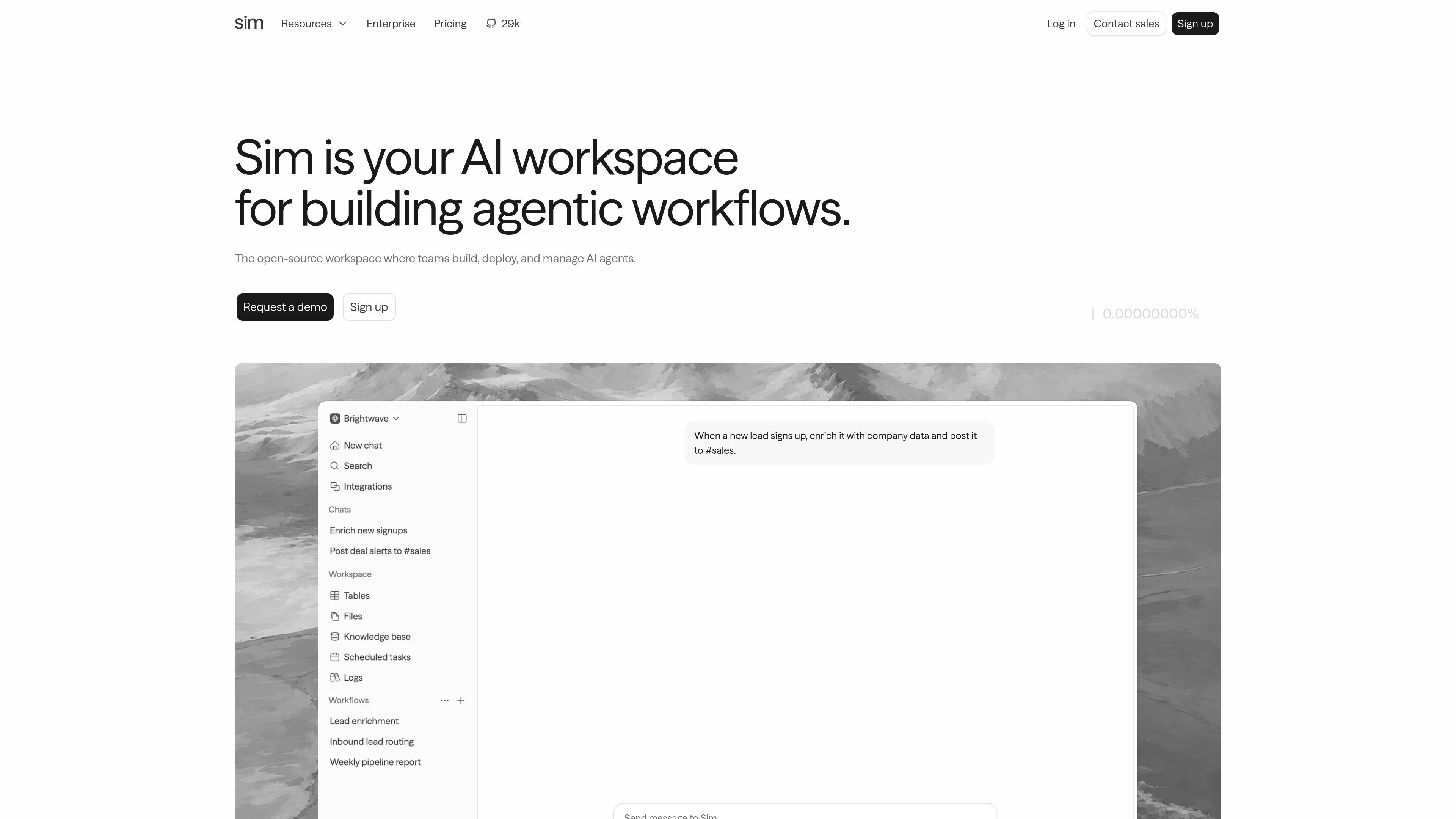
Sim is an open-source AI workspace for building, deploying, and managing AI agents and workflows. It brings workflow design, execution, context storage, and run monitoring into one product so teams do not have to stitch those pieces together across separate tools.
The public pages describe three ways to create agents: visually with blocks, conversationally in plain language, or with code. Teams can connect 1,000+ integrations and every major LLM, then run the result as an API, Slack bot, or scheduled job.
Teams can wire blocks, models, and integrations together in a visual builder. The workflow graph becomes agent logic that can be run from the same workspace.
Sim also supports describing the agent in plain English. The workspace assembles the workflow from the request, which is useful when starting from a process description instead of a diagram.
For cases that need exact control, Sim supports code blocks alongside the rest of the workflow. The pages position code as one more way to build within the same agent graph.
Workflows can be deployed as APIs, Slack bots, or scheduled jobs. The product page also says workflows can be exposed as endpoints so other systems can call them.
Sim traces each run block by block and shows logs and real cost. The monitoring view is meant to explain what ran and why, not just whether a workflow succeeded.
The workspace stores data semantically in tables, files, and knowledge bases so agents can reason from connected context. This is presented as the memory layer for agents.
A product or operations team can turn a multi-step internal process into a visual workflow, test it, and then expose it as an API endpoint for other systems to call.
Support teams can route incoming messages through a workflow that reads context from tables or knowledge bases, drafts a reply, and escalates only when needed.
Sales or growth teams can enrich new leads, score them against criteria, and post the result into Slack or a CRM workflow using connected integrations.
Engineering or DevOps teams can use code blocks, schedules, and integrations to build agents that run on a cadence and interact with tools such as Jira, GitHub, or observability systems.
Teams that prefer to start from intent rather than diagrams can describe the desired outcome in plain language, let Sim assemble the workflow, and then refine it in the visual builder or code.
Sim is intended for teams that want to build and operate AI agents in one workspace. The pages describe agents that can be created visually, in natural language, or with code, then deployed as APIs, Slack bots, or scheduled jobs.
The source pages show a visual workflow builder plus conversational and code-based creation modes. Sim also provides monitoring with block-by-block traces, logs, and cost visibility.
Sim supports 1,000+ integrations on the home and workflow pages, and the integrations directory lists apps such as Slack, HubSpot, Salesforce, Notion, Airtable, Gmail, GitHub, Jira, and Linear.
The pricing page shows Free, Pro, Max, and Enterprise plans. Free starts at $0, while Pro and Max are billed per user per month and Enterprise is custom.
The product pages describe Sim as open-source and SOC2 compliant, but the public pages do not spell out every deployment or governance detail. Enterprise includes custom terms and features such as self hosting, SSO, access control, and dedicated support on the pricing page.

CreateOS Sandbox is an isolated compute environment for running code and agent workloads inside Firecracker micro-VMs. It is designed for workflows that need machine-level isolation, private networking between sandboxes, and programmatic control through SDK, CLI, or MCP.

AakarDev AI helps teams manage AI provider access, project-level setups, logs, and analytics from one dashboard. It supports BYOK workflows and lists providers including OpenAI, Google Gemini, Anthropic, Groq, Mistral AI, and Perplexity AI.

Arduino VENTUNO Q is an edge AI computer for AI and robotics applications. It combines AI inference and deterministic control on a single board and is designed to work with Arduino App Lab.

ByteAsk is a terminal-first AI coding agent for C and C++ that edits repositories and verifies changes with the real compiler, debugger, sanitizers, and tests before showing a diff. It offers a free tier plus paid plans, with editor connectors and zero-retention handling described in the source.

Codex Plugins bundle reusable skills, app integrations, and MCP servers into workflows you can install in the Codex app or use from Codex CLI. They help extend Codex with connected-service tasks, reusable instructions, and shared team workflows.

hob is an independent workspace for coding agents that keeps agent sessions, terminals, history, and follow-up work organized around the tools and providers you already use. It is aimed at developers who want local control over routing, history, and workspace structure rather than a bundled model stack.