
Keyboard-first outlining
SpacebarX is built around nested outlines, quick capture, templates, mirrors, search, dates, recurring tasks and multi-select editing. The same outline can hold brief notes, tasks and longer-running projects.

SpacebarX is a keyboard-first, local-first outliner for notes, tasks and projects. It helps people organise growing outlines offline and sync them through their own Google Drive or Dropbox account.
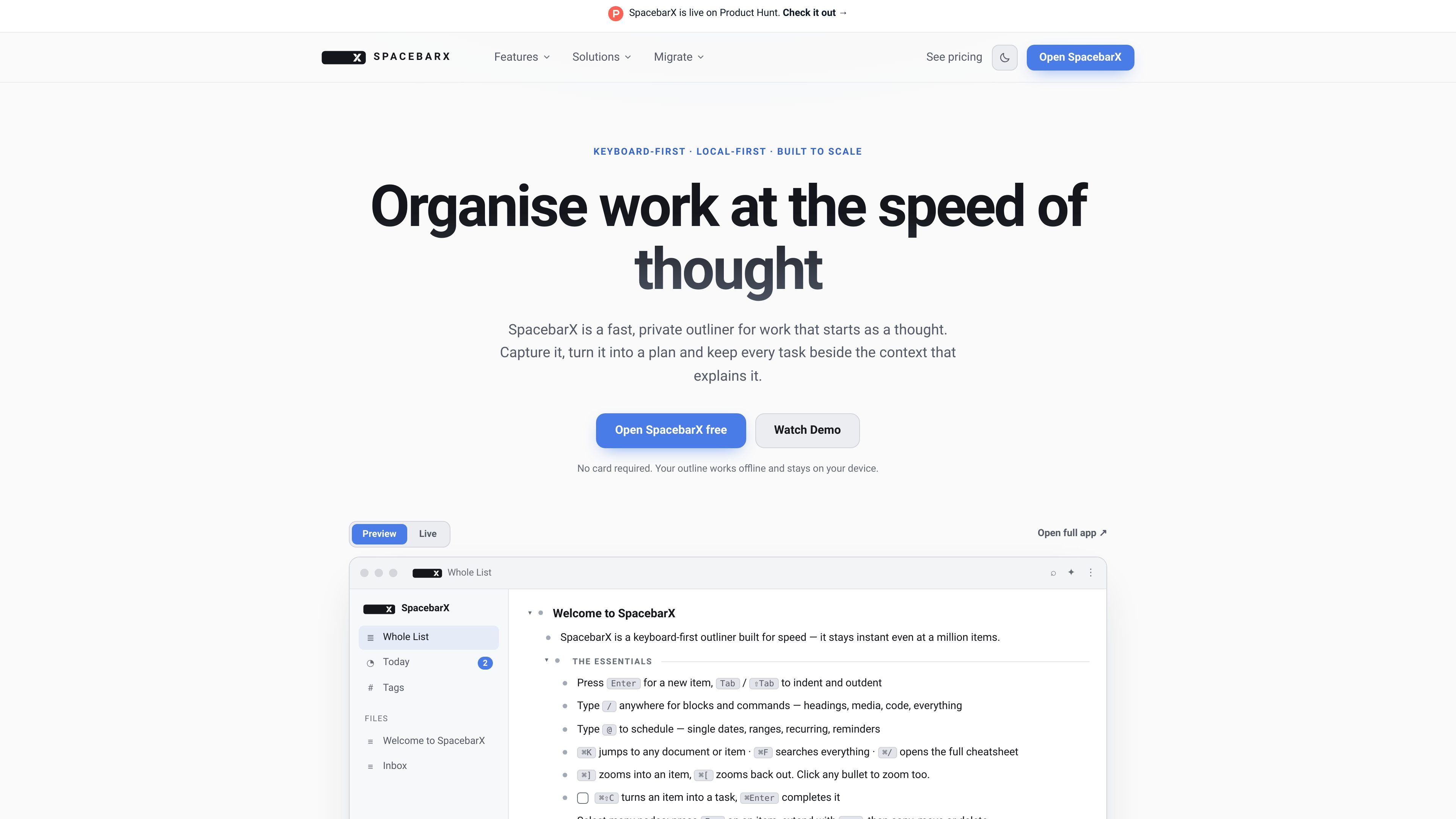
SpacebarX is a keyboard-first, local-first outliner for organising notes, tasks and projects in one connected workspace. The core idea is to keep the outline fast enough for quick capture while still holding larger bodies of work, from daily tasks to long-running research.
The product keeps data on your device and works offline, with optional sync through your own Google Drive or Dropbox account. On top of the outline, Pro adds alternate views, recovery tools, encryption, calendar integration, file and document export, and AI assistance with your own provider key.
SpacebarX is built around nested outlines, quick capture, templates, mirrors, search, dates, recurring tasks and multi-select editing. The same outline can hold brief notes, tasks and longer-running projects.
Today View collects what is due now, overdue and next, with automatic rollover for unfinished work. It keeps dates inside the project outline instead of moving them into a separate task list.
A branch can be switched into Board View, Table View or Mind Map without copying the work elsewhere. These views are available on Pro and let the same outline be read as a workflow, comparison table or visual map.
Mirrors let one item appear in multiple places while keeping a single underlying source. Editing the mirror updates the original, which helps when a decision, source or task needs to stay visible in more than one branch.
Pro adds saved searches, auto-archive, version history restore, encrypted documents and passkeys. The product also supports file uploads, PDF and print export, custom colours and fonts, and Google Calendar connection.
AI can connect to supported providers with your own key, and SpacebarX shows suggested changes for review before applying them. The site also says AI edits are undoable.
Use SpacebarX as a daily command centre for tasks that should stay tied to the notes, dates and context that explain them. Today View and automatic rollover help surface what needs attention without moving items into another app.
Build a project branch, then switch it into Board View when you need a status readout. Moving a card changes the underlying outline position, so the board stays connected to the same source notes.
Keep research notes, source links and decisions inside the same outline branch, then use mirrors to surface key items in more than one place. Saved searches on Pro can turn recurring review questions into live views.
Import an existing outline from Workflowy, Dynalist, Obsidian, Logseq or OPML and continue working in the same hierarchy. The site positions import as a way to switch without rebuilding years of structure from scratch.
Use encrypted documents on Pro for notes that should be separated from the rest of the workspace, such as client materials, journals or financial records. The rest of the outline can remain open and usable.
Yes. The pricing page says every Pro plan begins with a 14-day free trial and no card is needed to start it.
Free includes the core outline, while Pro adds Board View, Table View, Mind Map, saved searches, auto-archive, version restore, encrypted documents, passkeys, Google Calendar connection, file uploads, PDF and print export, deeper customisation, and AI with your own provider key.
SpacebarX is local-first and can work offline. The app stores the primary copy on your device, and sync is optional through your own Google Drive or Dropbox account.
The site says you can import a real branch from Workflowy, Dynalist, Obsidian or another outliner with OPML, and that OPML also covers exports from Workflowy, Dynalist, Obsidian and Logseq.
The site presents SpacebarX as a keyboard-first outliner for one connected workspace, with support for personal work and project tracking. It does not describe team permissions or collaboration controls in the available pages.

Biji - это универсальная платформа, разработанная для повышения продуктивности с помощью инновационных инструментов и функций.

Yattayo: Slider To-Do Board is a productivity app that turns tasks into a physical-style slider board with sticky notes, widgets, reminders, and iCloud sync. It helps people who want a more tactile way to manage to-dos and, in Premium, recurring habits.

at8pm is an iPhone journaling app that locks each day’s entry after a chosen time so it can’t be edited later. It supports text, voice, photos, locations, and quick video notes, with private iCloud syncing and optional Face ID lock.

Goldfish is an AI memory app for macOS that helps you reply, write, summarize, and continue using the context already on your Mac. It stores memory locally and writes in your tone.

Flunkey is a voice-first productivity layer for Windows that converts speech into text, AI-assisted outputs, and remembered context. It is built for users who want to capture ideas and actions without leaving the app they are working in.

ArtDeck is a visual reference board app for iPhone, iPad, and Mac that lets artists collect mixed reference material on one canvas and study it with ToolBox lenses. It works offline, supports optional iCloud sync, and is sold as a one-time purchase with no account required.