
Highlight detection
Transcribes long recordings and identifies candidate moments so creators can review selected segments instead of scanning the entire source manually.
SupoClip is an open-source AI video clipper that finds candidate moments in long videos, reframes them for vertical viewing, and adds synchronized captions. It is designed for creators and teams repurposing YouTube videos or uploaded recordings for Shorts, TikTok, and Reels.
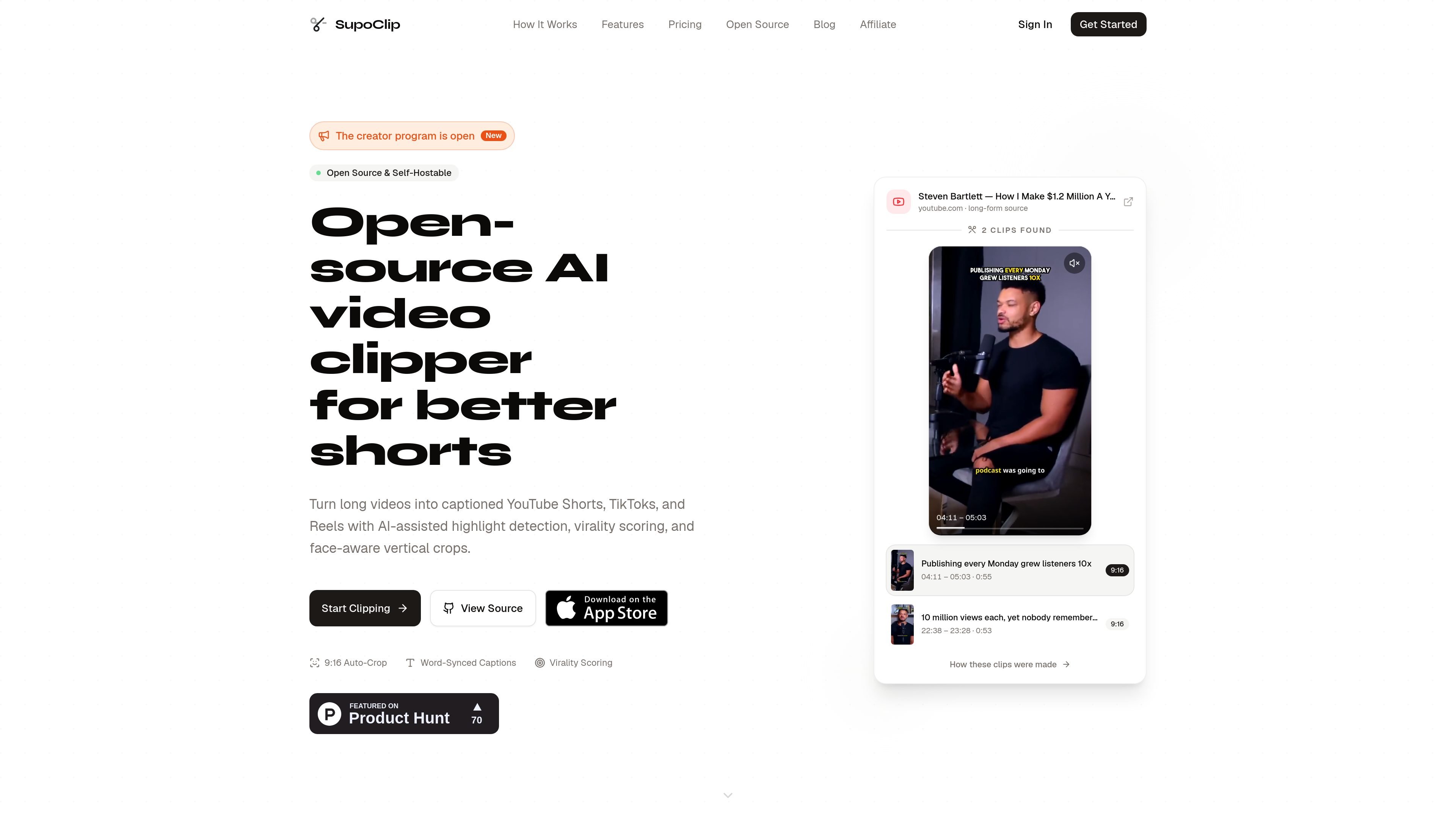
SupoClip is an open-source AI video clipper for turning long recordings and YouTube videos into short-form vertical content. It combines transcription, candidate-segment detection, scoring, face-aware reframing, captions, and export settings in one workflow for YouTube Shorts, TikTok, and Instagram Reels.
Users can paste a YouTube URL or upload a video file, review the moments identified by the system, and render selected clips in a captioned 9:16 format. The application is available as a hosted service, while the AGPL-3.0 codebase can be self-hosted and adapted for teams that want control over infrastructure, model providers, or processing behavior.
Transcribes long recordings and identifies candidate moments so creators can review selected segments instead of scanning the entire source manually.
Rates candidate clips from 0 to 100 using factors including hook strength, engagement, value, and shareability; the score is intended to prioritize review.
Uses MediaPipe and OpenCV to detect and track faces when converting footage to a vertical 9:16 frame, with manual review still useful for multi-person scenes and screen shares.
Creates animated subtitles using word-level timestamps and includes caption templates, font presets, and adjustable styling options.
Can automatically source and overlay relevant stock footage from Pexels when using the hosted workflow described on the site.
Provides export presets for TikTok, Instagram Reels, and YouTube Shorts, with platform-oriented encoding settings.
Process podcast or interview recordings into a set of candidate Shorts, then review context, speaker framing, and captions before publishing the strongest excerpts.
Turn lectures, tutorials, or talks into focused clips organized around individual explanations or ideas rather than editing the full recording manually.
Give founders and marketing teams a repeatable workflow for extracting product explanations, customer-facing insights, or event highlights from long-form recordings.
Use the hosted application for a simpler workflow, or deploy the open-source stack on team infrastructure when provider choice, source access, or customization is important.
Build a local or customized processing setup with Docker Compose, Ollama, and local Whisper transcription when reducing reliance on external model providers is a priority.
Yes. SupoClip accepts a YouTube URL, transcribes the source, proposes candidate segments, and can render selected moments as vertical, captioned clips.
Yes. It generates word-synced subtitles and provides caption templates with adjustable font, color, and output settings before rendering.
The documented full-stack setup uses Docker Compose and includes a Next.js frontend, FastAPI backend, background workers, PostgreSQL, and Redis. Developers can also run these components separately.
Self-hosting is free under the AGPL-3.0 license, but users provide their own compute, storage, transcription service, and language-model configuration. SupoClip also offers a hosted version for users who do not want to manage infrastructure.
No. Virality scoring is a review aid based on factors such as hook strength, engagement, value, and shareability. Creators should review context, caption accuracy, framing, and audience fit before publishing.

Zella is a screen recorder and on-device AI video editor for Mac and iPhone. It helps creators record screens or cameras, automatically clean up footage, add captions, reframe clips, and export videos without uploading the core project to the cloud.

Tactiq is an AI note taker for Google Meet, Zoom, and Microsoft Teams that transcribes meetings live and turns them into summaries, action items, and follow-up outputs. It is built around a Chrome extension and supports team workflows through sharing and integrations.

CAMB.AI Streams dubs live audio in multiple languages in real time for broadcasts on platforms like YouTube, Twitch, and X. It plugs into existing live workflows using common streaming protocols and avoids a post-production step.

CAKIE is a Mac app for recording your screen and voice for an AI agent. It adds a transcript and screenshot highlights, then lets you copy a prompt and paste or attach the context in another AI app.

SpeakoFlow is a free, open-source desktop voice-to-text app for Windows, macOS, and Linux. It supports dictation into any app, voice-driven writing with Flow, cleanup, translation, and a screen-aware assistant.

Video Effects SDK adds real-time webcam effects such as background blur, background replacement or removal, denoising, framing, beautification, and color grading. It is built for teams shipping live video experiences on web, desktop, and mobile platforms.