
Chat with webpages
Chat directly with webpages so you can ask questions and work with page content in context rather than copying it elsewhere.

Tabbit Browser is an AI-native browser that helps users chat with webpages, automate browser tasks, and turn repeat prompts into reusable Skills. It is positioned for context-heavy reading, research, triage, and code-review workflows.
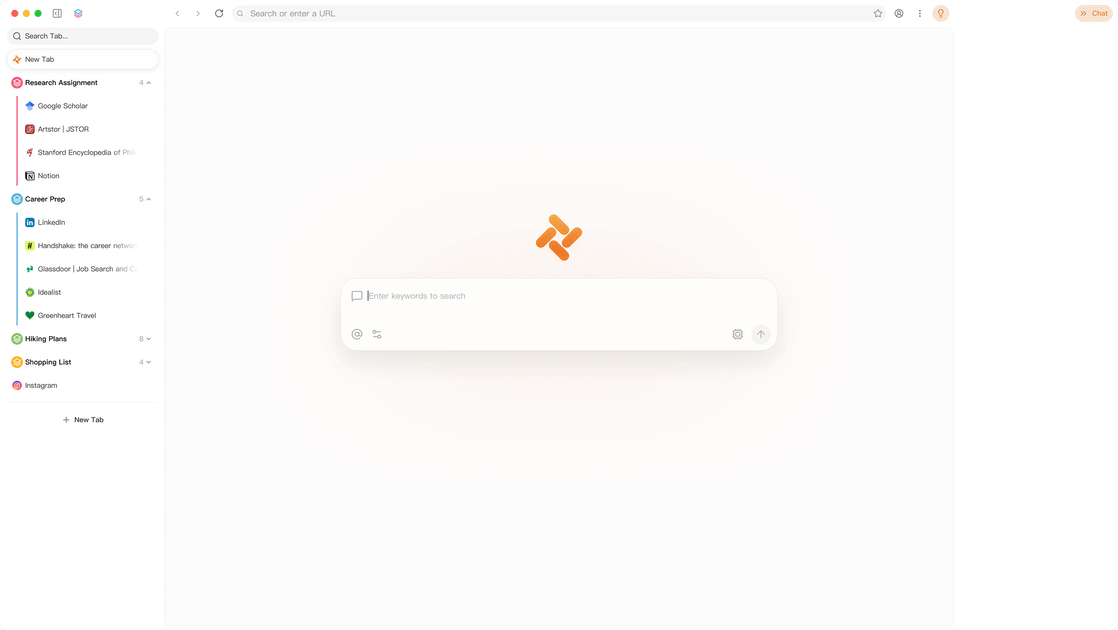
Tabbit Browser is an AI-native browser built to understand the context of what you are reading and doing online. Its homepage describes a browser that can chat with webpages, automate tasks with Agent, create custom Skills, and organize tabs more effectively.
The site presents Tabbit as a general browser with a set of built-in AI workflows for reading, saving, extracting, and revisiting information. Example use cases on the homepage include feed triage, podcast note extraction, comment analysis, paper research, code review, and inbox-style organization.
Chat directly with webpages so you can ask questions and work with page content in context rather than copying it elsewhere.
Use Agent to automate tasks inside the browser when a workflow is repetitive or multi-step.
Turn recurring prompts into reusable Tabbit Skills so common actions can be invoked again without retyping them.
Organize tabs and browsing workflows so the browser stays usable across many tasks and sources.
Work with context stored from reading, saved items, and prior threads to retrieve information later.
Use Tabbit to ask questions about a webpage while keeping the answer grounded in what is on the page.
Use Agent and Skills to turn repeat browser tasks into actions you can run again instead of manually redoing them.
Use the browser to triage feeds, subscriptions, comments, and inbox-style streams by surfacing the items most worth attention.
Use Tabbit for research and synthesis tasks such as saving papers, extracting tables, querying a library of saved documents, and checking references.
Use Tabbit to inspect code changes, explain diffs, and look for test gaps or risky paths before merge.
Tabbit is an AI-native browser that can chat with webpages, automate tasks with Agent, and create custom Skills. The homepage also emphasizes tab organization and workflows built around saved context.
The homepage does not specify a platform beyond being a browser. It presents Tabbit as a browser product rather than a standalone chatbot or extension.
Tabbit supports interacting with webpages through chat, using Agent to automate tasks, and turning recurring prompts into Skills for reuse.
The homepage highlights workflows such as surfacing useful content from feeds, saving and organizing reading material, extracting information from papers, and reviewing code changes.

Macuse is a macOS app that lets AI assistants control native Mac apps through MCP and use Computer Use for any app. It works with clients like Claude Desktop, Cursor, and Raycast, and keeps automation on-device.

Goldfish is an AI memory app for macOS that helps you reply, write, summarize, and continue using the context already on your Mac. It stores memory locally and writes in your tone.

Lasso is an ecommerce product data platform for enriching catalog records, processing supplier files, generating product content, and monitoring competitors. It combines a web app with a REST API, SDK, and MCP server for teams and developers.

Biji - это универсальная платформа, разработанная для повышения продуктивности с помощью инновационных инструментов и функций.

Botacts is a web directory for finding AI bots and agents you can contact by phone, email, SMS, WhatsApp, Telegram, or Signal. It also lets creators suggest bots for manual review before publication.

Tavus is an AI video platform for building real-time, face-to-face agents, digital twins, and AI companions. It combines APIs, custom replicas, and multilingual conversational workflows for developers and teams.