
New tab task workspace
Replaces the Chrome new tab page with a task manager so your board is available whenever you open a new tab.

Taskvox is a Chrome extension that turns the new tab page into a personal task manager with a kanban board and yearly activity heatmap. It helps individuals organize tasks, review completed work, and sync their lists across devices.
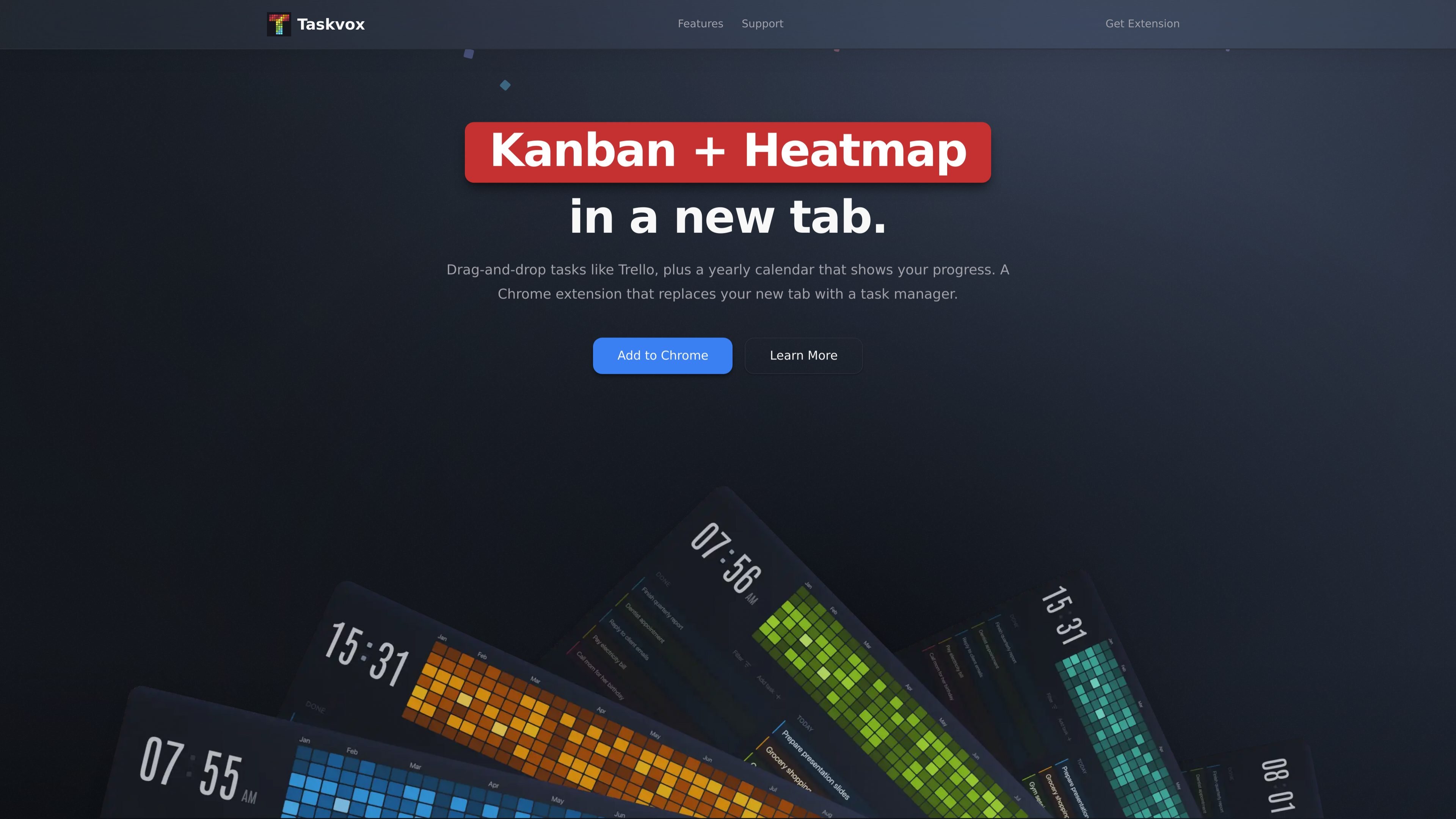
Taskvox is a Chrome extension that replaces the new tab page with a personal task manager. It combines a kanban board for organizing work with a yearly heatmap that visualizes completed tasks over time.
The product is aimed at individual task tracking rather than team project management. It emphasizes a minimal interface, drag-and-drop task handling, optional color labels and due dates, and cloud sync so tasks appear on any signed-in device.
Replaces the Chrome new tab page with a task manager so your board is available whenever you open a new tab.
Organize tasks in a Trello-like kanban board and move items by dragging them between columns.
Track completed tasks in a year-long calendar view inspired by GitHub’s contribution graph.
Group tasks with color labels and add due dates only when they are useful for a specific item.
Filter tasks and activity by project, color, date range, age, or priority to focus on a specific slice of work.
Use a dark-only interface, sync tasks across devices after sign-in, and rely on Google OAuth for authentication.
Use Taskvox as your daily browser landing page when you want task lists and progress tracking to appear every time you open a new tab.
Move items across columns as work changes state, using the kanban board to keep active tasks visible and easy to reorder.
Review your yearly heatmap to spot periods of high activity, gaps in execution, and completed work across multiple projects.
Filter by project, date range, age, or priority when you want to narrow down a long list of tasks to one context or time window.
Taskvox opens in a Chrome new tab and lets you add tasks, move them through a kanban board, and view completed work in a yearly heatmap. The source also says sign-in syncs tasks across devices.
The site describes Taskvox as a browser extension for personal task management and says it is built for one person, not team projects.
The home page says you can add a task with no required fields, then optionally use color labels and due dates. It also mentions filtering by project, color, date range, age, and priority.
The pricing page on the site returned a 404, so there is no pricing information available from the provided pages.
Taskvox lists support and legal contact emails on the site. The support page says users can send questions or bug reports through a form or by email.

Biji - это универсальная платформа, разработанная для повышения продуктивности с помощью инновационных инструментов и функций.

Goldfish is an AI memory app for macOS that helps you reply, write, summarize, and continue using the context already on your Mac. It stores memory locally and writes in your tone.

ArtDeck is a visual reference board app for iPhone, iPad, and Mac that lets artists collect mixed reference material on one canvas and study it with ToolBox lenses. It works offline, supports optional iCloud sync, and is sold as a one-time purchase with no account required.

Malyatko is a baby tracker for logging feeding, sleep, growth, teething, and milestones in one app. It works on iPhone, Apple Watch, and widgets, with no sign-up, offline use, and family sharing through iCloud.

Redline is a budgeting tool for Claude Code that paces sessions to stay within time, token, cost, or plan-percentage limits. It uses Claude Code’s native hooks and statusline to help sessions finish with a usable result instead of stopping abruptly.

Claude Overlay is a Windows desktop overlay for Claude Code that reads your screen so you can ask questions, inspect content, and request edits without leaving the current app. It runs on your existing Claude subscription through the Claude CLI, so no separate API key is required.