
Template browsing by style
The home page presents a browsing experience built around template categories such as Trending, Sports, Leisure, Memes, K-Drama, and Aesthetic, making it easy to scan styles before starting a generation.

Trendy is a web app for turning photos into AI-generated templates based on trending aesthetics. It offers a free plan plus paid tiers with higher generation limits, full-library access, and HD downloads.
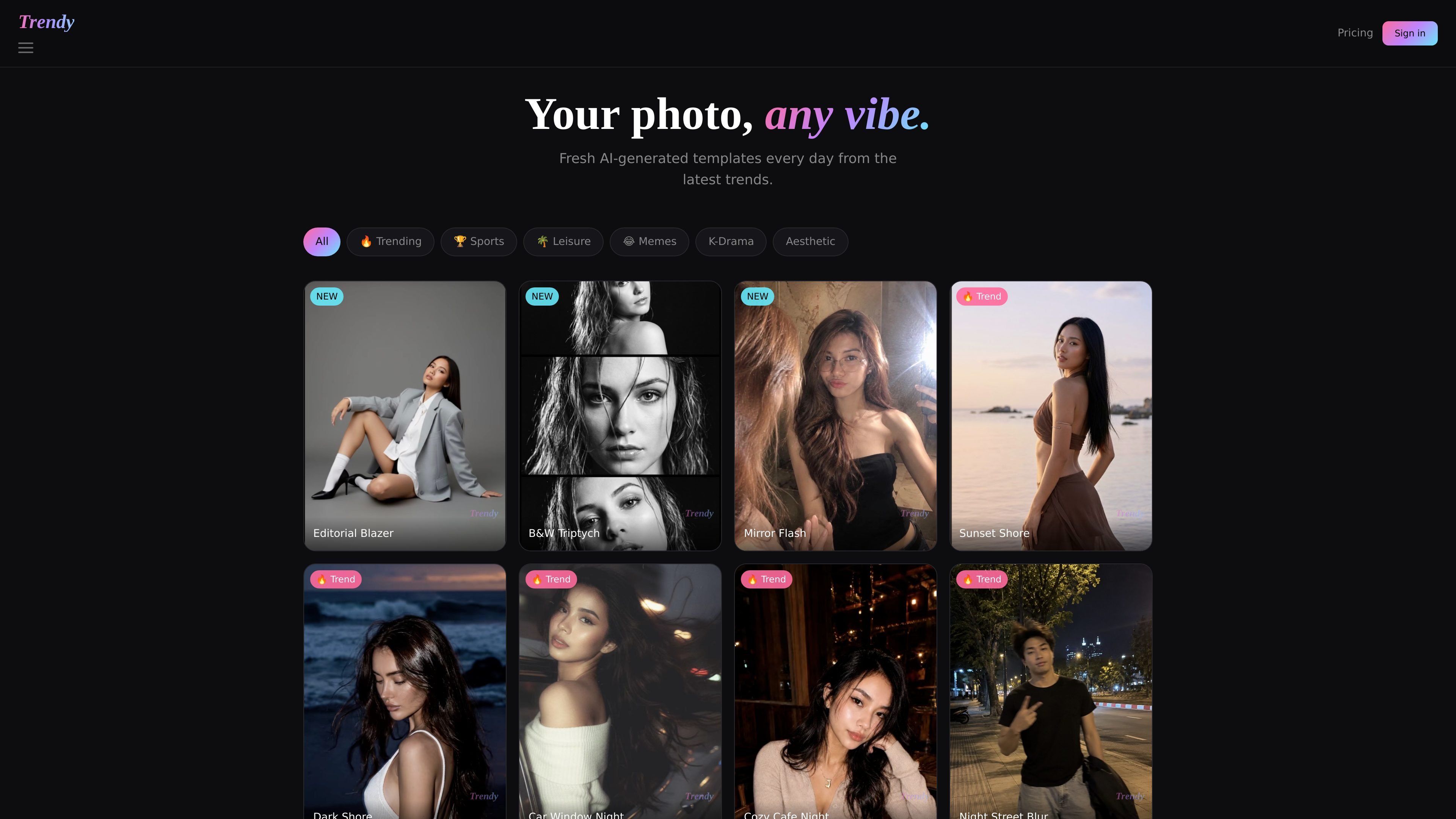
Trendy is a web-based product for turning photos into AI-generated templates inspired by current aesthetics and trend-led styles. The site frames the experience around quickly browsing visual categories, choosing a look, and generating a styled result from your photo.
The public pages show a simple template library that is refreshed daily and organized by themes such as Trending, Sports, Leisure, Memes, K-Drama, and Aesthetic. Pricing is usage-based, with a free tier and paid plans that increase generation limits, unlock the full library, and add HD downloads or early access at higher tiers.
The home page presents a browsing experience built around template categories such as Trending, Sports, Leisure, Memes, K-Drama, and Aesthetic, making it easy to scan styles before starting a generation.
The site highlights daily freshness with references to “fresh designs generated daily” and labeled examples like NEW and Trend, indicating that the template set changes over time rather than staying static.
The product is centered on turning photos into AI-generated templates, so the core workflow is selecting a visual style and applying it to an uploaded photo.
The pricing page distinguishes between standard quality and HD downloads, showing that output quality varies by plan and that higher tiers unlock higher-resolution downloads.
The pricing page offers account tiers from free through Studio, with increasing generation limits and access breadth, including early access on the highest tier.
A person wants to try a stylized photo look without manually designing a template. They can browse the home-page categories, pick a visual vibe, and generate a themed result from their photo.
Someone looking for a current or seasonal look can use the template categories and daily refreshed library to find a style that matches a trend rather than a static preset.
A user who wants higher-resolution output can move beyond the free tier to a paid plan that includes HD downloads, which is better suited for saving and sharing finished images.
A frequent user who expects to generate repeatedly can choose a higher plan for more monthly generations or unlimited use under fair use, depending on how often they create.
A returning user who wants early access to new templates can use the Studio plan, which includes the full library and early access according to the pricing page.
The site shows a sign-in flow with Google sign-in and account creation, so creating an account appears to be part of using the service. The public pages do not describe any additional setup steps.
Trendy presents a gallery of templates and a generation-based pricing model. The public pages show that users can start free and then upgrade for more generations and higher tiers of access.
The pricing page lists a free plan with 1 generation per month, a Lite plan with 5 generations per month and HD downloads, a Pro plan with 10 generations per month and HD downloads, and a Studio plan with unlimited generations under fair use.
The home page describes Trendy as AI photo templates built from trending aesthetics and shows categories such as Trending, Sports, Leisure, Memes, K-Drama, and Aesthetic. It appears to be aimed at people who want stylized photo looks without building templates themselves.
The public pages do not list export destinations, mobile apps, or third-party integrations. Based on the site content, Trendy is best understood as a web product with sign-in and template generation rather than an integrated workflow tool.

Все-в-одном AI платформа, которая объединяет инструменты для изображения, видео, голоса, письма и чата для повышения креативности и сотрудничества.

Pixelcut is an AI photo editor for creating and editing product images, social content, and video assets. It offers free and paid plans, plus mobile app and browser access for individual users and teams.

Petalica Paint is a web service for automatically coloring line art and tracing line drawings from photographed images. The home page says it can be used under the stated terms for commercial and noncommercial work, but it is scheduled to end on 2025-07-31 at 16:00 JST.

PixelDrive is a bulk image generation API for creating many on-brand images from one template through a browser editor, REST API, CSV batch, or MCP. It suits teams that need repeatable image output with cacheable renders and usage-based pricing.

Wearvue AI generates personalized outfit previews from a photo, lets users refine the style for an occasion, and surfaces similar real products to shop. It is aimed at people who want to preview outfit ideas before buying and compare them with shoppable alternatives.

Upscale.media is an AI image upscaling and enhancement tool from Pixelbin that enlarges low-resolution or pixelated images and improves clarity in the browser. It offers free individual image use, paid credit plans, and team-oriented workflows such as bulk processing and API integration.