
Photo-based outfit generation
Upload a photo and generate outfit previews based on your look, then adjust the result for different occasions or style directions.

Wearvue AI generates personalized outfit previews from a photo, lets users refine the style for an occasion, and surfaces similar real products to shop. It is aimed at people who want to preview outfit ideas before buying and compare them with shoppable alternatives.
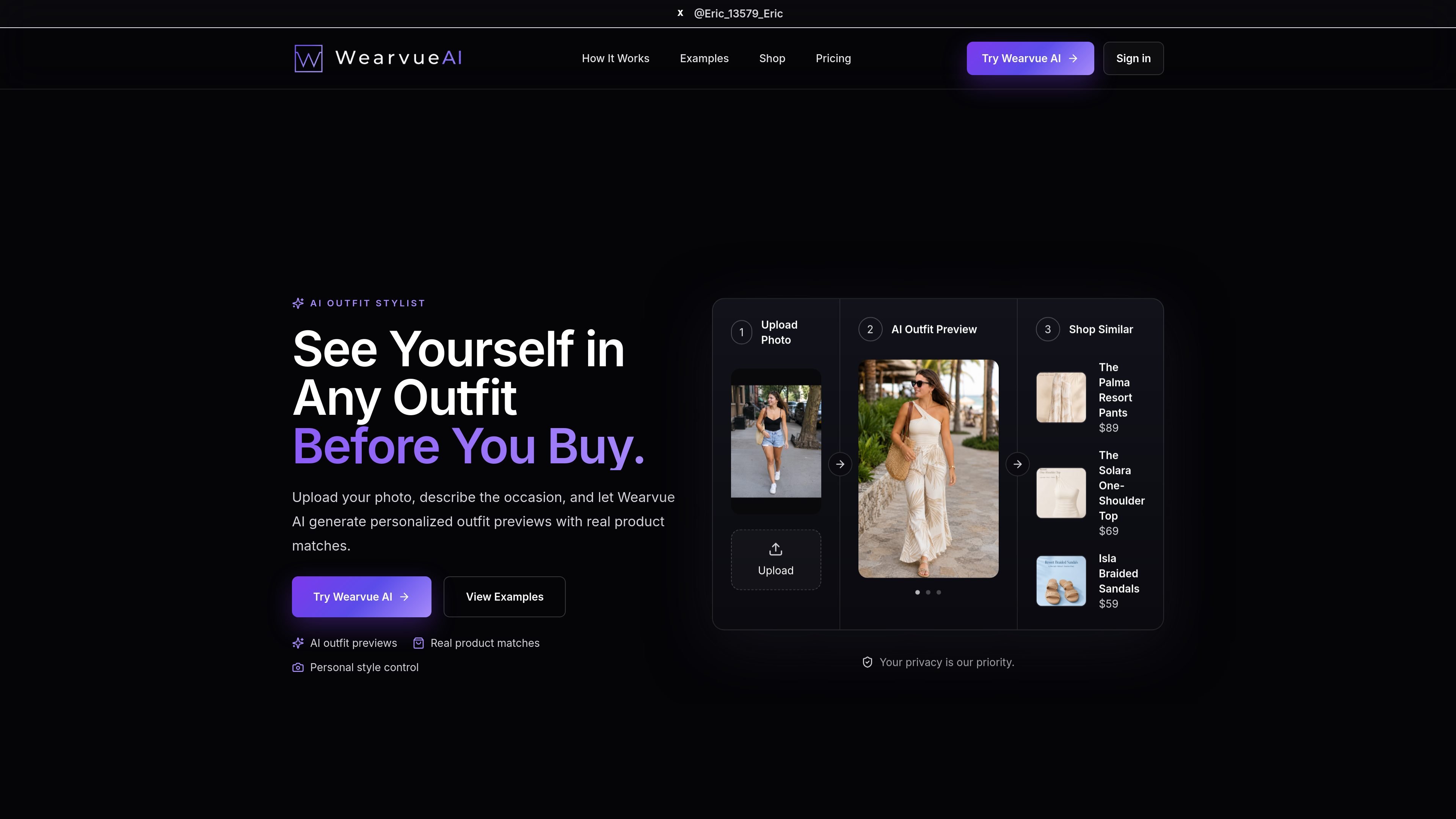
Wearvue AI is an AI outfit stylist and virtual try-on product that turns a user photo into personalized outfit previews. The site positions it as a way to see how an outfit might look before buying, while also surfacing similar real products that can be shopped.
The workflow is built around a simple prompt-and-preview process: upload a photo, describe the occasion, and let the system generate outfit options that can be refined with style instructions. The pricing page shows a credit-based model with a free tier, subscription plans, and one-time credit packs for standard looks, HD looks, regenerations, and product recommendations.
Upload a photo and generate outfit previews based on your look, then adjust the result for different occasions or style directions.
Describe where you are going or the mood you want, and the product generates looks tailored to that context.
Refine the output with specific instructions such as color, budget, or style cues until the look feels closer to what you want.
Shows similar real products alongside the generated outfit so you can move from concept to shopping.
Provides both standard and HD outfit generation, with HD using more credits for higher-quality previews.
Supports saving looks and regenerating them, with plan limits and credit usage clearly tied to each action.
Upload a portrait or full-body photo to preview outfit ideas before making a purchase, then use the shopping step to find similar items.
Enter the occasion, such as date night or weekend casual, to generate looks that fit the setting instead of a generic outfit suggestion.
Tweak colors, budget, or style direction when the first result is close but not quite right, using regeneration and prompt refinements.
Use HD generation when a sharper preview matters more than running more low-cost looks, especially for final selection decisions.
Wearvue AI uses credits to generate AI outfit looks and run product recommendations. The pricing page shows a free tier, monthly membership tiers, and one-time credit packs.
Yes. The pricing page states that credits can be purchased as one-time packs without subscribing.
No. The pricing page says Free includes standard generation only, and HD generation is available on paid plans.
Yes. The pricing page says paid plans include 30 membership days and that higher membership tiers are used before lower tiers.
The site says Wearvue AI can generate personalized outfit previews from a photo, refine the style for a chosen occasion, and show similar real products to shop.

Pixelcut is an AI photo editor for creating and editing product images, social content, and video assets. It offers free and paid plans, plus mobile app and browser access for individual users and teams.

Petalica Paint is a web service for automatically coloring line art and tracing line drawings from photographed images. The home page says it can be used under the stated terms for commercial and noncommercial work, but it is scheduled to end on 2025-07-31 at 16:00 JST.

Upscale.media is an AI image upscaling and enhancement tool from Pixelbin that enlarges low-resolution or pixelated images and improves clarity in the browser. It offers free individual image use, paid credit plans, and team-oriented workflows such as bulk processing and API integration.

PhotoAid’s AI Image Enlarger is a free browser-based tool for upscaling images without a standard blur-heavy resize. It supports JPEG, WEBP, and PNG uploads and is described as working best for photos with faces.

Magic Eraser — это инструмент на основе ИИ, который позволяет пользователям быстро удалять нежелательные объекты, людей, текст и дефекты с фотографий с легкостью.

Faceswapai.Online is a web-based AI face swap tool for photos and videos, including multiple-face workflows. It offers free-to-try access without sign-up and paid credit-based VIP features for larger or longer jobs.