
One API across many models
Route OpenAI-compatible requests through a single endpoint while choosing from hundreds of models and many providers.

TrustedRouter is an OpenAI-compatible AI router for accessing hundreds of models through one API with verifiable privacy, provider failover, and BYOK support. It is aimed at developers and teams migrating existing OpenAI-style workflows or adding routing and trust controls to production traffic.
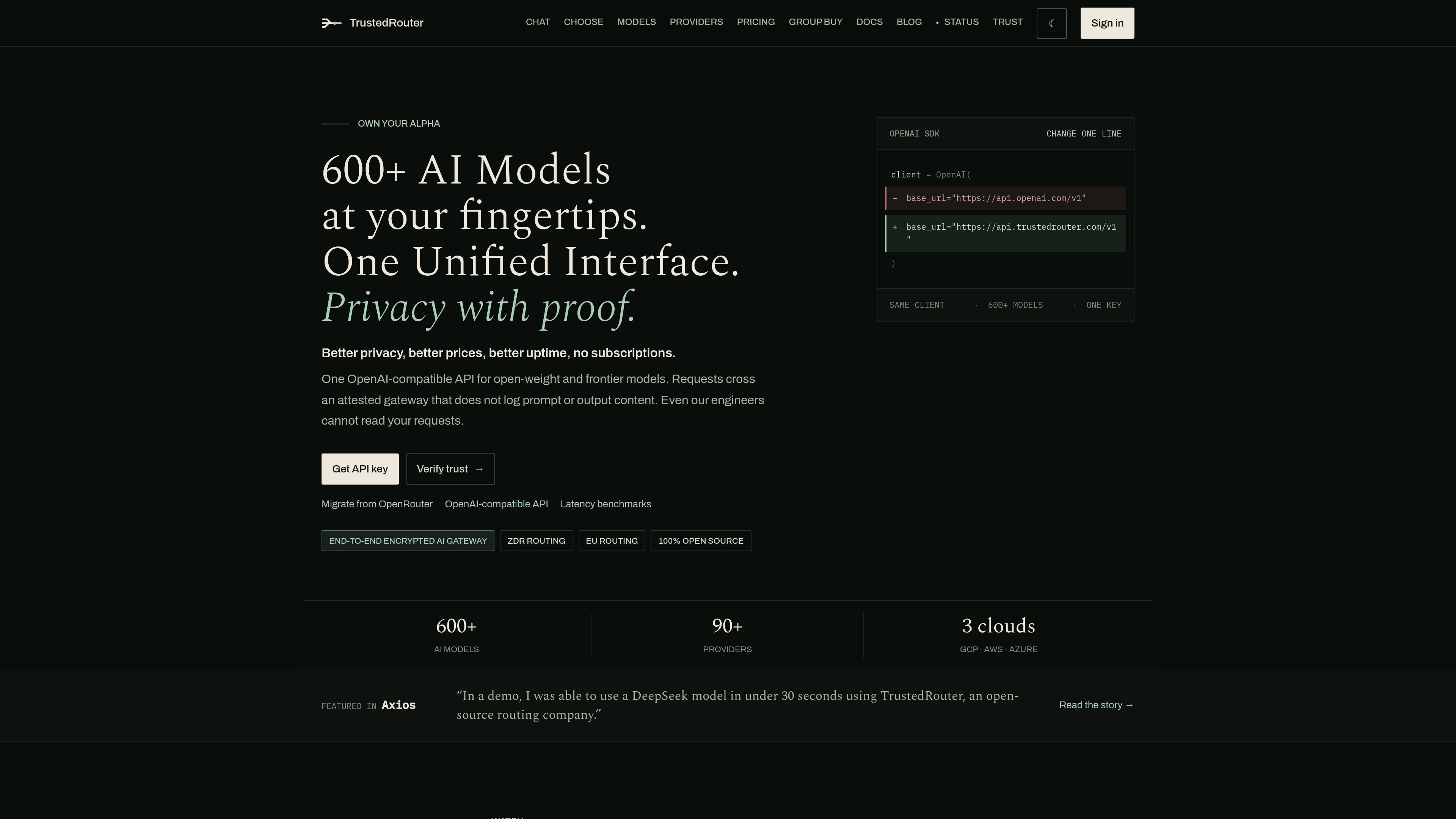
TrustedRouter is an OpenAI-compatible AI router and gateway for teams that want to access many models through one API while keeping the prompt path verifiable. The product is positioned as a privacy-first alternative to OpenRouter, with attested infrastructure, no prompt or output logs, and routing options that make privacy, geography, cost, and failover explicit.
It supports more than 600 models and dozens of providers, with named aliases for common routing goals such as healthy-provider rollover, zero-retention routing, confidential workloads, and Europe-focused routes. The site also emphasizes easy migration: existing OpenAI SDK calls can keep working after a base URL change.
Route OpenAI-compatible requests through a single endpoint while choosing from hundreds of models and many providers.
Use aliases such as trustedrouter/auto, trustedrouter/zdr, trustedrouter/e2e, and trustedrouter/eu to make routing intent explicit.
Keep traffic on a verifiable prompt path with an attested gateway, source commit and image digest checks, and fail-closed behavior if attestation does not pass.
Shift traffic to healthy providers and regional routes when an upstream service is unavailable, instead of relying on one provider or one cloud.
Bring your own provider keys where needed while still using the TrustedRouter routing layer and trust boundary.
Review catalog pricing, route metadata, and public status before sending traffic, with no prompt or output content stored in the control plane.
Teams can keep their current OpenAI SDK integration and point it at TrustedRouter to reach a wider model catalog without rewriting their application code.
Applications that need a simple production default can use trustedrouter/auto to roll over to a healthy provider when one upstream route degrades or fails.
Legal, compliance, or other sensitive workflows can route through trustedrouter/zdr or trustedrouter/e2e to match stricter privacy requirements.
Teams working across regions can choose trustedrouter/eu when they want Europe-focused routing rather than a generic global route.
Organizations with existing provider commitments can use BYOK to keep their rate limits or negotiated spend while still using TrustedRouter’s routing layer.
TrustedRouter is an OpenAI-compatible AI gateway that routes requests across many model providers through one API. It emphasizes verifiable privacy by separating the prompt path from the dashboard and billing control plane.
Yes. The site says you can keep the OpenAI SDK and change only the base URL to point at TrustedRouter, then continue using chat completions or Responses-style calls.
TrustedRouter offers routing aliases such as trustedrouter/auto for healthy-provider rollover, trustedrouter/zdr for zero-retention routing, trustedrouter/e2e for confidential and E2EE routes, and trustedrouter/eu for Europe-focused routing.
No. The site states that prompt and output content are intentionally excluded from the control plane and metadata systems, with optional content export only when explicitly configured at the destination level.
Pricing is usage-based. The pricing page says text and embedding routes are billed at provider cost plus 5.5%, with no monthly plan, and BYOK is supported for providers where you already have committed spend or enterprise rate limits.

AakarDev AI helps teams manage AI provider access, project-level setups, logs, and analytics from one dashboard. It supports BYOK workflows and lists providers including OpenAI, Google Gemini, Anthropic, Groq, Mistral AI, and Perplexity AI.

ByteAsk is a terminal-first AI coding agent for C and C++ that edits repositories and verifies changes with the real compiler, debugger, sanitizers, and tests before showing a diff. It offers a free tier plus paid plans, with editor connectors and zero-retention handling described in the source.

Epherem is a static security scanner for web apps built with AI coding tools such as Lovable, Bolt, v0, Replit, Cursor, and Claude Code. It checks source files and dependencies for common security mistakes, then provides categorized findings and suggested fixes without running the app.

CreateOS Sandbox is an isolated compute environment for running code and agent workloads inside Firecracker micro-VMs. It is designed for workflows that need machine-level isolation, private networking between sandboxes, and programmatic control through SDK, CLI, or MCP.

GitBot is a local browser-based workspace for creating reusable coding bots powered by Claude Code, Codex, or OpenCode. It helps developers run those agents across repository folders with persistent threads and configurable permissions.

hob is an independent workspace for coding agents that keeps agent sessions, terminals, history, and follow-up work organized around the tools and providers you already use. It is aimed at developers who want local control over routing, history, and workspace structure rather than a bundled model stack.