
Wine label scanning
Use the camera to scan a wine label and identify the bottle without manual searching or typing.

Wine Matcher: Scan & Pairing is an iPhone app that scans a wine label and generates a dinner menu paired to that bottle. It is free to download with in-app purchases and is designed for users who want a practical way to plan a meal around a specific wine.
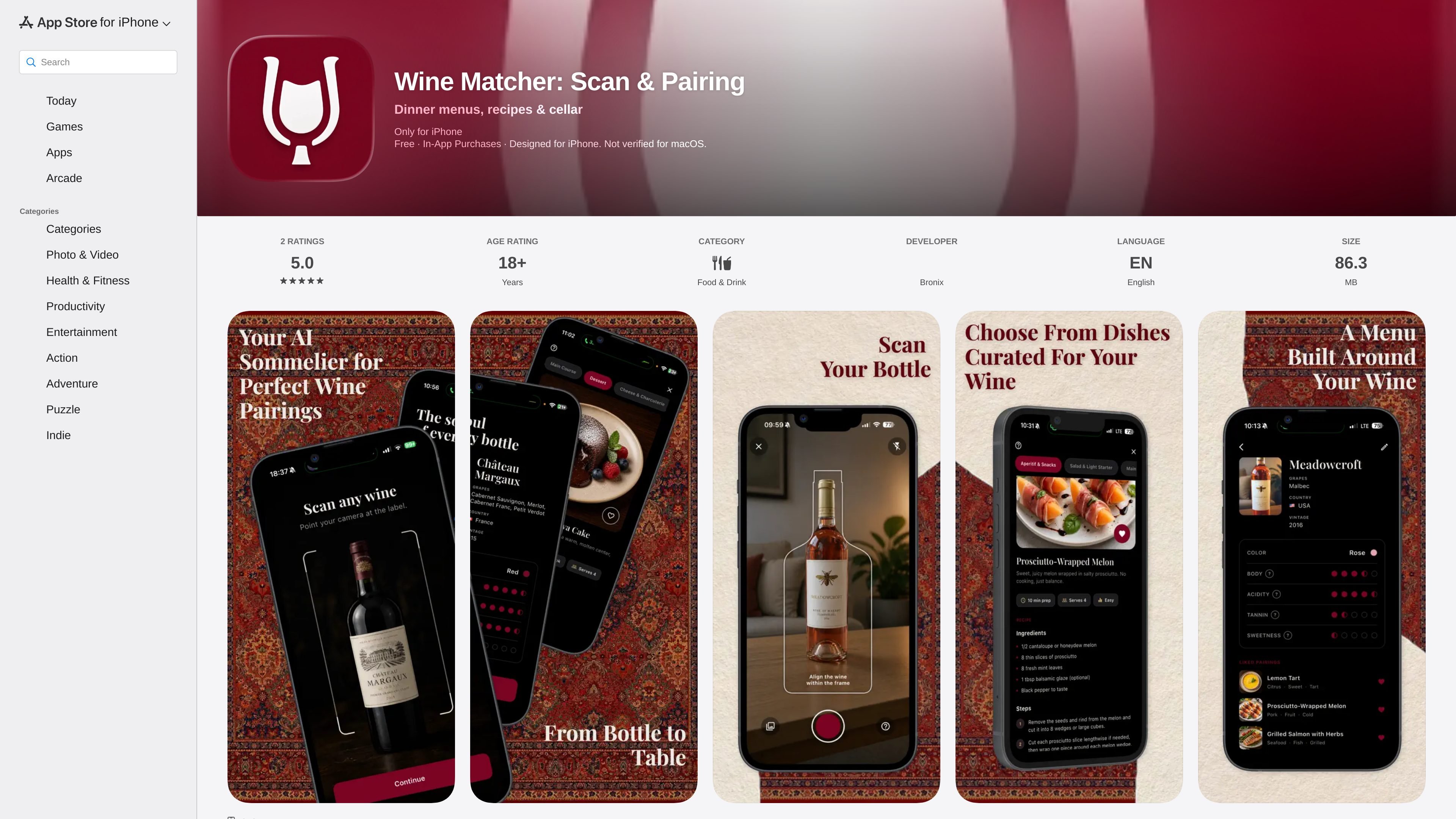
Wine Matcher: Scan & Pairing is an iPhone app for turning a bottle of wine into a dinner plan. You point the camera at a label, and the app uses AI to identify the wine and build a menu that matches it.
The App Store listing positions it as a dinner-planning tool rather than a wine rating or cellar app. Its main output is a course-by-course menu with paired dishes, plus a tasting profile and optional vibe cards to tailor the result to the occasion.
Use the camera to scan a wine label and identify the bottle without manual searching or typing.
Turn one scan into a full dinner plan with a course-by-course menu built around the wine.
See a 6-dimension tasting profile for each wine, covering body, acidity, tannin, sweetness, style, and color.
Browse 20 vibe cards such as Date Night and Dinner Party to shape the menu around the occasion.
Save bottles and pairings you liked so you can return to them later.
A Pro subscription unlocks unlimited scans, full course-by-course menus, every vibe card, and the saved collection.
Scan a bottle before dinner and get a menu you can cook around that specific wine.
Choose a vibe card like Date Night or Dinner Party when you want the menu to fit the occasion as well as the wine.
Save a wine and its pairings after a meal so you can reuse a result that worked well later.
Use the tasting profile to understand why the app suggested certain dishes, beyond the final menu itself.
Unlock Pro if you need unlimited scans or want access to the full set of vibe cards and menus.
It is an iPhone app that uses the camera to scan a wine label, identify the wine, and generate a course-by-course dinner menu to pair with that bottle.
The app shows a 5-course menu with 5 to 8 dishes and a 6-dimension tasting profile for the wine, including body, acidity, tannin, sweetness, style, and color.
Yes. The App Store listing shows Wine Matcher as free with in-app purchases, and the Pro subscription unlocks unlimited scans, full course-by-course menus, every vibe card, and the saved collection.
The listing says it is designed for iPhone and requires iOS 15.0 or later. It is also listed as not verified for macOS.
The page does not show team or collaboration features. Based on the listing, it appears to be a personal dinner-planning app rather than a shared workspace tool.

LeanUp is an AI calorie tracker and meal-planning app for logging meals, tracking macros, and getting personalized nutrition guidance. It supports barcode scanning, photo-based food recognition, manual search, and recipe reuse.
MealTime — это ваш личный помощник по рецептам, работающий в первую очередь в автономном режиме, который поможет вам сохранять, упорядочивать, планировать блюда и генерировать умные списки покупок, сохраняя при этом конфиденциальность ваших данных.

Kooler is a cocktail recipe and discovery site featuring measured recipes for classic, Brazilian, and community drinks. It helps home bartenders find cocktails, follow preparation methods, and participate through favorites, comments, check-ins, and recipe submissions.

Joy is a web app for home cooking that combines meal planning, recipe discovery, and private chef booking. It helps people plan meals, cook from ingredients they already have, and arrange a chef for special occasions.

Munch is a social app for food and recipes that lets people discover, share, and organize recipes in one place. It also includes AI-assisted recipe formatting and ingredient scanning for quick meal ideas.

Recipe Chest is a digital cookbook that uses AI to import recipes from websites, YouTube, Instagram, photos, or manual entries. It helps individuals and households organize, personalize, plan, and shop from their recipe collections in a browser-based app.