
Meeting prep briefs
Evan prepares meeting briefs by researching CRM, email, call history, people, companies, org charts, and buying roles, then sends talking points and battle cards before the call.

Zams is an AI-worker platform for revenue teams that automates meeting prep, CRM work, account monitoring, and prospecting across existing tools. It connects to systems like CRM, email, calendar, and Slack, with outputs delivered into familiar work channels.
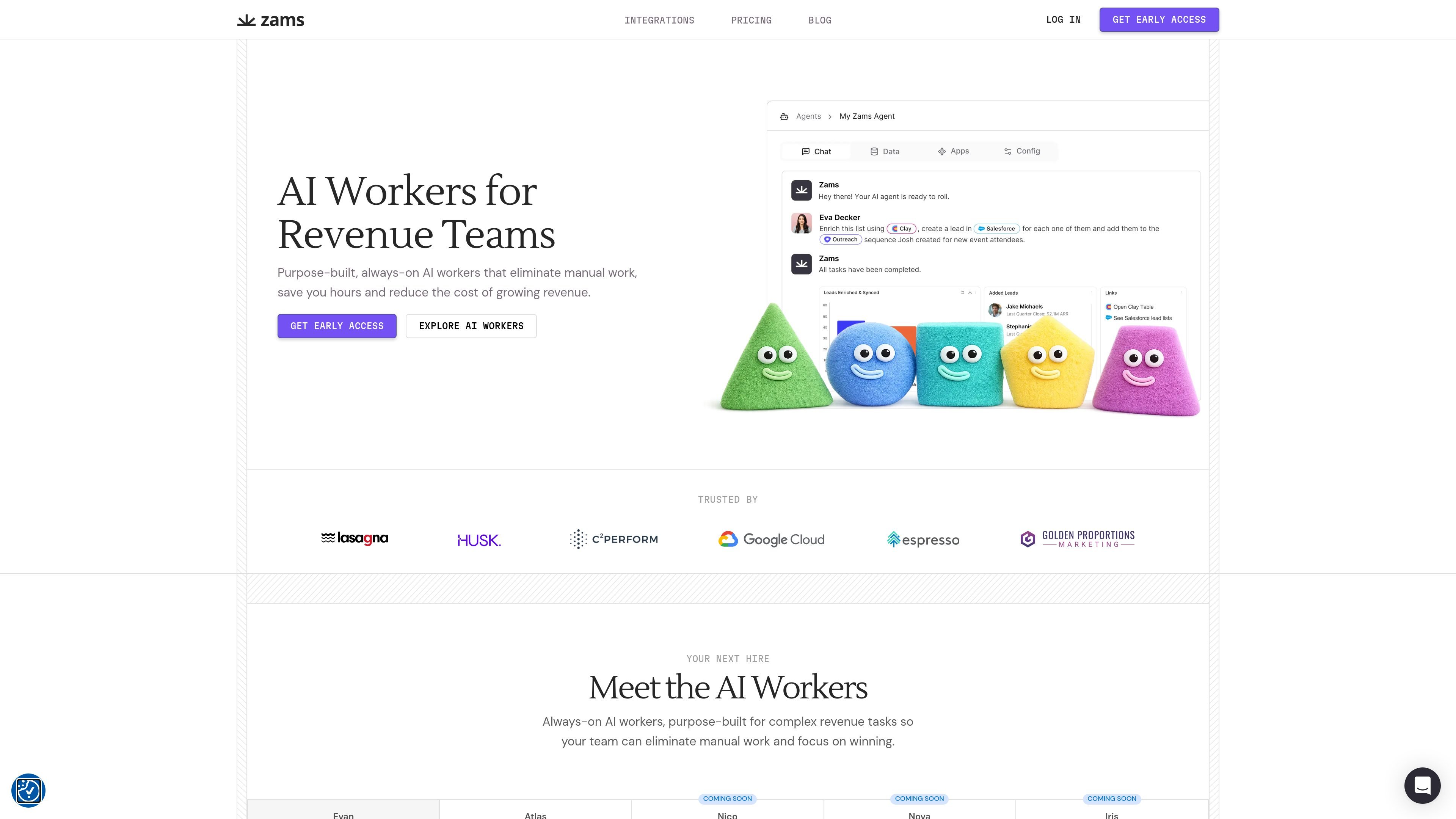
Zams, previously presented on the site as Obviously.ai, sells AI workers for revenue teams. The product is built to connect to an existing stack and automate recurring work in areas like meeting preparation, CRM operations, account monitoring, prospecting, and relationship mapping.
The platform is organized around named workers such as Evan, Atlas, Nico, Nova, and Iris, plus custom workers for teams with specific workflows. According to the site, these workers connect to tools like CRM, email, calendar, Slack, and other systems, then run in the background to take action, surface signals, and deliver outputs such as briefs, alerts, and recommendations.
Pricing is presented transparently on a monthly per-user basis for some workers, with custom workers priced separately. The site also states that the system does not require engineering setup and can be connected to existing tools in minutes, which positions it as an automation layer for revenue operations rather than a replacement for core systems.
Evan prepares meeting briefs by researching CRM, email, call history, people, companies, org charts, and buying roles, then sends talking points and battle cards before the call.
Atlas turns plain-English commands into CRM actions, helping users find information, update records, clean fields, and pull pipeline analytics from messy data.
Nico monitors target accounts continuously and alerts teams when account signals change, including hiring, funding, stakeholder moves, and org changes.
Nova analyzes completed sales calls to identify high-fit lookalike companies and contacts so follow-up prospecting can happen while momentum is still fresh.
Iris analyzes LinkedIn networks to surface warm intro paths, high-value prospects, and the strongest people to contact first.
Custom Workers are built by a Zams expert for a team’s specific workflow and are described as secure, production-ready, and ready for org-wide use in under a week.
A rep can get a pre-call brief that pulls from CRM, email, call history, and web research so they can enter the conversation with talking points, context, and likely objections already assembled.
A revenue operations or sales operations team can use Atlas to update fields, clean records, and pull answers from legacy CRM data without manually searching and editing records one by one.
A team responsible for strategic accounts can use Nico to track hiring, funding, stakeholder movement, and org changes, then respond when a meaningful account signal appears.
After a strong sales call, a rep can use Nova to identify similar companies and contacts quickly, keeping prospecting aligned with what just worked instead of starting from scratch.
Salespeople can use Iris to map their LinkedIn network for warm intro routes and high-value prospects, which helps prioritize outreach and relationship-based selling.
Zams is designed to connect to existing tools such as CRM, email, calendar, Slack, and other systems so AI workers can start operating on current data without a migration. The site says setup takes minutes and does not require engineering.
The site positions Zams for revenue teams that want to automate prep, CRM work, account monitoring, and prospecting tasks. Evan, Atlas, Nico, Nova, and Iris each focus on a different revenue workflow.
The product pages say workers can deliver outputs to Slack or email and can execute actions inside connected systems like CRM data, but the exact output format depends on the worker and workflow.
Pricing is presented as per-user monthly pricing for some workers, while custom workers are priced separately and require contact with Zams. Some workers are marked as coming soon or available by waitlist rather than immediate access.
The source materials show support for common systems such as Salesforce, Gmail, Google Calendar, Slack, Gong, Zoom, Notion, Attio, Affinity, and several data sources, but the integrations page does not present every supported workflow in detail.

Podium is an AI lead generation and lead management platform for local businesses. It centralizes lead conversations, automated follow-up, reviews, payments, and booking, with a 24/7 AI Employee available as an add-on.

Ninjō AI is an AI sales agent platform for creators and agencies that qualifies leads, handles sales conversations, and supports multi-channel follow-up. It can also be controlled from Claude or ChatGPT through MCP for users who want to manage agents by chat.

Sumora is an autonomous outreach agent for finding, qualifying, warming, and booking leads through LinkedIn and Instagram. It helps users manage replies from one inbox while keeping final sends under review.

Blinked is a free Chrome extension for LinkedIn outreach that helps users research leads, draft personalized messages, and manage follow-ups inside LinkedIn. It is local first, with outreach data kept in the browser rather than on Blinked’s servers.
Salestrics is an AI-native CRM and revenue platform for startups. It combines pipeline management, workspace files, analytics, automations, finance, and team communication in one connected workspace.

Cold Mail Server provides dedicated outbound email infrastructure for cold outreach teams, agencies, and outbound SaaS operators. It offers isolated mail servers, unlimited mailboxes and domains, a unified reply inbox, and deliverability monitoring on flat-rate plans.