
Remembers people and context
Zinley keeps track of the people and open loops you already know about, so it can work from shared context instead of starting from scratch each time.

Zinley is a personal extension with its own phone number, inbox, and computer for handling calls, email, and computer work within your rules. It is aimed at people who need delegated follow-up, context retention, and clear handoffs.
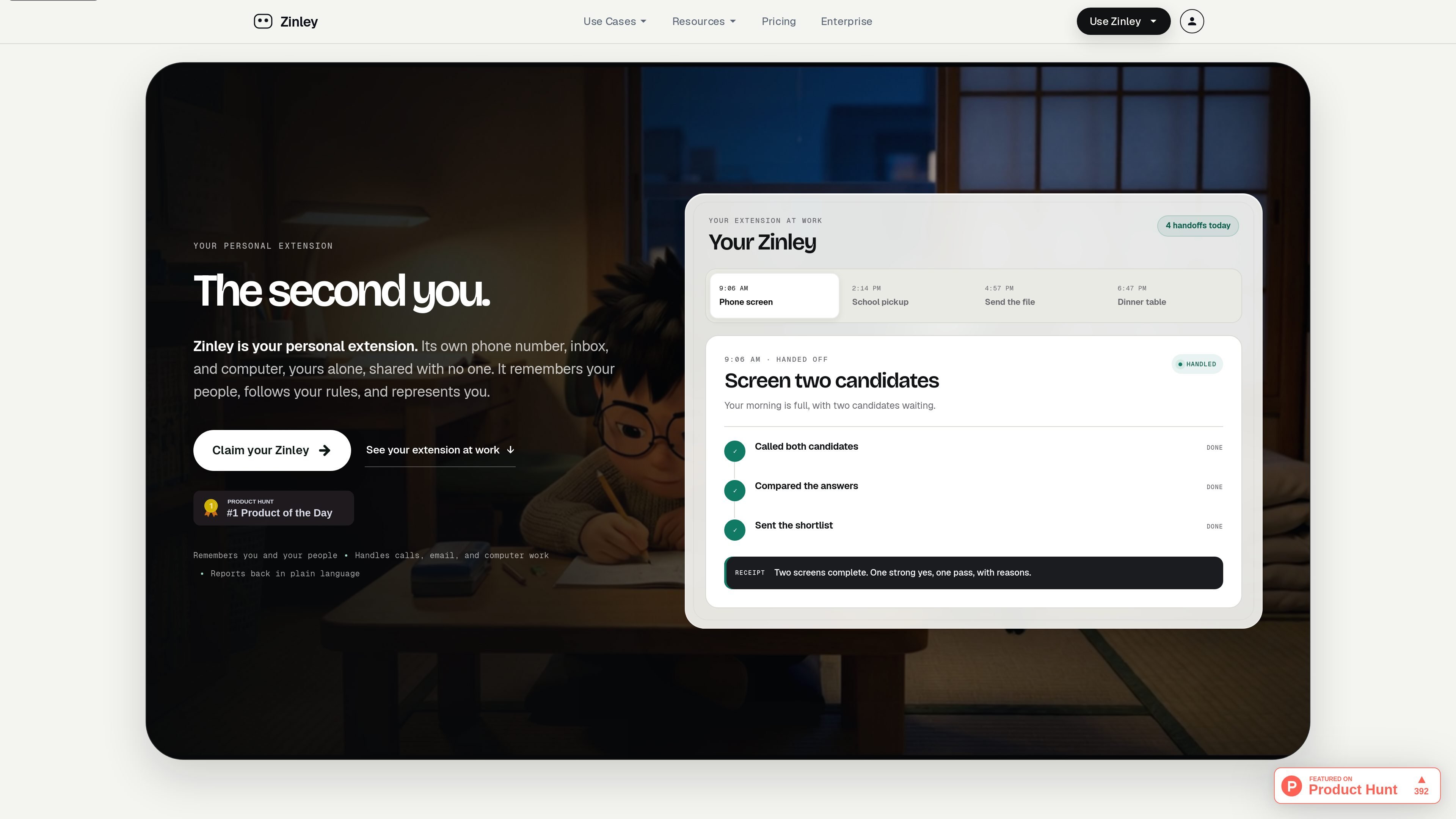
Zinley is a personal extension that combines its own phone number, inbox, and computer into a single delegated workspace. The site describes it as a system that remembers you and the people in your life, follows your rules, and represents you across calls, email, and computer tasks.
The product is designed for situations where context, follow-up, and handoff matter. It can answer and place calls, keep email threads moving, work on approved devices, and return a plain-language recap when the job is done. The examples on the site include candidate screening, scheduling, research and synthesis, data operations, document drafting, missed-call handling, and personal customer service.
Zinley keeps track of the people and open loops you already know about, so it can work from shared context instead of starting from scratch each time.
It has its own phone number and can answer, make calls, book, follow up, and wait on hold while staying within the rules you set.
Zinley uses its own inbox for email handoffs, so you can CC it into a thread and let it move the conversation forward in your tone.
The product says it works on its own computer and only on the devices you approve, which gives it a defined workspace for web and app-based tasks.
The site shows it working across web, phone, mobile, email, text, Telegram, and with connected tools such as Gmail, Slack, Google Calendar, Notion, Linear, GitHub, Drive, Figma, Stripe, iMessage, and Discord.
When work finishes, Zinley sends a plain-language recap or leaves a ready-to-review artifact, rather than only a terse status update.
Use Zinley to screen candidates or other inbound conversations, compare responses, and send a shortlist while keeping the user involved only when a decision is needed.
Use the phone number and inbox to manage missed calls, routine questions, scheduling, follow-ups, and hold time for a personal or small-team support flow.
Use the email handoff flow to CC Zinley into a thread, let it handle details such as dates and follow-ups, and receive the final invitation or booking once everyone agrees.
Use Zinley for research, synthesis, reconciliations, sheet updates, and exception handling when work requires gathering sources, comparing claims, or cleaning records across connected tools.
Use the computer and approved devices to draft documents, decks, or files, then leave the finished artifact where your team expects it for review.
Zinley is positioned as a personal extension rather than a general chatbot. It has its own phone number, inbox, and computer, and it can handle calls, email, and computer work within the rules you set.
The source does not describe a formal setup process, but it does show that Zinley can be used on the web, phone, mobile, email, text, Telegram, and with approved devices.
Zinley reports back in plain language when work is done, for example with a recap after a phone screen or a meeting booking confirmation in an email thread.
The product page says Zinley only uses its own computer and the devices you approve. It also says it can bring you in when a decision is yours, which suggests handoff points for judgment calls.
The available source does not list pricing amounts or plan tiers, but it does show a 'Start free' call to action on the pricing page.

Gemma AI is a phone call reminder app that calls you with scheduled reminders instead of push notifications. It helps people who want a more direct way to stay on schedule, with Google Calendar sync and conversational call interactions.

Spotit — macOS‑приложение: читает ваш экран в другой программе и подсвечивает, куда кликать. Попросите голосом и следуйте подсказкам.

Liam is an AI copilot for managing inboxes, writing replies, prioritizing email, and scheduling meetings. It is offered free for individuals, with custom pricing for teams and enterprise.

Все-в-одном AI платформа, которая объединяет инструменты для изображения, видео, голоса, письма и чата для повышения креативности и сотрудничества.

Wallie is an open-source AI streamer that watches your screen, hears chat, and generates live commentary in a configurable persona. It runs locally on your machine with your own keys and is aimed at faceless content, autonomous streams, and real-time reactions.

Claude Overlay is a Windows desktop overlay for Claude Code that reads your screen so you can ask questions, inspect content, and request edits without leaving the current app. It runs on your existing Claude subscription through the Claude CLI, so no separate API key is required.