
Step-by-step whiteboard tutoring
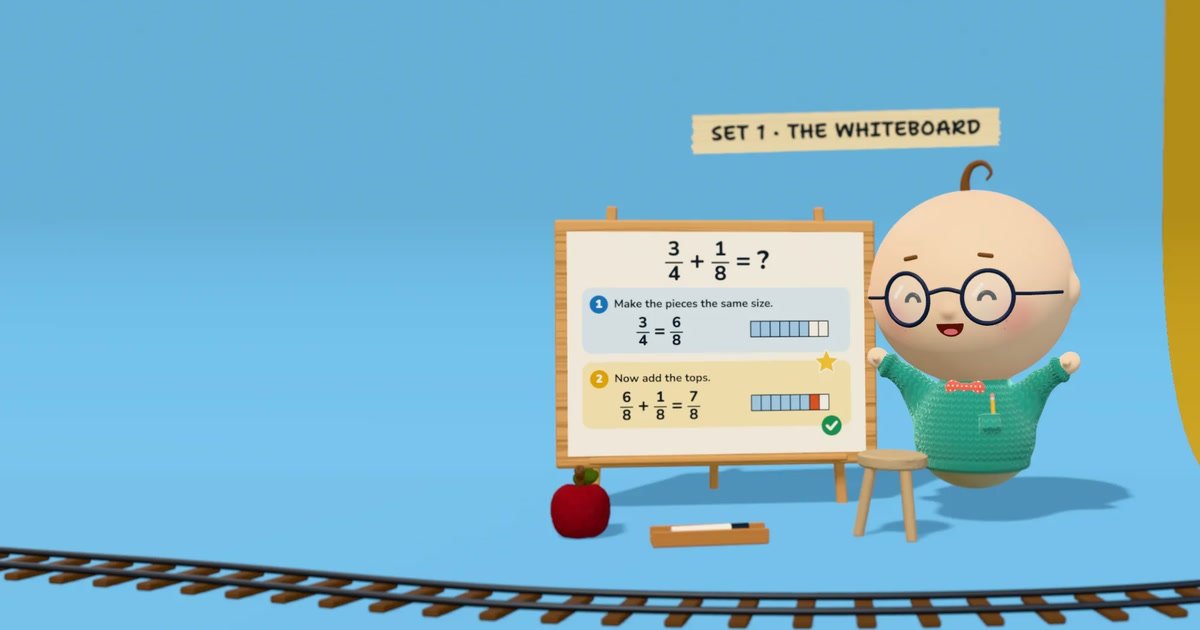
Students and Albie work on the same whiteboard. Albie reads handwritten work, identifies where a step went wrong, and provides a hint instead of completing the problem for the student.

Albie is an AI tutor that works with students on a shared whiteboard, checking each step and offering hints across subjects from early learning through calculus. It supports multimodal lessons, six languages, coding projects, homework, quizzes, and progress views for families and schools.
Albie is an AI tutor for children, teens, and adult learners. It teaches through an interactive shared whiteboard, working through problems one small step at a time rather than only presenting explanations. Students can type, talk, or write; Albie checks their work and uses hints to support independent problem solving.
The product combines tutoring, coursework, assessment, and progress visibility in one workspace. It covers subjects including math, computer science, history, and biology, supports learning from kindergarten through calculus, and lets students request a course on another subject. Families can review lesson activity and assignments, while schools can use teacher and parent views to follow student progress.
Students and Albie work on the same whiteboard. Albie reads handwritten work, identifies where a step went wrong, and provides a hint instead of completing the problem for the student.
Students can type, speak, or write, while Albie responds with speech, board work, quizzes, drawings, graphs, real photos, and short animations when those formats help explain an idea.
Albie teaches computer science, math, history, and biology from kindergarten through calculus. Students can enter another subject for a planned course or ask a standalone question.
Lessons, quizzes, and Albie’s spoken guidance are available in English, Spanish, French, Portuguese, German, and Italian. Students can change language during a lesson.
The built-in coding workspace includes a code editor, files and folders, a terminal, and a browser. Python, JavaScript, SQL, and web pages run in the workspace.
Parents receive a note after each lesson and can see homework, due dates, quizzes, and tests. Teachers can see their students, while parents follow their own children.
A learner can work through math from basic counting to calculus on a shared board, showing each step for Albie to check and explain. Quizzes and tests provide additional practice and assessment.
Students can use the built-in editor, files, terminal, and browser to build and run Python, JavaScript, SQL, or web projects while Albie works alongside them.
Families can use Albie for lessons, homework help, and structured study. Parents receive lesson notes and can review assignments, due dates, quizzes, tests, and progress for their children.
Teachers can monitor enrolled students, while parents follow their own children. Schools and organizations can begin with a pilot class and use shared usage across the school or organization.
A student can switch among six supported languages during a lesson or request a course on a subject outside the listed core areas, allowing the learning path to adapt to their interests.
Albie works through lessons on a shared whiteboard. A student can type, talk, or write with a pen; Albie shows steps, checks the student’s work, and offers hints rather than simply giving the answer.
Albie covers computer science, math, history, and biology, from kindergarten topics through calculus. Students can also enter another subject for Albie to plan a course or ask an individual question.
Albie supports English, Spanish, French, Portuguese, German, and Italian. Students can switch languages during a lesson, while the math remains the same across languages.
Albie includes a real code editor with files, folders, a terminal, and a browser. Python, JavaScript, SQL, and web pages can run in the workspace, with Albie writing and running code alongside the student.
A seven-day free trial is available for the family offering, with billing after the trial and cancellation available at any time. Schools and organizations can start with a pilot class and request a quote for a plan sized to their students.

GameGrad 將 PDF 學習資料轉成遊戲中的測驗題目,讓你邊玩街機遊戲邊練習主動回想。提供免費方案可上傳 1 份 PDF,Pro 版支援更多上傳、更多題目與答案解析。

Lingofable 是一款故事式語言學習 App,讓你以符合程度的短篇故事練習閱讀,並在情境中複習新詞彙。目前支援西班牙語,Android 即將推出。

NerdSip 是一款 AI 微學習 app,可針對幾乎任何主題生成 7 堂客製課程,支援 iOS 與 Android 上的遊戲化短學習,含測驗、重點整理與視覺摘要。

BrainBurst 是免費的測驗平台,提供 IQ 練習與 UPSC/SSC 考試準備。支援多種測驗模式、附解析的答案檢視與基準化結果,免註冊即可使用。

LangPanda 是一款瀏覽器擴充功能,讓你從串流影片與支援網站學語言。提供即時字幕查詢、單字卡製作、詞彙追蹤與間隔複習,支援 36 種語言。

recall 是一款 AI 閃卡 App,可透過 Claude、ChatGPT 或其他 MCP 用戶端,將閱讀內容與筆記轉成學習卡。一次買斷,搭配間隔重複複習。