
Email-based scheduling
Add [email protected] to an email thread and Callie can suggest times, coordinate replies, and book a meeting without moving the conversation into another tool.

Calendly now includes Notetaker and Callie, two AI products that help schedule meetings over email, capture notes, and generate recaps and follow-up materials. They are aimed at people and teams that want meeting admin handled in one workflow.
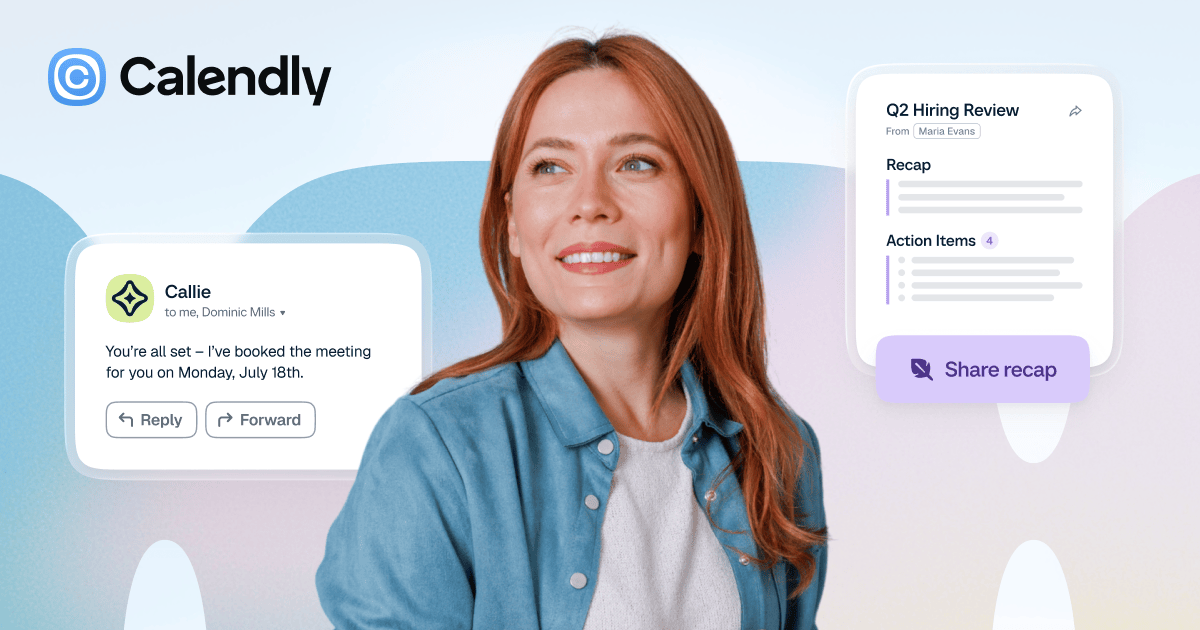
Calendly is a scheduling platform that now extends beyond booking links with two AI products: Notetaker and Callie. Together, they are designed to handle work before, during, and after meetings, rather than only managing the booking step.
Callie helps schedule meetings over email and can assist inside Calendly with preparation and meeting-related questions. Notetaker joins supported video meetings, records and transcribes them, and turns the conversation into recaps, action items, and follow-up drafts.
Add [email protected] to an email thread and Callie can suggest times, coordinate replies, and book a meeting without moving the conversation into another tool.
Callie can work with default meeting details, then adapt to one-off changes such as a different time, duration, location, or availability window.
Inside Calendly, Ask Callie can help with meeting prep, recall details from past conversations, and surface next steps using your schedule, contact profiles, meeting history, and prior notes.
Notetaker can join Zoom, Google Meet, and Microsoft Teams meetings, record and transcribe them, and produce a recap with summary, key points, and action items.
After a meeting, Calendly can generate a pre-drafted follow-up email and share recaps through passcode-protected links, with downloadable transcripts on supported plans.
On Standard Plus and Teams Plus, the product is positioned as part of a broader Calendly workflow that also includes scheduling, meeting handling, and post-meeting follow-up in one place.
Sales reps can ask Callie to find a time over email, then use Notetaker recaps and drafted follow-up emails to move quickly after the call.
Managers or operators who handle many recurring meetings can use Callie for one-off scheduling changes without rebuilding their setup or switching tools.
People who join meetings across different platforms can use Notetaker to capture notes and action items even when the meeting was not created in Calendly.
Individual users can rely on Ask Callie in Calendly to prepare for a meeting by surfacing context from contact profiles, meeting history, and past notes.
Teams on paid plans can keep meetings moving by combining scheduling, notes, transcripts, and post-meeting follow-up in a single Calendly workflow.
Calendly says Notetaker and Callie are available on the paid Standard Plus and Teams Plus plans. The pricing page also notes that Callie and Notetaker are not included on Free, Standard, or Teams unless upgraded to the Plus plans.
Callie works from email and inside Calendly. You can add [email protected] to an email thread to help schedule a meeting, or use Ask Callie in Calendly for meeting prep and follow-up tasks.
Notetaker joins meetings on Zoom, Google Meet, and Microsoft Teams, including meetings that were not scheduled with Calendly. After the meeting, it provides a recap with a summary, key points, action items, and a pre-drafted follow-up email.
The source says Notetaker and Callie are available in English only at this time. It does not describe broader language support or exact regional availability.
The pricing page indicates that seats are required for users who connect calendars and host Calendly meetings, but invitees do not need a seat or account. Enterprise starts at 50 seats and uses a sales process.

Liam is an AI copilot for managing inboxes, writing replies, prioritizing email, and scheduling meetings. It is offered free for individuals, with custom pricing for teams and enterprise.

Notewarp is an AI note-taking tool that turns voice notes, uploads, or pasted text into cleaner notes, transcripts, summaries, and action items. It helps people capture rough ideas quickly and then edit, export, or share the result.

MeetStream is a meeting bot API for Zoom, Google Meet, Microsoft Teams, and Webex. It helps developers record, stream, and analyze meetings programmatically, with usage-based pricing and a $5 free credit to start.

Tactiq is an AI note taker for Google Meet, Zoom, and Microsoft Teams that transcribes meetings live and turns them into summaries, action items, and follow-up outputs. It is built around a Chrome extension and supports team workflows through sharing and integrations.

Scripta is a privacy-first AI notetaker that records, transcribes, and summarizes meetings directly on your device. The public site currently shows a Mac beta download and a Windows waitlist.

Gemma AI is a phone call reminder app that calls you with scheduled reminders instead of push notifications. It helps people who want a more direct way to stay on schedule, with Google Calendar sync and conversational call interactions.