
Branded CV formatting
Upload a CV and receive a formatted document with a consistent layout and agency branding. The site says you can add a logo, colors, and footer, and export to PDF or DOCX depending on plan.

CV Cleaner Pro is a CV processing platform for recruitment agencies that formats, scores, anonymizes, and scans CVs before export. It is positioned for teams handling high-volume screening and client-ready document preparation.
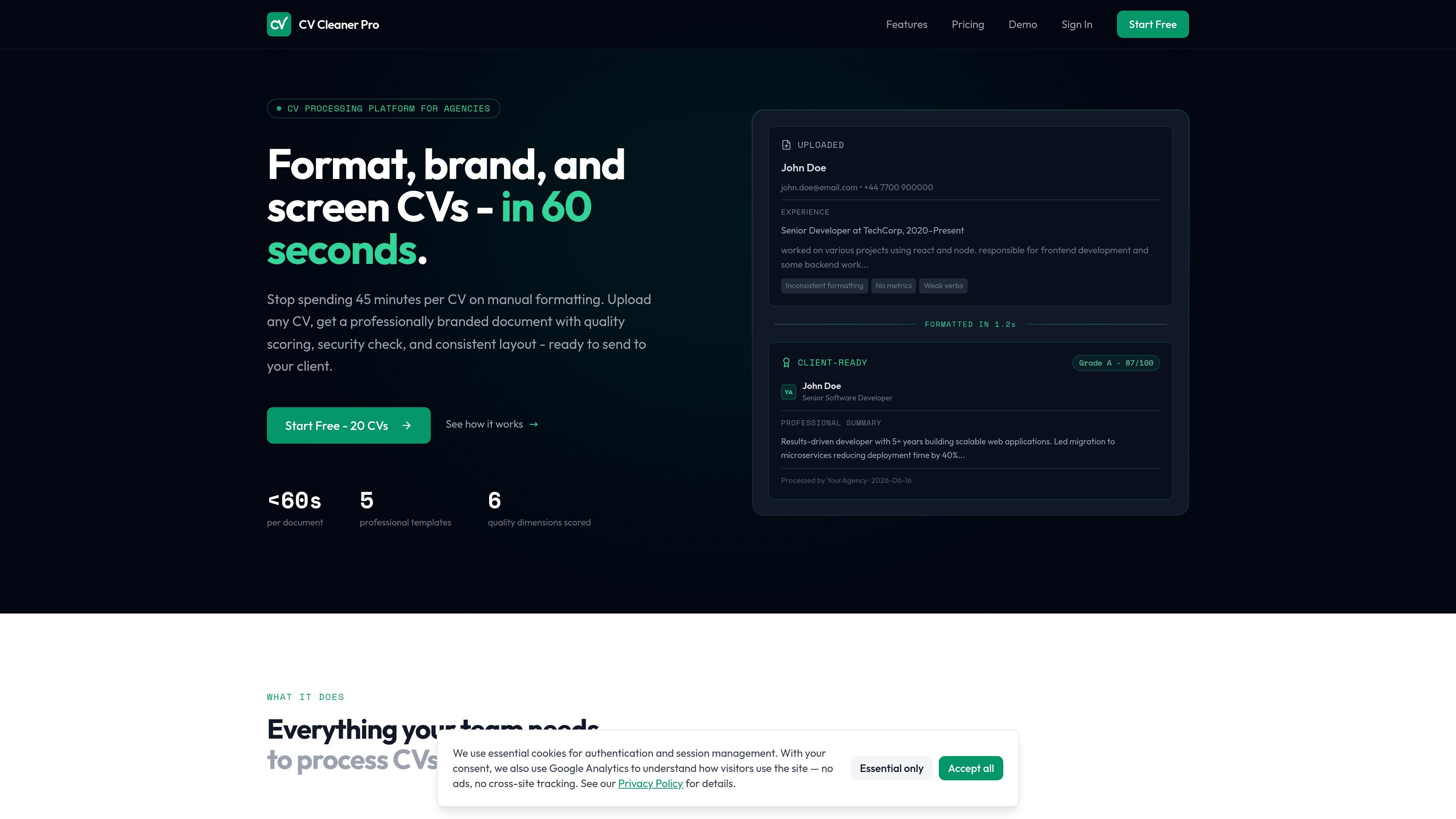
CV Cleaner Pro is a CV processing platform for recruitment agencies. It is designed to format, brand, score, and sanitize CVs quickly so recruiters can move from an uploaded file to a client-ready document without doing manual layout work in a word processor.
The site positions the product around fast turnaround and high-volume screening. It says CVs can be processed in under 60 seconds, with branded templates, candidate scoring, PII removal, batch handling, and a built-in security scan that flags suspicious hidden content and embedded instructions.
Upload a CV and receive a formatted document with a consistent layout and agency branding. The site says you can add a logo, colors, and footer, and export to PDF or DOCX depending on plan.
The product scores candidates across six dimensions: completeness, experience depth, consistency, chronology, content quality, and relevance. Results are shown as grades from A through D with actionable feedback.
The site says the system strips names, contact details, and photos, and in strict mode replaces company and university names with neutral descriptors for blind recruitment workflows.
Batch processing is described as the ability to upload a batch per vacancy, set required skills, and get automatic skill matching and analytics across candidates.
Every CV is scanned for hidden text, white-on-white content, zero-size fonts, metadata manipulation, and embedded AI instructions.
The Agency plan includes roles and permissions, shared credit pool, daily limits per member, and organization-level branding for teams working under one account.
Use the platform when you need to turn incoming CVs into a consistent agency-branded format before sending them to clients.
Use the scoring output to compare applicants more consistently across common review dimensions such as completeness, experience depth, and relevance.
Use strict anonymization mode when running blind recruitment workflows that should hide names, contact details, photos, and certain institution or employer names.
Use batch processing when a single vacancy generates many applications and you need to process a group of CVs together with skill matching.
Use team features and API/webhook options on higher plans when several recruiters need to work from one account or connect processing to existing ATS workflows.
Yes. The pricing page shows a free Starter plan with 20 CVs included, and the homepage says you can start free with 20 credits and no credit card is needed.
The site is built for recruitment agencies and teams that need to process CVs at scale. It supports team accounts, roles and permissions, shared credits, and organization-level branding on the Agency plan.
Uploaded CVs are processed into a branded document with layout formatting, quality scoring, security scanning, and optional PII anonymization. The site also mentions PDF export on Starter and DOCX export on Professional.
The pricing page says the Professional plan includes custom branding, while the Agency plan adds team accounts, API access and webhooks, batch processing with skill matching, and an analytics dashboard. Enterprise is listed for unlimited users, custom templates, ATS integration, and an SLA guarantee.
The contact page says support, sales, and partnership inquiries are responded to within 24 hours on business days. It also says email and message contents are stored only to handle the request and deleted after 90 days.

HiringPartner.ai is an autonomous AI recruiting platform for sourcing, screening, and interviewing candidates 24/7. It supports ATS-connected workflows, bulk resume uploads, and reviewable interview outputs for hiring teams.

nolainocr is an AI OCR tool that extracts structured data from PDF invoices, receipts, forms, contracts, and bank statements. It helps teams move document data into Excel, Google Sheets, JSON, or CSV without manual entry.

PDFTools is a browser-based suite of free and premium PDF utilities for editing, conversion, and document handling. It helps users work on PDFs locally in the browser without uploading files to a server.

SelectPrism is an agentic AI hiring platform for high-volume recruiting teams. It automates screening, scheduling, first-round interviews, and structured evaluation to help teams move candidates through hiring with less manual coordination.

Fountain is a frontline workforce platform for hiring, onboarding, sourcing, and scheduling at high-volume employers. It combines Frontline OS with partner integrations and AI-assisted workflows to help teams move candidates and workers through frontline operations.

Artifacts by Samepage is a connected writing surface for product teams that turns signals and existing work context into drafts such as PRDs, release notes, feature requests, bug tickets, and status updates. It includes built-in AI editing and can publish work into tools like Jira, GitHub, Confluence, Slack, and Linear.