
Beautiful break scenes
Use immersive break backgrounds such as Rainy Night, Sunset Beach, Forest Morning, and Starry Night. You can also use your desktop wallpaper or a custom image.

Daydreamer is a macOS break reminder app that combines immersive break scenes, ambient music, inspirational quotes, and Focus Mode. It helps people take screen breaks without interrupting meetings, videos, or focused work.
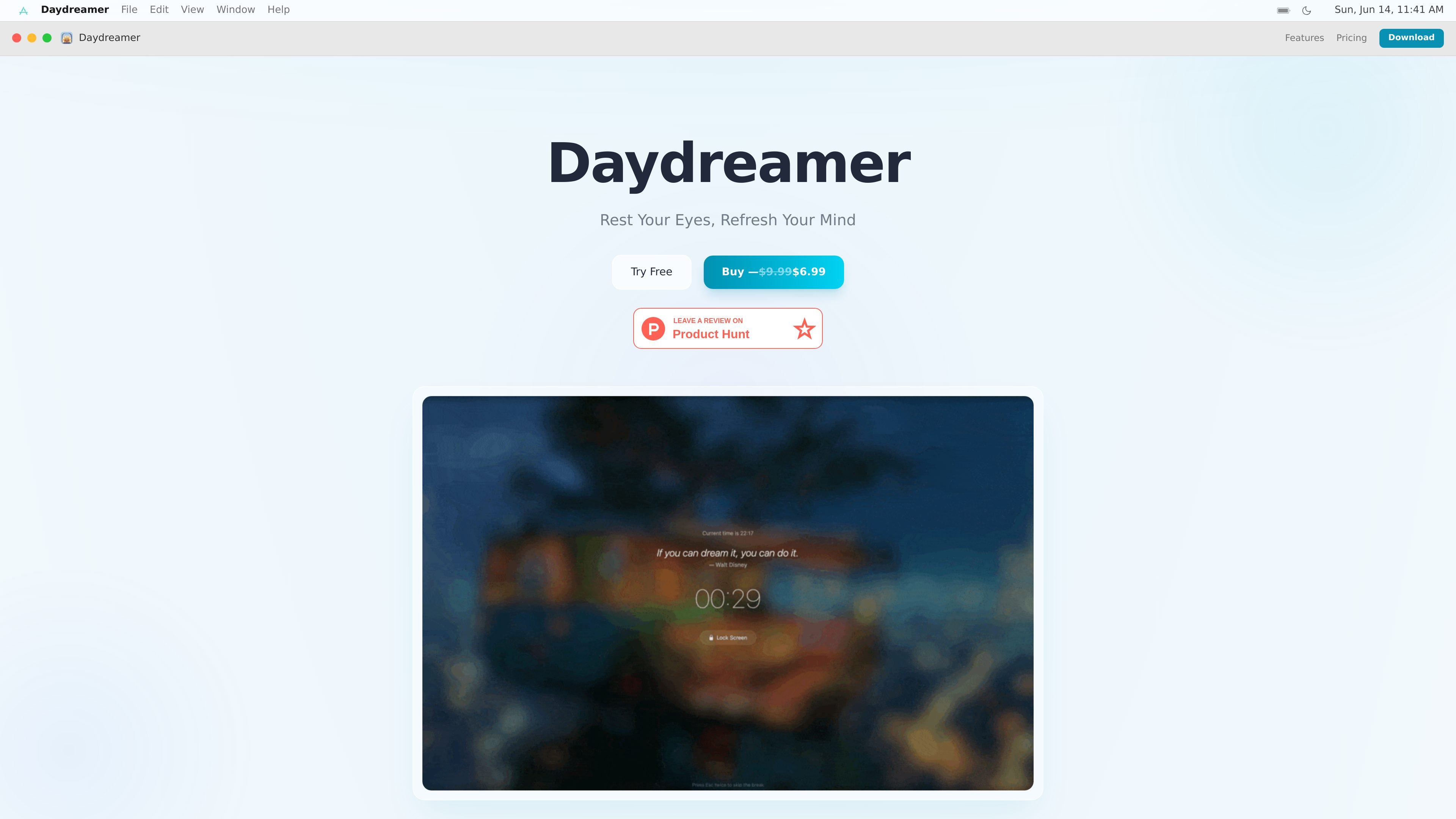
Daydreamer is a macOS break reminder app built around short, visually calm pauses rather than plain notifications. It gently prompts you to rest your eyes with full-screen break scenes, ambient music, and rotating inspirational quotes.
The app is designed to fit into real work sessions. It can pause automatically during meetings, video playback, fullscreen apps, and games, while Focus Mode dims distractions around the active window. Users can also customize timing, long breaks, skip behavior, music, and break backgrounds.
Use immersive break backgrounds such as Rainy Night, Sunset Beach, Forest Morning, and Starry Night. You can also use your desktop wallpaper or a custom image.
Show a different quote on each break from a curated collection of 150+ motivational and healing quotes.
Play gentle background music that fades in and out smoothly, with the option to use the built-in track or your own audio file.
Pause reminders automatically in meetings, video playback, fullscreen apps, and games so breaks do not interrupt active work or presentations.
Dim everything except the active window, with adjustable intensity, animation speed, and color, plus independent behavior across multiple monitors.
Set preset or fully custom break timing, add long breaks at regular intervals, define skip behavior, and use global hotkeys to control the timer.
Use Daydreamer to turn routine stretch breaks into a calmer reset with animated scenes, music, and a rotating quote instead of a standard alert.
Enable Smart Pause when you are in meetings, presenting, or watching videos so break prompts do not interrupt important moments.
Use Focus Mode to darken the rest of the screen while you concentrate on one window, especially on setups with more than one display.
Set custom intervals, longer breaks, and skip rules if you want a break schedule that matches your work rhythm rather than a fixed timer.
Choose your own wallpaper, image, or audio file if you want the app’s break experience to fit a specific aesthetic or workspace setup.
Daydreamer is a macOS break reminder app that replaces plain alerts with full-screen break scenes, ambient music, and inspirational quotes. It also includes Smart Pause and Focus Mode for controlling when reminders appear and how the screen is dimmed.
Focus Mode dims everything except your active window. You can adjust the dimming intensity, animation speed, and color, and it works independently across multiple monitors.
Yes. The product page says Daydreamer offers preset intervals from 10 minutes to 1 hour, as well as fully custom H:M:S timing. Break duration, long breaks, skip difficulty, and typing delay are also configurable.
Yes. The FAQ states that Smart Pause automatically detects meetings, video playback, fullscreen apps, and games, then pauses break reminders until you are finished.
Yes. The page says Daydreamer includes a 7-day free trial with full access to every feature and no credit card required.

Goldfish is an AI memory app for macOS that helps you reply, write, summarize, and continue using the context already on your Mac. It stores memory locally and writes in your tone.

Biji ist eine vielseitige Plattform, die entwickelt wurde, um die Produktivität durch innovative Werkzeuge und Funktionen zu steigern.

Redline is a budgeting tool for Claude Code that paces sessions to stay within time, token, cost, or plan-percentage limits. It uses Claude Code’s native hooks and statusline to help sessions finish with a usable result instead of stopping abruptly.

Claude Overlay is a Windows desktop overlay for Claude Code that reads your screen so you can ask questions, inspect content, and request edits without leaving the current app. It runs on your existing Claude subscription through the Claude CLI, so no separate API key is required.

Macuse is a macOS app that lets AI assistants control native Mac apps through MCP and use Computer Use for any app. It works with clients like Claude Desktop, Cursor, and Raycast, and keeps automation on-device.

Dcyde is a decision log for product teams that captures what was decided, the reasoning behind it, and the source in one shared place. It supports pinning decisions from Slack, Figma, or inside Dcyde and keeps the record searchable over time.