
Audio and video transcription
Import MP3 or MIDI files, drop in audio, or paste a YouTube link. YouTube piano videos are downloaded and transcribed on the computer.
lumikey is a Mac and Windows app that transcribes MP3s, MIDI files, audio, and YouTube links into an interactive piano roll for learning and practice. It supports MIDI keyboards and microphones, with tools to slow, loop, edit, and export arrangements.
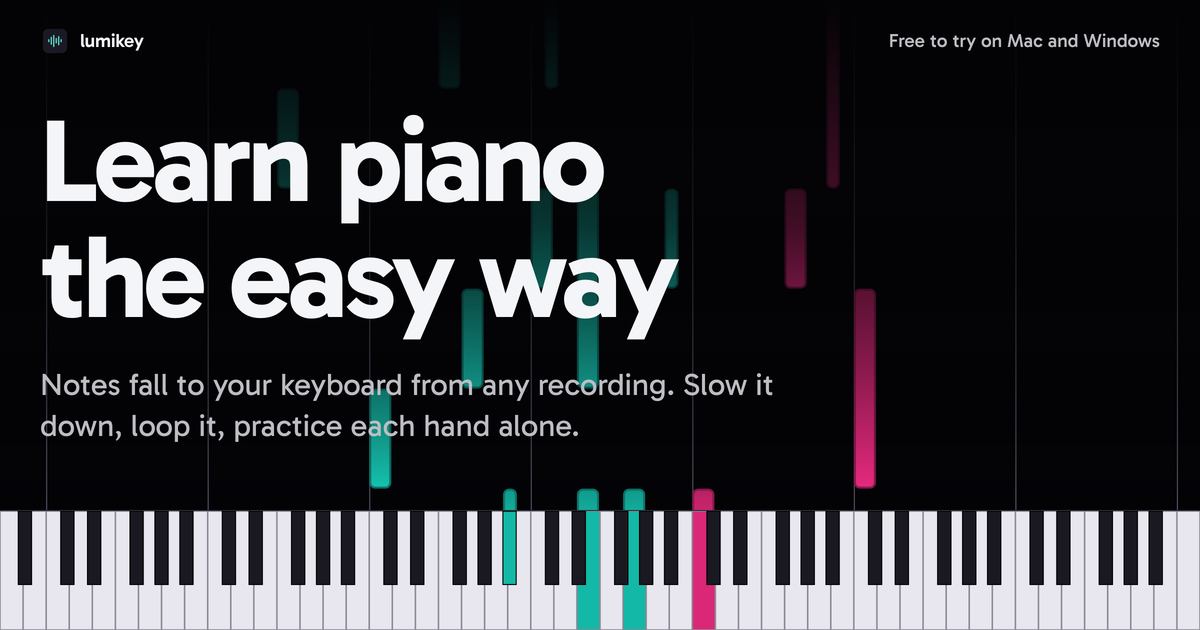
lumikey is a desktop piano-learning and audio-transcription app for Mac and Windows. It turns MP3 files, MIDI files, audio, and YouTube links into a piano roll that shows notes falling toward the keyboard, allowing players to follow a song while practicing.
The app is designed for interactive practice rather than transcription alone. Players can connect a MIDI keyboard or use a microphone with an acoustic or digital piano, isolate either hand, slow playback to a quarter of the original speed, loop difficult passages, adjust the generated notes, and export a corrected arrangement as MIDI. More than 40 classics are included to provide starting material without importing a song.
Import MP3 or MIDI files, drop in audio, or paste a YouTube link. YouTube piano videos are downloaded and transcribed on the computer.
View incoming notes in a falling-note piano-roll interface and follow the notes as they reach the keyboard.
Connect a MIDI keyboard over USB or Bluetooth, or use a microphone with an acoustic or digital piano so lumikey can detect played notes and chords.
Practice with left-hand-only, right-hand-only, or both-hand waiting modes. Playback can be slowed to one-quarter speed and difficult passages can be looped.
Notes are color-coded by hand, and finger badges suggest fingering. You can select a different finger and lumikey remembers the choice.
Move or stretch notes, reassign them to the other hand, align chords, remove unwanted sounds, and export the adjusted transcription as a MIDI file.
Paste a link to a piano video or add an audio file to generate a playable piano-roll arrangement instead of working out every note manually.
Use wait modes to keep one hand or both hands paused until the required notes are played, then reduce speed and repeat the hardest bars.
Connect a keyboard by USB or Bluetooth for direct note detection, or place a microphone with an acoustic or digital piano when a MIDI connection is not being used.
Inspect a generated arrangement, remove noise, correct note lengths and hand assignments, and align chords before saving the result as a MIDI file.
Use the included selection of more than 40 classics when you want material to practice without first finding and importing a separate recording.
lumikey accepts MP3 and MIDI files, YouTube links, and audio dropped into the app. It transcribes the material on the computer into a piano roll.
Yes. You can connect a MIDI keyboard over USB or Bluetooth. The app can also listen through a microphone to an acoustic or digital piano.
You can slow playback to one-quarter speed, loop difficult sections, and wait for the left hand, right hand, or both hands before continuing.
The transcript can be edited by moving or stretching notes, changing a note's hand, aligning chords, and deleting unwanted sounds. Corrected arrangements can be exported as MIDI files.
The desktop app is available for Mac and Windows. A companion for iPhone, iPad, and Android is described as coming soon; it will sync transcribed material over Wi-Fi after pairing by scanning a code.

Tactiq is an AI note taker for Google Meet, Zoom, and Microsoft Teams that transcribes meetings live and turns them into summaries, action items, and follow-up outputs. It is built around a Chrome extension and supports team workflows through sharing and integrations.

CAKIE is a Mac app for recording your screen and voice for an AI agent. It adds a transcript and screenshot highlights, then lets you copy a prompt and paste or attach the context in another AI app.

SpeakoFlow is a free, open-source desktop voice-to-text app for Windows, macOS, and Linux. It supports dictation into any app, voice-driven writing with Flow, cleanup, translation, and a screen-aware assistant.

Notewarp is an AI note-taking tool that turns voice notes, uploads, or pasted text into cleaner notes, transcripts, summaries, and action items. It helps people capture rough ideas quickly and then edit, export, or share the result.

TubeKit turns public YouTube videos and playlists into AI-powered tools that creators can customize and share. It is free to try and requires no signup for the initial workflow.

BeFreed is a personalized audio learning app that turns books and other knowledge sources into narrated listening experiences. It helps people learn on demand through interactive audio, voice selection, and built-in learning tools.