
Sensor-driven fold
The app reads the MacBook's lid-angle sensor directly, so the glass follows the speed and direction of the lid. It holds when you stop, reverses when you open the lid, and retraces the same position.
Mac Duo is a macOS utility that turns a supported MacBook’s live display into a sensor-driven pane of frosted glass as the lid closes or opens. It is intended for MacBook users who want an interactive visual effect with adjustable appearance and motion controls.
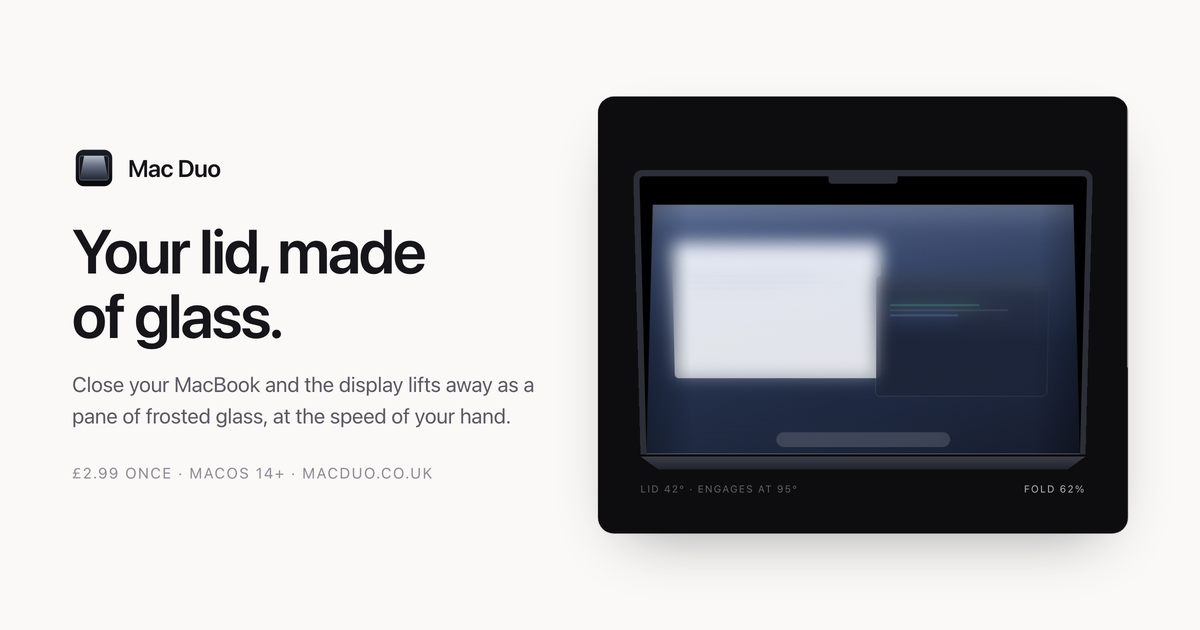
Mac Duo is a macOS visual-effect utility for MacBooks. When you close the lid, it turns the live display into a modelled pane of frosted glass that lifts and leans away from the screen. The effect is driven by the MacBook's lid-angle sensor rather than by a fixed animation, so it follows the movement of your hand, pauses when the lid pauses, and reverses as you open it.
The app is designed for people who want an interactive display effect during the simple act of closing and opening a MacBook. It includes a live preview and controls for the glass appearance and motion response, while screen capture and rendering are active only during lid movement. It requires macOS 14.0 Sonoma or later, a supported lid sensor, and Screen Recording permission.
The app reads the MacBook's lid-angle sensor directly, so the glass follows the speed and direction of the lid. It holds when you stop, reverses when you open the lid, and retraces the same position.
The display becomes a rendered pane of frosted glass that lifts from the screen, with a gap that grows toward the top. This keeps the lower edge relatively clear while the upper area becomes milky.
A live preview, manual scrubber, Play the fold control, and Reset control let you inspect the effect without closing the MacBook. Frost, Perspective, Edge softness, Corner radius, Responsiveness, and Hinge sensitivity can be adjusted.
The display is captured and the glass is rendered over it with Metal, so windows and wallpaper move together as one surface rather than as separate layers.
Capture and rendering stop when the lid settles. At rest, the app keeps only a low-frequency lid-angle read waiting for the next movement, and it runs from the menu bar.
Use the live display and sensor-driven movement to add a visible, tactile transition whenever you close or reopen a MacBook at a desk.
Use the scrubber and Play the fold control to inspect how the glass lifts, leans, and changes opacity without repeatedly closing the physical lid.
Adjust frost, perspective, edge softness, corner radius, responsiveness, and hinge sensitivity to match the look and feel of a particular display or presentation setup.
Leave the utility in the menu bar and let it remain idle between movements; capture and rendering resume only when the lid moves.
Mac Duo requires macOS 14.0 Sonoma or later and a MacBook with a lid-angle sensor. Most MacBooks from 2019 onwards have one, on both Intel and Apple silicon, but not every model exposes it. The app checks compatibility on first launch. Desktop Macs are not supported because they have no lid sensor.
Install the app from its disk image, drag it to Applications, then open it once. Because the current build is not notarized by Apple, macOS will block the first launch; approve it under System Settings → Privacy & Security by selecting Open Anyway. On first run, allow Screen Recording and click Enable Mac Duo.
Yes. Screen Recording is required because Mac Duo builds the glass from the live display. Capture runs while the lid is moving, frames remain in memory, and nothing is written to disk or sent elsewhere. The app has no analytics, tracking, or account system; its only network connection is an optional software-update check.
Mac Duo is sold as a one-time purchase for £2.99 and can be used on up to five of your own Macs. There is no subscription, account, licence key, activation, or trial countdown.
Yes. If Mac Duo does not do what you expected, email [email protected] for a refund. The product page also says unsupported Macs are refunded after the app checks for the required sensor.

roastme.gg is a pay-to-play AI roasting site where users submit their own X handle or website, choose how much to pay, and get a public roast ranked on a leaderboard by amount paid.

Loniva is a mobile puzzle app that offers a calm daily mix of games across memory, attention, language, speed, logic, and focus. It runs on iPhone, iPad, and Android, with a free 7-day trial and a free daily workout after the trial.

Postaway is a web-based postcard service for creating free vintage-style digital postcards and sharing them by link. It also has a separate postcard club waitlist for physical vintage mail shipped from Thailand.

MacYaps ist eine macOS-Menüleisten-App, die bei Systemereignissen lustige Audio-Clips abspielt. Mit Sprachpaketen, eigenen Uploads und Einmalkauf-Lizenz.

SnakeBid is a browser-based Snake game with a daily leaderboard. Players can claim verified scores, and businesses can buy a featured site spot.

DashBuster is a Chrome extension that replaces em dashes on websites with a character you choose. It also counts replacements on the current page and keeps a lifetime leaderboard of sites that overuse em dashes.