
Tap-based mood entry
The interface invites you to tap a day and label how you feel, making entry quick and low-friction.

Mood is a web app for recording how you feel day by day. It centers on quick mood entry and a history view for reviewing past days.
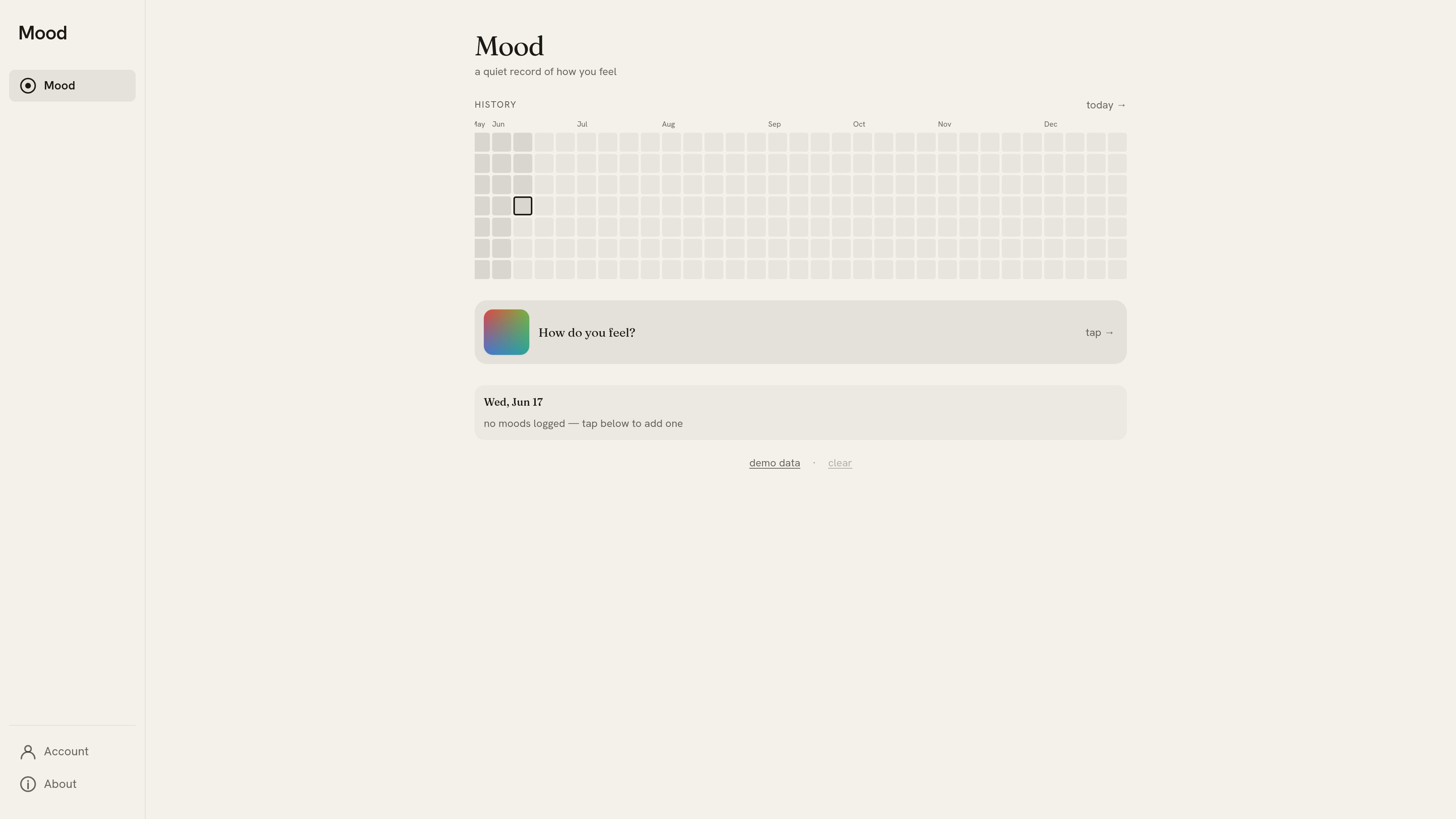
Mood is a web app for recording how you feel in a quiet, day-by-day format. The interface centers on tapping a day, labeling your mood, and reviewing a history view that spans months.
Its purpose is straightforward personal mood tracking: capture a simple daily check-in, then look back over time to see how those entries were recorded. The site’s wording and interface keep the workflow minimal rather than turning it into a broader journaling or wellness platform.
The interface invites you to tap a day and label how you feel, making entry quick and low-friction.
A history view organizes moods across months, so you can review how feelings change over time.
The page shows a current-day prompt and no-moods state, which helps guide first-time use and empty calendars.
Controls such as clear and demo data indicate lightweight editing and a way to explore the interface before committing data.
Navigation links like Account and About suggest a small product site wrapped around the mood-tracking app.
Use Mood to log a quick check-in each day without writing a long journal entry.
Review the history view when you want to see how your mood changes over time.
Open the demo state to understand the interaction pattern before you start recording your own moods.
Use the minimal interface when you want a low-effort record rather than a full wellness dashboard.
Mood is a simple web app for recording how you feel day by day. The page shows a timeline/history view and a prompt to tap and add a mood entry.
The rendered pages show a history view with months, a current-day prompt, and controls such as "tap," "clear," and demo data. That suggests a lightweight journaling flow centered on one mood entry at a time.
The source does not show user accounts, exports, or collaboration features. The visible interface focuses on personal mood entry and browsing past days.
The pricing page is present, but the collected text does not expose any plan names or price points. Based on the available evidence, pricing details are not visible in the captured content.

Mantra Timer is an iOS meditation timer designed for mantra-based practice, with preset and custom sessions, warm-up and cool-down phases, and optional practice tracking. It offers a free core tier and a Mantra+ one-time purchase with expanded features, although the available source does not state its price.

Monologue is a guided reflection app that prompts users to speak aloud through themed questions and return later when they want another session. It is presented as available for iPhone and Android and free to download.

MentalHappy is a web and mobile platform for finding and hosting online support groups. It helps professionals and organizations create non-clinical, peer-support groups, manage members, run sessions, and collect payments.

WTMF is an AI companion app for emotional support, mood tracking, and encrypted journaling on iOS and Android. It offers a free daily allowance plus a Pro plan for unlimited chat and voice.
Andy is a mood and anxiety tracker for iPhone and Android. It supports quick daily check-ins, optional notes and tags, timeline review, charts, reminders, streaks, share cards, and data export.

Evra is an AI mental health app for Gen Z and young adults that offers text and voice conversations, weekly insights, and reminders. It also includes collaboration features and access across mobile, web, and major browsers.