
Paste and switch in place
Press ⌘⇧V to paste the latest clipboard item into the current field, then press it again to replace it with another recent clip without leaving the cursor.
Paste Switch is a macOS clipboard utility that lets you paste the latest clip and switch to a nearby recent clip with the same shortcut. It is designed to keep you typing in place while working with recent text or image clips.
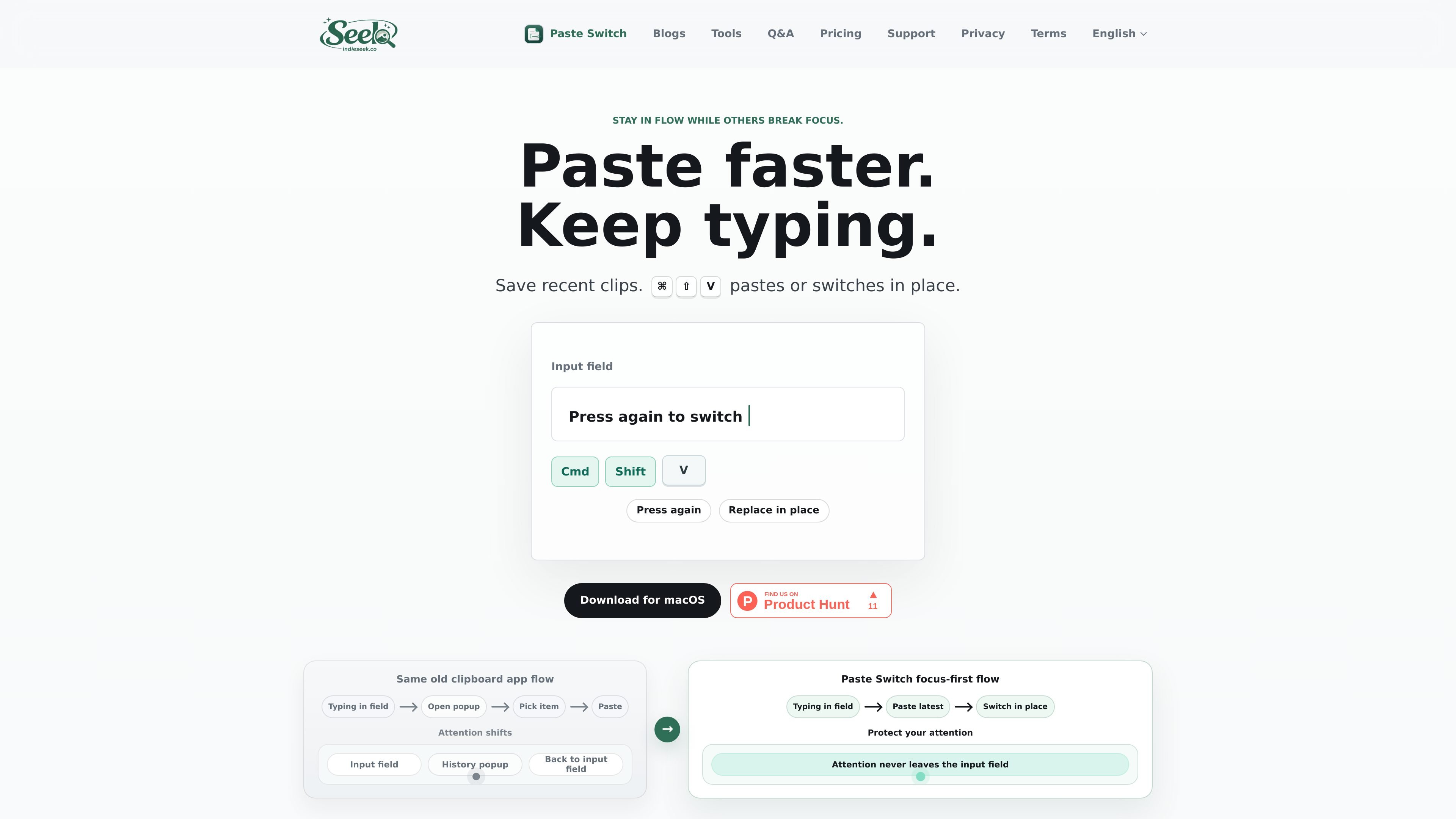
Paste Switch is a macOS clipboard utility built around a single workflow: paste the most recent clip, then press the same shortcut again to cycle to another recent clip in place. Rather than opening a large clipboard browser, it keeps the interaction inside the field you are already typing in.
The product is aimed at people who repeatedly paste recent text or image clips and want to avoid losing focus. Its copy emphasizes local recent-clip storage, shortcut-driven switching, and a workflow that keeps attention at the cursor instead of moving to a separate history window.
Press ⌘⇧V to paste the latest clipboard item into the current field, then press it again to replace it with another recent clip without leaving the cursor.
The app is designed so the active input field stays in focus while you work through recent clips, instead of opening a separate picker and jumping away from the text you are writing.
Paste Switch records recent text and image clips locally, with support described for non-empty UTF-8 text plus PNG and TIFF images.
When the app can verify the previous text is still directly before the cursor, it can replace that pasted text; if not, it starts a fresh paste instead.
A secondary panel can show status and recent clips, but it is not the main way to interact with the app.
The product is a macOS app and uses Accessibility permission to send native paste and undo keyboard events into the active application.
Useful when you are drafting text and need to compare or swap between the last few copied snippets without moving away from the sentence you are writing.
Handy for inserting the most recent screenshot or other copied image into a Mac app, then quickly switching to an earlier image if the first one is not right.
Fits fast keyboard-driven workflows where the needed clip is usually the second or third most recent item, so you can reach it with a few repeated shortcut presses.
Appropriate for users who want clipboard help without opening a separate browser-like list every time they paste, especially when staying focused matters more than browsing a full archive.
Paste Switch is not a full browse-and-pick clipboard manager. Its main workflow is shortcut-driven: paste the latest clip, then press the same shortcut again to switch in place if it is not the one you wanted.
Yes. The app can show a secondary panel with status and recent clips, but the core action happens through the shortcut in the focused app.
It currently watches non-empty UTF-8 text and PNG or TIFF images. Finder files, PDF, RTF, HTML, and rich multi-format clipboard bundles are not supported yet.
No. The current history is local and kept in memory, and it clears when the app quits.
Paste Switch sends native paste and undo keyboard events into the focused Mac app, so macOS requires Accessibility permission for that automation.

Goldfish is an AI memory app for macOS that helps you reply, write, summarize, and continue using the context already on your Mac. It stores memory locally and writes in your tone.

Biji ist eine vielseitige Plattform, die entwickelt wurde, um die Produktivität durch innovative Werkzeuge und Funktionen zu steigern.

MacSpoof ist ein MAC-Adressenwechsler für macOS: WLAN-MAC ändern oder randomisieren, um Verbindungen zu erneuern und die Protokollierung auf öffentlichem WLAN zu reduzieren.

Redline is a budgeting tool for Claude Code that paces sessions to stay within time, token, cost, or plan-percentage limits. It uses Claude Code’s native hooks and statusline to help sessions finish with a usable result instead of stopping abruptly.

Claude Overlay is a Windows desktop overlay for Claude Code that reads your screen so you can ask questions, inspect content, and request edits without leaving the current app. It runs on your existing Claude subscription through the Claude CLI, so no separate API key is required.

NomNak ist eine kostenlose Restaurant-Discovery-App für iPhone, mit der du Orte über Empfehlungen von Freunden statt über anonyme Bewertungen findest.