
One-tap drink logging
Log a usual glass, bottle, or mug with a quick-add chip; the visual sphere updates immediately.
Realwater is a water-intake tracking app for iPhone and Android that logs drinks with one tap, visualizes progress in a filling sphere, and uses configurable reminders. It is designed for people who want a simple way to build and review a daily drinking routine without creating an account.
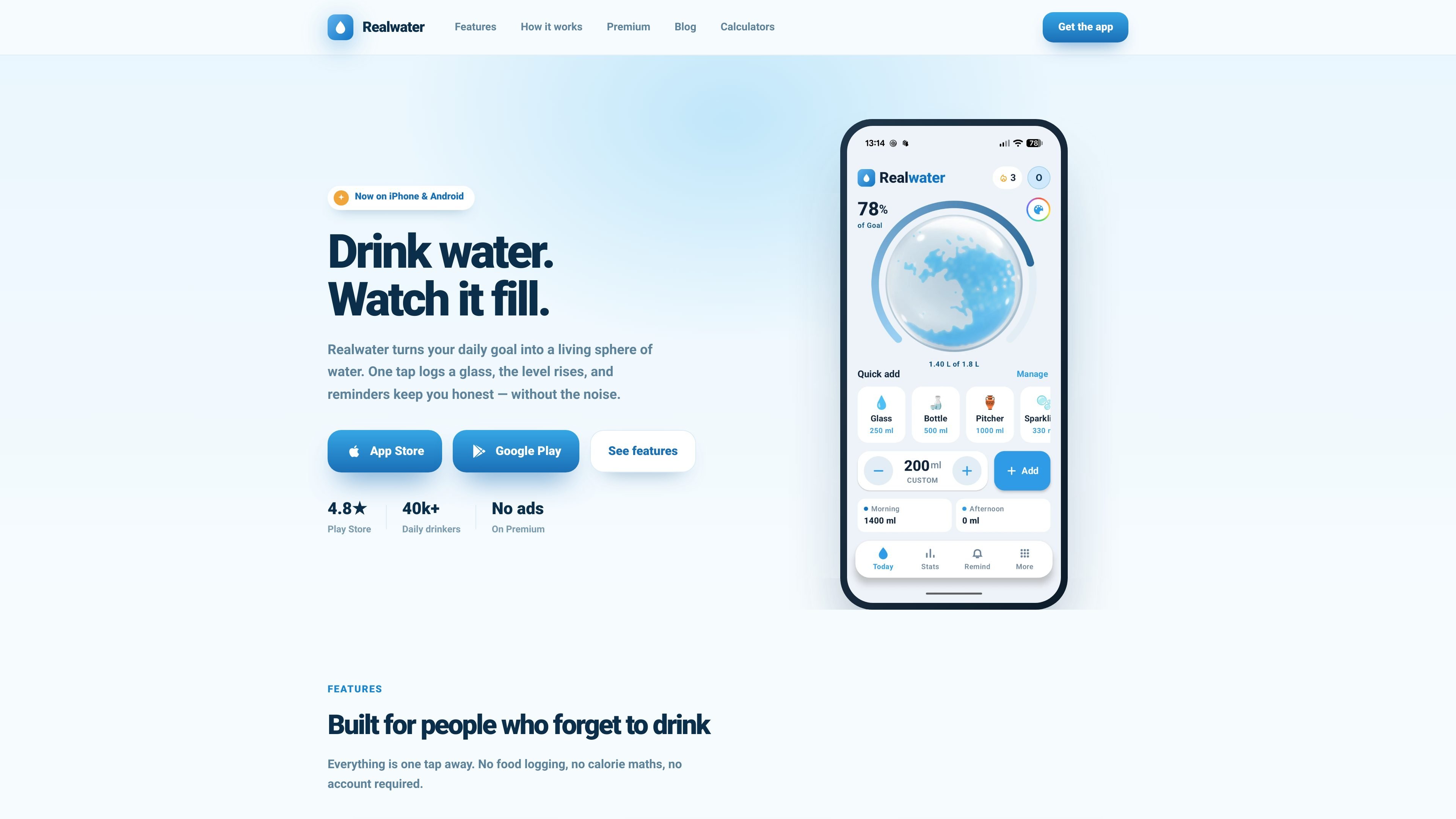
Realwater is a water-intake tracking app for iPhone and Android. It reduces logging to a tap: choose a quick-add amount for a glass, bottle, or mug, and a visual sphere fills as the recorded total moves toward a daily goal.
During setup, the app asks for weight, activity level, and climate to suggest a litre target. You can set a wake window and reminder interval, then use the app to record water, coffee, or tea, review drinking patterns, and maintain a streak without creating an account or entering an email address.
Log a usual glass, bottle, or mug with a quick-add chip; the visual sphere updates immediately.
Set a wake window and reminder interval. Notifications quiet down during sleep and are skipped when a recent drink has already been logged.
Review weekly and monthly charts against your goal line, including the times of day when you tend to drink.
Coffee and tea entries use their own hydration values, so beverage type affects the recorded daily total.
The suggested daily litre goal uses weight, activity level, and climate, and can be overridden when needed.
Change the water colour, sphere, goal ring, and app icon. The site lists these customization options among Premium features.
Set a target from personal inputs and use the filling sphere as a quick visual check of progress during the day.
Choose active hours and an interval so reminders fit around waking hours, while the app avoids nudging during sleep or immediately after a logged drink.
Record coffee and tea alongside water when you want a broader view of daily hydration rather than counting water alone.
Use weekly and monthly charts to compare intake with the goal line and identify the times of day when drinking tends to drop off.
Override the suggested litre goal when your preferred target differs from the estimate based on weight, activity, and climate.
Realwater is available on iPhone and Android. The site does not specify supported operating-system versions.
You can start without an account or email. On day one, enter your weight, activity level, and climate, then set a wake window and reminder interval. You can override the suggested daily litre goal.
Tap a quick-add option for a usual glass, bottle, or mug when you drink. The sphere level rises, the goal ring progresses, and the entry contributes to your daily total.
You choose active hours and an interval for nudges. Reminders pause while you sleep and skip a nudge if you have just logged a drink.
The site lists a free starting tier and Premium as a one-time $6.99 purchase. Premium removes ads and adds water and sphere customization, smart reminders, alternate app icons, and all water colours; the site does not provide further plan limits.

Malyatko is a baby tracker for logging feeding, sleep, growth, teething, and milestones in one app. It works on iPhone, Apple Watch, and widgets, with no sign-up, offline use, and family sharing through iCloud.

MIRA vision develops synthetic-data-driven AI for pathology image analysis in medical diagnostics. Its website positions the product for teams that need privacy-compliant training data, automatic annotations, and controlled data generation.

Dyson Oral care centers on the CameraJet™ electric toothbrush with flosser, a camera-guided toothbrush that aims to precision-floss between teeth while you brush. The range also includes accessories, non-foaming toothpaste, and low-foaming mouth rinse.

Renight is a sleep-focused app that plays Monaural Beats before bed. It is aimed at people who want to improve the quality of limited sleep and wake up feeling more refreshed.

KeptWell is an AI medical document hub for families navigating serious illness. It helps people upload records, track changes, share a family view, and ask questions with citations back to the source material.

Soonr Health is a preconception health optimization app for couples preparing for pregnancy. It combines shared lifestyle tracking, cycle-based fertility guidance, and optional hormone measurements to help partners prepare together.