
Mailbox-to-board projects
Create a project for each mailbox you want to sync. A project links one mailbox to one issue board, which keeps routing, templates, and credentials organized per workflow.

ServiceBeard turns support mailboxes into issue boards by syncing email with GitHub, GitLab, or Linear. It supports bidirectional mail-to-issue workflows, routing rules, team access, and both managed cloud and self-hosted deployment.
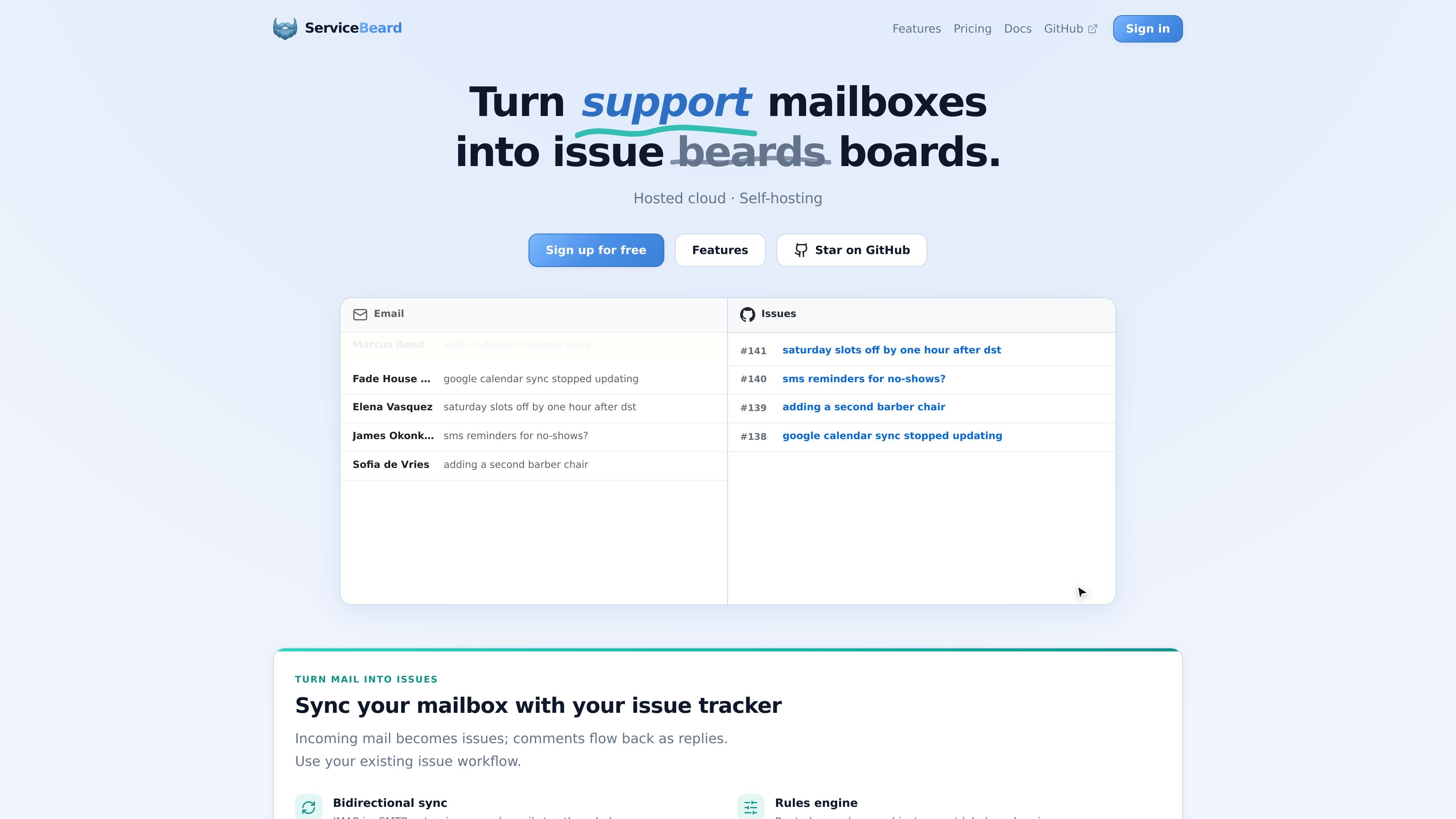
ServiceBeard is a mail-to-issue sync tool for teams that want support email to live alongside work in an issue tracker. It connects mailboxes to GitHub, GitLab, or Linear so incoming messages can become issues, replies can be tracked, and issue activity can flow back to email.
The product is available as a managed cloud service and as open-source software you can self-host. The docs describe production deployment with Docker Compose or Kubernetes, while the hosted version is positioned for teams that want the setup handled for them.
Create a project for each mailbox you want to sync. A project links one mailbox to one issue board, which keeps routing, templates, and credentials organized per workflow.
Match incoming mail on sender, subject, or body, then preset labels, assignees, and issue status when a new issue is created. The rules page can be previewed against a mailbox sample before going live.
Customize outgoing mail, new issue, and issue-comment templates. The site also mentions optional auto-replies for new threads and support for template variables.
See a simple event log for IMAP polling, SMTP delivery, and provider webhooks. The status view is meant to surface useful error messages without stack traces.
ServiceBeard connects to GitHub, GitLab, and Linear using the provider-specific credentials described in the docs. The home page lists GitHub App support, GitLab project access tokens, and Linear personal API keys.
Invite teammates, assign roles, and share the same projects and mailboxes. The team model is designed so setup and credentials do not sit with a single login.
Route incoming customer emails into the team’s issue tracker so support requests can be triaged where the team already works. Mail can become issues, and replies can sync back into the conversation thread.
Use sender, subject, or body rules to classify messages and set labels, assignees, or status on the created issue. This helps teams separate product bugs, operational requests, and simple questions without manual sorting.
Connect one mailbox per project when different inboxes need different routing, templates, or tracker destinations. The project model keeps each mailbox-board pairing isolated and configurable.
Let multiple teammates manage the same mailboxes and projects with role-based access. This is useful when setup and credentials should be shared across a support or operations team.
Run the software on your own infrastructure when cloud hosting is not appropriate. The docs cover production deployment with Docker Compose or Kubernetes, plus the related mail and issue-provider configuration.
ServiceBeard connects a mailbox to an issue tracker so incoming emails can be turned into issues and replies can be synced back as conversation comments. The supported issue providers shown on the site are GitHub, GitLab, and Linear.
The docs describe setup guides for connecting a support mailbox and an issue tracker, along with mailbox configuration and provider-specific settings. Managed cloud users sign up and connect a mailbox, while self-hosted users deploy the same codebase on their own infrastructure.
ServiceBeard supports bidirectional mail-to-issue sync, so issue tracker comments can be sent out as email replies and incoming mail can appear as new issues in the tracker.
Yes. The features page says teams can invite teammates, assign roles, and share access to the same projects and mailboxes, so setup and credentials are not tied to a single login.
The site presents two deployment options: managed cloud hosting on servicebeard.app or self-hosting with Docker Compose or Kubernetes. The self-host docs also note that local development uses a separate compose setup.

Biji ist eine vielseitige Plattform, die entwickelt wurde, um die Produktivität durch innovative Werkzeuge und Funktionen zu steigern.

Liam is an AI copilot for managing inboxes, writing replies, prioritizing email, and scheduling meetings. It is offered free for individuals, with custom pricing for teams and enterprise.

SonOf connects to your repo and PM tool, audits the codebase and surrounding product context, and turns approved work into shipped tickets with senior engineering review. It is aimed at founders and engineering leaders who need backlog help without hiring a full team immediately.

runevr is a connected workspace for creative teams that combines boards, media review, chat, recordings, drive, calls, and AI agents in one room-based environment. It is designed to reduce tool switching and keep project context together.

Dirac is an AI email assistant that prepares a morning brief, prioritizes important threads, and drafts replies in your voice. It is positioned for founders and other busy professionals who use Gmail and want to reduce morning inbox triage.

AgentMail is an email inbox API for AI agents that lets developers create, send, receive, and search messages through REST APIs and SDKs. It supports agent workflows such as threaded replies, verification, customer support, scheduling, and inbox-based approvals.