
Group-based bookmark structure
Tinypad organizes links into groups instead of splitting everything across folders and favorites, so the whole collection is visible at a glance.

Tinypad is a minimalist bookmark launchpad for organizing web links into visible groups instead of browser folder clutter. It supports importing from Safari and Chromium-based browsers, start-page setup, and a free Starter plan plus one-time paid Pro plan.
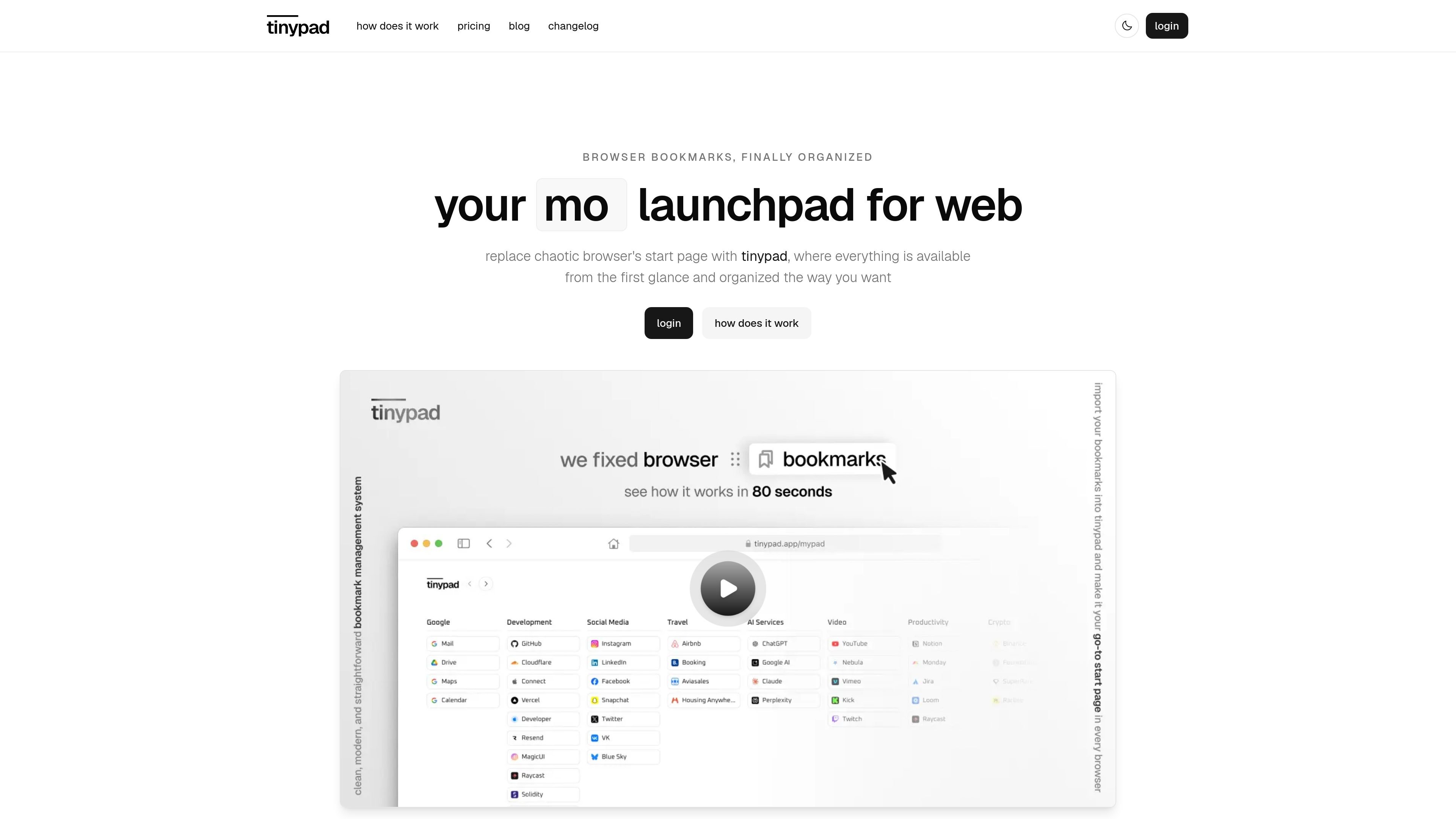
Tinypad is a minimalist bookmark launchpad that replaces the default browser bookmarks experience with a single organized page for everyday web surfing. It is built around groups rather than nested folders, so bookmarks stay visible and easier to scan from the first glance.
The site positions Tinypad as a start page you can open from any browser, with support for importing bookmarks from Safari and Chromium-based browsers, starting from curated templates, or building collections manually. The product is available as a free Starter plan and a paid Pro plan, and the pricing page says purchases are one-time with no subscriptions and two years of updates included.
Tinypad organizes links into groups instead of splitting everything across folders and favorites, so the whole collection is visible at a glance.
You can bring existing bookmarks into Tinypad from Safari or Chromium-based browsers, or add groups and bookmarks manually as you go.
Curated bookmark templates let you start from a prepared structure rather than rebuilding everything from scratch.
The interface supports font, size, radius, animation, background, and light/dark mode customization so the launchpad can match a preferred style.
Tinypad is intended to serve as a homepage or start page across browsers, with setup steps shown for Safari and Chrome.
Version history shows edit mode, drag-and-drop, group actions, and clipboard actions for working with bookmark collections.
Use Tinypad as a daily browser start page so your most important links appear immediately instead of being buried in the default bookmarks UI.
Import bookmarks from Safari or Chrome when you want to move an existing collection into a cleaner layout without rebuilding everything manually.
Create groups for projects, topics, or routines when you need a bookmark setup that is easier to maintain than nested folders.
Start with a curated template if you want a ready-made structure and then edit it as your needs change.
Use the same Tinypad structure across browsers when you want one central place for links instead of trying to sync separate bookmark systems.
Tinypad is set up by importing bookmarks from Safari or Chromium-based browsers, or by starting fresh with curated templates. The pricing page also shows a free Starter plan and a paid Pro plan.
Tinypad is designed to be used as a browser homepage or new-tab style start page. The site shows setup steps for Safari and Chrome, including setting Tinypad as the homepage URL.
The site shows support for importing from Safari and Chrome, plus manual creation of groups and bookmarks. The changelog also mentions Apple sign-in in version 1.1 and Google sign-in in version 1.0.
The Pro plan includes unlimited groups, unlimited bookmarks, bookmark templates, appearance styling, themes, and import from Safari and Chrome. The Starter plan is limited to up to 5 groups and up to 20 bookmarks.
The public site does not show a dedicated team plan. However, one testimonial says a team could share the same structure without friction, suggesting the product can support shared organization in practice.

Goldfish is an AI memory app for macOS that helps you reply, write, summarize, and continue using the context already on your Mac. It stores memory locally and writes in your tone.

Dcyde is a decision log for product teams that captures what was decided, the reasoning behind it, and the source in one shared place. It supports pinning decisions from Slack, Figma, or inside Dcyde and keeps the record searchable over time.

Lasso is an ecommerce product data platform for enriching catalog records, processing supplier files, generating product content, and monitoring competitors. It combines a web app with a REST API, SDK, and MCP server for teams and developers.

Biji ist eine vielseitige Plattform, die entwickelt wurde, um die Produktivität durch innovative Werkzeuge und Funktionen zu steigern.

Struere is an AI-native platform for turning spreadsheet data into structured operational software with dashboards, alerts, and automations. It is aimed at teams that want to replace manual spreadsheet workflows without building custom tools from scratch.

MacSpoof ist ein MAC-Adressenwechsler für macOS: WLAN-MAC ändern oder randomisieren, um Verbindungen zu erneuern und die Protokollierung auf öffentlichem WLAN zu reduzieren.