
Voice dictation with live refinement
Hold a global shortcut, speak naturally, and have VoicePen AI turn rough speech into polished text in the active browser tab.

VoicePen AI is a browser-based voice dictation and AI note-taking assistant for writing, summarizing pages, and organizing notes on the web. It supports bring-your-own-key AI workflows and local browser encryption.
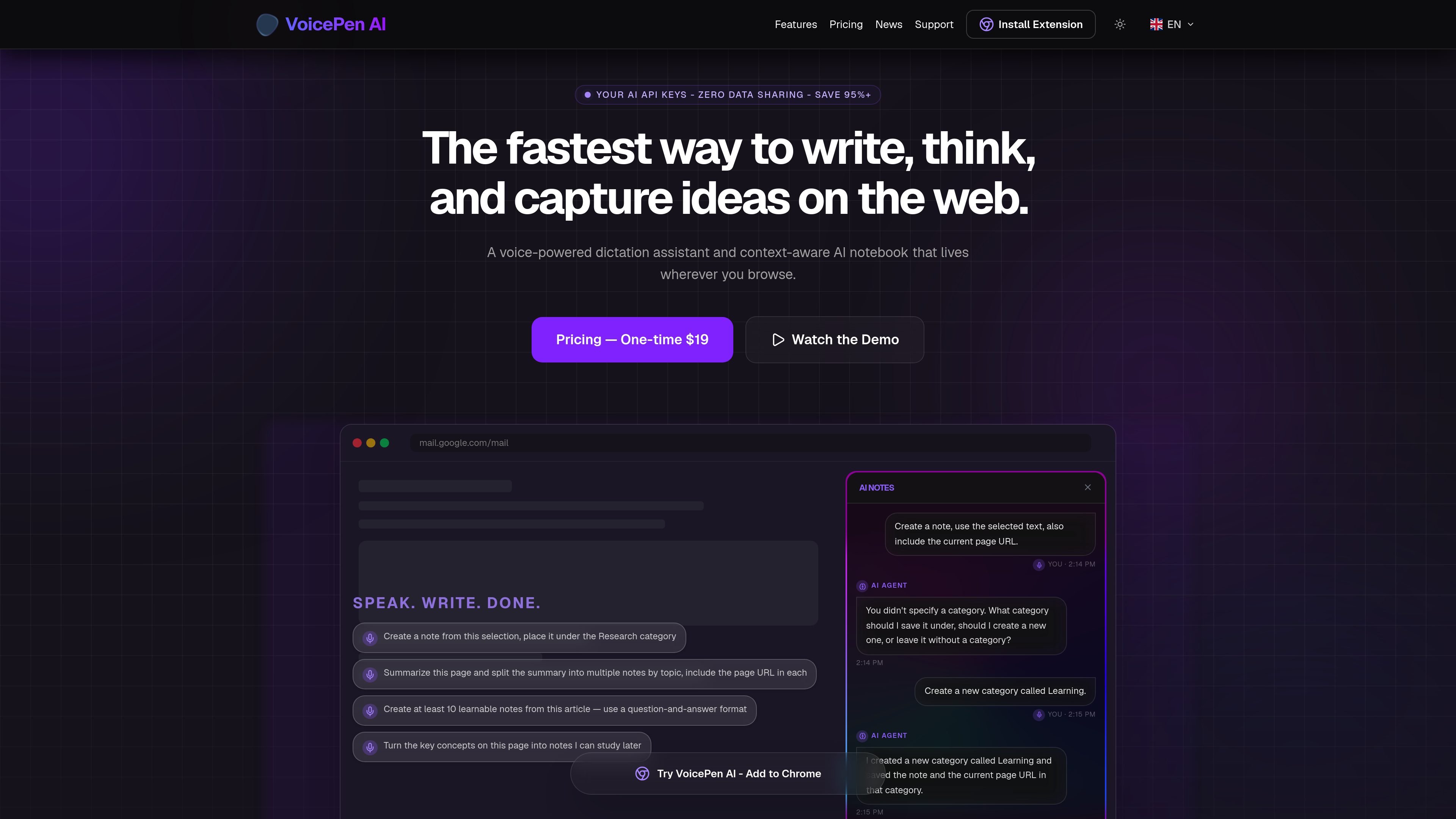
VoicePen AI is a voice-powered dictation assistant and context-aware AI notebook for web browsing. It is designed to help you speak ideas, refine text, and capture notes without leaving the page you are on.
The product combines browser-based speech input, AI rewriting, and note capture. The homepage shows workflows for polishing dictated text, summarizing pages, saving selected text, and organizing notes into categories such as Research or Learning. It is positioned as a bring-your-own-key tool with local encryption, direct API requests to providers, and a one-time lifetime access model on the homepage.
Hold a global shortcut, speak naturally, and have VoicePen AI turn rough speech into polished text in the active browser tab.
Switch writing output between email, notes, casual, and professional styles so the same spoken idea can be shaped for different contexts.
Create notes from dictated speech, selected text, page summaries, or topic splits while keeping the current page URL attached when requested.
Ask the assistant to file a note into an existing category or create a new one when you do not specify a destination.
Store API keys locally in the browser with AES-256-GCM encryption and send requests directly to the chosen AI provider.
Transcribe in more than 40 languages and translate or refine the output into another language.
Draft and refine emails or other short messages by speaking rough thoughts and converting them into cleaner copy with the desired tone.
Capture page-specific notes while browsing, including summaries, selected excerpts, or topic-based notes tied to the current page URL.
Turn long articles into multiple notes by theme or use the Feynman-style explanation workflow to test understanding of a concept.
Move between web apps without copying text into another editor, since the product is designed to inject into browser-based tools such as Gmail, Notion, Slack, and Twitter.
Use your own API key to keep AI requests on your side of the workflow while storing the key locally in the browser.
The support page says the extension can be installed from the browser environment, but it does not provide a step-by-step installation guide in the supplied copy.
The product is sold with a one-time $19 lifetime access model on the homepage, and payment is handled through LemonSqueezy according to the privacy policy. The live pricing page was unavailable in the supplied sources.
The support page lists browser compatibility as a common question, but the supplied sources do not name the supported browsers. The homepage does show the product working in web apps such as Gmail, Notion, Slack, Twitter, and web-based CMS tools.
Yes. The privacy policy says VoicePen AI uses a bring-your-own-key model, with API keys stored locally in the browser using AES-256-GCM encryption and never transmitted to VoicePen AI’s servers.
The support page includes an offline question, but the supplied sources do not confirm offline support. The privacy policy also describes browser-based requests to AI providers, which suggests an internet connection is required for AI features.

Flunkey is a voice-first productivity layer for Windows that converts speech into text, AI-assisted outputs, and remembered context. It is built for users who want to capture ideas and actions without leaving the app they are working in.

Notewarp is an AI note-taking tool that turns voice notes, uploads, or pasted text into cleaner notes, transcripts, summaries, and action items. It helps people capture rough ideas quickly and then edit, export, or share the result.

Ein KI-gestütztes Tool, das PDF-Dokumente schnell und effizient zusammenfasst, klare Einblicke bietet und es den Benutzern ermöglicht, mit den Inhalten zu interagieren.

Tactiq is an AI note taker for Google Meet, Zoom, and Microsoft Teams that transcribes meetings live and turns them into summaries, action items, and follow-up outputs. It is built around a Chrome extension and supports team workflows through sharing and integrations.

CAKIE is a Mac app for recording your screen and voice for an AI agent. It adds a transcript and screenshot highlights, then lets you copy a prompt and paste or attach the context in another AI app.

SpeakoFlow is a free, open-source desktop voice-to-text app for Windows, macOS, and Linux. It supports dictation into any app, voice-driven writing with Flow, cleanup, translation, and a screen-aware assistant.