

ClawApp
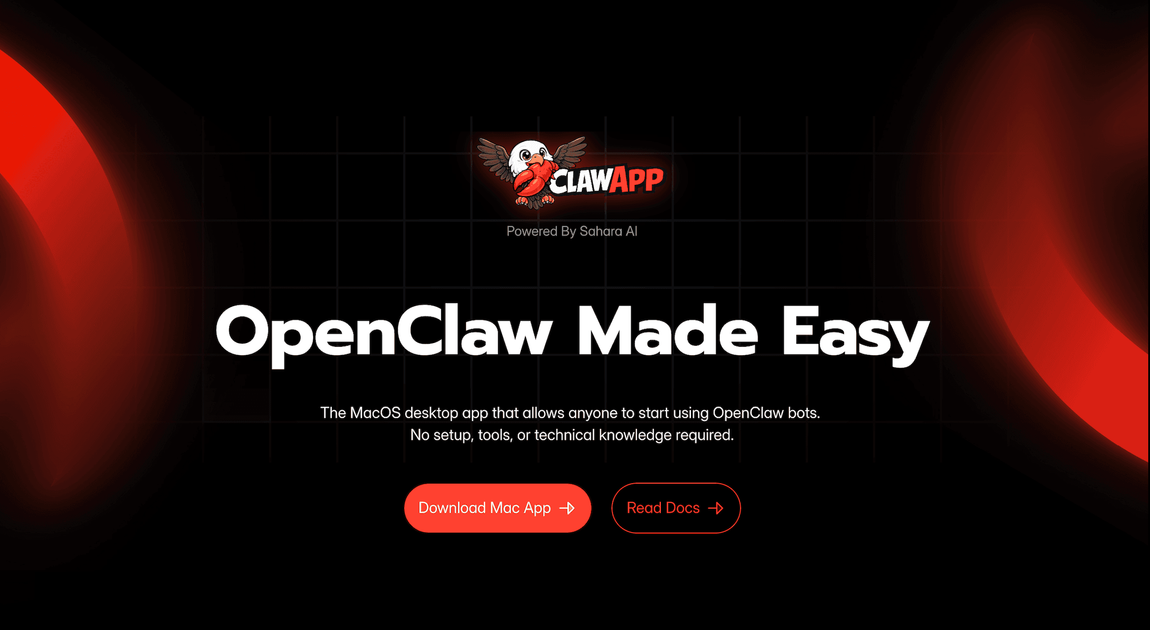
ClawApp is the MacOS desktop application that simplifies the use of OpenClaw AI agents, requiring no complex setup or technical expertise.
What is ClawApp?
What is ClawApp?
ClawApp is the dedicated MacOS desktop application designed to democratize access to powerful OpenClaw AI agents. Built on the Sahara AI platform, ClawApp eliminates the traditional barriers associated with deploying and utilizing advanced AI automation tools. Users can immediately start leveraging specialized agents for complex tasks across lifestyle management, software engineering, and professional productivity without needing any prior setup, command-line knowledge, or technical configuration.
This application serves as a seamless bridge between complex AI capabilities and everyday workflows. Whether you need to synthesize lengthy email threads, automate travel arrangements, or offload code refactoring tasks, ClawApp provides a unified, intuitive interface. By focusing on natural language commands, it ensures that anyone—from busy executives to software developers—can harness the power of universal intelligence and autonomous operations directly from their desktop.
Key Features
ClawApp integrates specialized agent capabilities into a single, easy-to-manage desktop environment:
- Zero-Setup Deployment: Launch and run OpenClaw agents instantly on MacOS without installing dependencies, SDKs, or configuring environments.
- Lifestyle Autonomy Agents: Features like Universal Intelligence summarize noisy group chats into clear daily briefings and the Digital Concierge automates detailed travel planning, including research, booking coordination, and calendar management.
- Engineering Velocity Agents: Offers Autonomous Code Ops to handle background tasks like PR refactoring and test execution, keeping developers in flow. It also provides Project Scaffolding to instantly initialize repositories and resolve local file-aware bugs.
- Professional Leverage Agents: Includes Executive Synthesis to distill long email threads into actionable items and draft replies in your professional voice. The Office Coordinator syncs Slack conversations directly to meetings and follow-up schedules.
- Centralized Management Dashboard: A single dashboard allows users to deploy, monitor, and manage all their specialized agents efficiently.
- Natural Language Command Interface: Interact with agents using simple, conversational prompts (e.g., "Summarize the last 5 unread emails in my inbox and highlight any action items I need to address.").
How to Use ClawApp
Getting started with ClawApp is designed to be straightforward, focusing on immediate utility:
- Download and Install: Download the ClawApp installer directly for MacOS and install it like any standard desktop application.
- Launch and Access Agents: Open ClawApp. You will immediately see the available agent categories (Lifestyle, Engineering, Professional).
- Select or Command: Choose a pre-configured agent module or use the main command prompt.
- Issue Natural Language Commands: Type your request in plain English. For example, to manage your schedule, you might ask, "What is my schedule for tomorrow and remind me about the 10:00 am discovery call."
- Review Output: The agent processes the request, often analyzing local files (with necessary permissions) or external data sources, and delivers a synthesized, actionable result directly within the app interface.
This workflow ensures that complex automation is accessible via simple conversation, maximizing productivity with minimal friction.
Use Cases
ClawApp provides significant value across diverse professional and personal domains:
- Executive Productivity: Executives can use the Executive Synthesis agent to process hundreds of daily communications, receiving a prioritized list of decisions needed and drafted responses, saving hours previously spent on triage.
- Software Development Workflow: Developers can offload tedious setup tasks. Instead of manually initializing a new microservice repository, they can command ClawApp to use Project Scaffolding to create the structure, dependencies, and initial boilerplate code instantly.
- Personal Travel Management: For complex trips, the Digital Concierge handles the tedious coordination of booking hotels for multiple people, researching flight options based on budget constraints, and automatically populating the itinerary into the user's calendar.
- Team Communication Filtering: Project managers dealing with high-volume Slack channels can rely on Universal Intelligence to filter out noise and provide a concise, high-clarity summary of critical updates and pending decisions at the start of each day.
- Automated Code Review Support: During large feature rollouts, developers can use Autonomous Code Ops to run preliminary refactoring suggestions or execute unit tests in the background against a specific branch, ensuring code quality before formal review.
FAQ
Q: Is ClawApp compatible with Windows or Linux operating systems? A: Currently, ClawApp is specifically developed and optimized as a native desktop application for MacOS. We are exploring cross-platform compatibility for future releases.
Q: Does ClawApp require an active internet connection to function? A: Yes, while the application runs locally on your MacOS, the OpenClaw agents require an internet connection to communicate with the underlying Sahara AI processing models to execute complex requests.
Q: How does ClawApp handle sensitive local file analysis (e.g., code repositories)? A: ClawApp operates with strict security protocols. When analyzing local files for tasks like Project Scaffolding, the data processing is handled securely within the application's context, and sensitive information is not retained or shared beyond the immediate execution of the command, adhering to user privacy standards.
Q: Can I create my own custom agents within ClawApp? A: While the initial release focuses on pre-built, specialized agents (Lifestyle, Engineering, Professional), the platform is designed for extensibility. Future updates will likely include tools for users to deploy and manage their own custom OpenClaw configurations via the dashboard.
Q: What is the difference between ClawApp and using OpenClaw via a web interface? A: ClawApp provides a superior, integrated desktop experience. It offers persistent state, faster access, deeper integration with the MacOS environment (like system notifications), and the ability to run background processes more reliably than a standard web application.
Alternatives

Polsia
Polsia is an autonomous AI system designed to run core business functions, including planning, coding, and marketing, operating continuously without direct daily oversight.

Biji
Biji is a versatile platform designed to enhance productivity through innovative tools and features.

Prompty Town
Prompty Town is an innovative platform that allows users to transform their links into virtual buildings, creating a unique and engaging way to share and interact with content.

HiringPartner.ai
HiringPartner.ai is an autonomous recruiting platform with AI agents that source, screen, call, and interview candidates 24/7, reducing time-to-hire from weeks to as little as 48 hours.

Planndu: Daily Task Planner
Planndu is an intuitive productivity application designed to help users organize tasks, manage projects, build routines, and enhance focus using tools like AI generation and a built-in Pomodoro timer.
MealTime
MealTime is your personal, offline-first recipe companion designed to help you save, organize, plan meals, and generate smart grocery lists, all while keeping your data private.