

JDoodle.ai
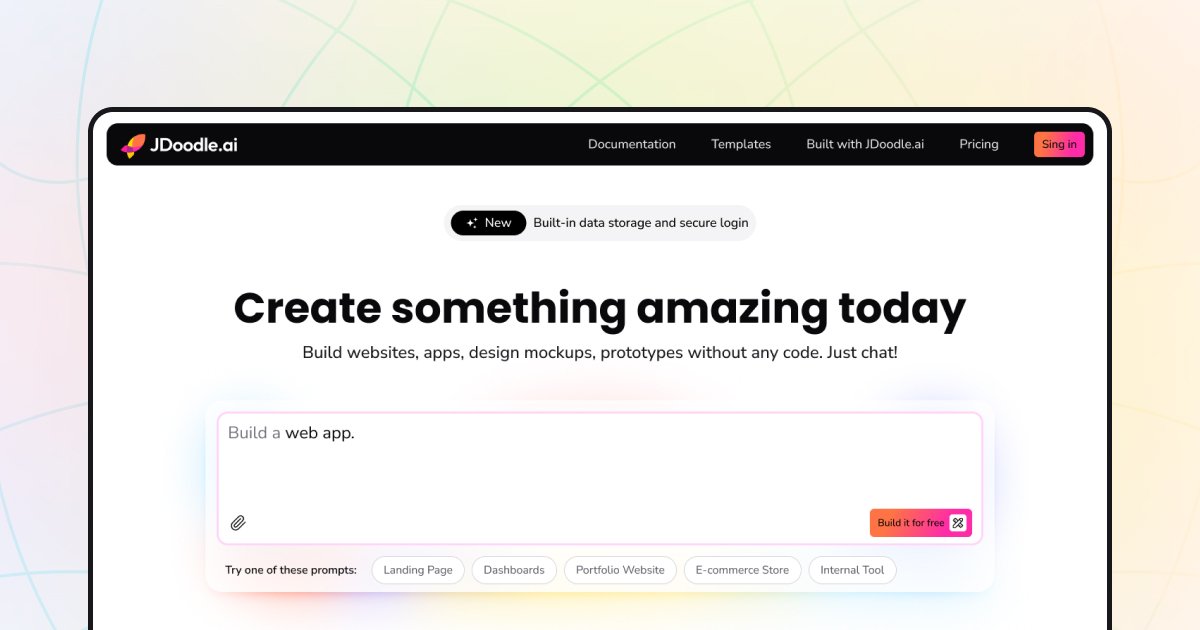
JDoodle.ai is an AI-powered, no-code application builder designed for rapidly prototyping, developing, and deploying web applications, landing pages, and micro SaaS tools.
What is JDoodle.ai?
What is JDoodle.ai?
JDoodle.ai is revolutionizing web development by offering a powerful, no-code platform driven by artificial intelligence. It empowers users, regardless of their coding expertise, to transform ideas into functional, beautiful web applications in a fraction of the time traditional development requires. By leveraging advanced AI models, JDoodle.ai handles the complex scaffolding, design implementation, and basic logic generation, allowing creators to focus purely on functionality and business goals.
This platform is specifically engineered for speed and iteration. Whether you are a solo entrepreneur looking to launch a Minimum Viable Product (MVP), a marketer needing a high-converting landing page instantly, or a developer seeking a rapid prototyping environment, JDoodle.ai provides the necessary infrastructure. It bridges the gap between concept and deployment, making sophisticated web application creation accessible to everyone.
Key Features
- AI-Powered Generation: Describe your desired application or page in natural language, and the AI engine generates the initial structure, design, and necessary components instantly.
- No-Code Interface: Intuitive drag-and-drop editor combined with AI suggestions allows for deep customization without writing a single line of code.
- Rapid Prototyping: Accelerate the feedback loop. Quickly build functional prototypes to test market viability before committing significant resources.
- Micro SaaS Ready: Built-in capabilities to handle common SaaS requirements, making it ideal for launching small, focused software tools.
- Responsive Design Out-of-the-Box: All generated applications are automatically optimized for seamless performance across desktop, tablet, and mobile devices.
- Integration Capabilities: Supports easy integration with essential third-party services, databases, and APIs to extend functionality.
How to Use JDoodle.ai
Getting started with JDoodle.ai is designed to be a straightforward, three-step process:
- Define Your Vision: Access the platform and use the AI prompt interface to clearly describe the application you want to build. Be specific about the purpose (e.g., "a task management dashboard with user authentication" or "a landing page for a new coffee subscription service").
- Generate and Refine: The AI will generate the initial layout, design theme, and core components. Dive into the visual editor to customize the aesthetics, rearrange sections, and adjust branding elements using the intuitive no-code tools.
- Configure Logic and Deploy: Connect necessary backend services or define simple workflows within the platform's logic builder. Once satisfied with the look and feel, deploy your application directly from the dashboard to a live URL, ready for users.
Use Cases
- Launching Micro SaaS Tools: Entrepreneurs can rapidly test niche software ideas, such as specialized calculators, small CRM extensions, or unique utility tools, by generating the front-end and basic logic instantly.
- High-Conversion Landing Pages: Marketing teams can create A/B test variations of landing pages in minutes, focusing on conversion rate optimization (CRO) rather than tedious HTML/CSS adjustments.
- Internal Tool Prototyping: Businesses needing quick internal dashboards, simple data entry forms, or lightweight project trackers can build functional tools for internal teams without involving the core engineering department.
- Portfolio and Personal Websites: Creative professionals can generate visually stunning, modern portfolios that adapt perfectly to any screen size, showcasing their work immediately.
- Rapid MVP Development: Startups can validate core product ideas by building a functional, user-facing MVP in days, significantly reducing initial time-to-market.
FAQ
Q: Do I need any coding knowledge to use JDoodle.ai effectively? A: No. JDoodle.ai is explicitly designed as a no-code platform. While technical users can certainly leverage advanced options, the core functionality relies on natural language input and visual editing.
Q: What kind of hosting and deployment options are available? A: JDoodle.ai typically offers integrated, managed hosting for all generated applications, ensuring high uptime and performance. Deployment is usually a one-click process directly from the builder interface.
Q: Can I export the code if I decide to move off the platform later? A: The platform focuses on rapid deployment within its ecosystem. While the primary value is in the speed of the no-code environment, check the latest subscription details for specific code export policies, as this can vary based on the plan chosen.
Q: How does the AI handle complex data integrations or custom APIs? A: JDoodle.ai provides built-in connectors for common services. For custom APIs, the platform usually offers a configuration panel where users can input endpoints, authentication details, and map data fields without writing integration code.
Q: Is there a free tier available to test the application builder? A: Most AI builders offer a free tier or trial period that allows users to test the core generation capabilities and build a limited number of simple projects to evaluate the platform's suitability.
Alternatives

Exa
Exa is a modern AI search engine and API providing realtime web data retrieval, comprehensive website crawling, and deep research capabilities for powering AI applications.

Superset
Superset is the code editor for AI agents, enabling you to run and orchestrate multiple AI coding agents in parallel on your machine.

Claude Remote Control
Continue your local Claude Code sessions seamlessly from any device, including your phone, tablet, or another browser. Remote Control allows you to access your full local environment, filesystem, and tools from anywhere, ensuring your work stays local and secure.

Perplexity AI
Perplexity is a free, AI-powered answer engine that delivers accurate, trusted, and real-time answers to complex questions by synthesizing information from the web.

Nano Banana 2
Nano Banana 2 is Google DeepMind's latest state-of-the-art image generation model, combining the advanced capabilities of Nano Banana Pro with the lightning-fast speed of Gemini Flash.

Hacker News (macOS Client)
A native, modern macOS client for browsing Hacker News, built entirely using SwiftUI.