

Kuku
Kuku is an AI-native Markdown editor designed for macOS, enabling users to connect their thoughts and write smarter.
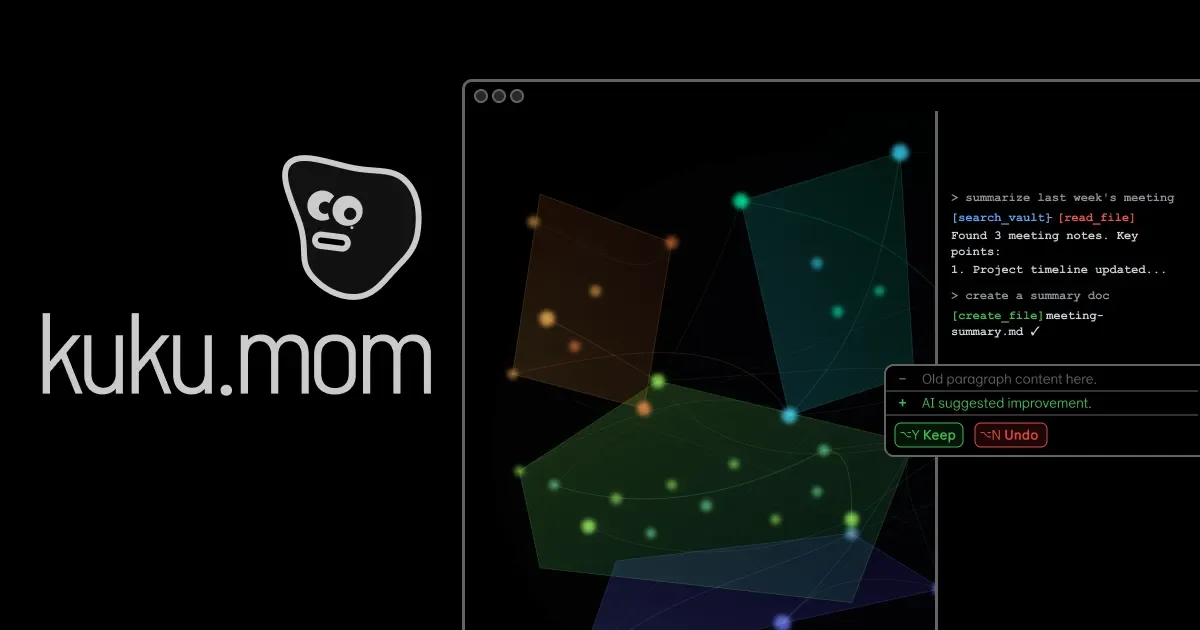
What is Kuku?
What is Kuku?
Kuku is an innovative Markdown editor specifically designed for macOS users. It leverages artificial intelligence to enhance the writing experience, making it easier for users to organize their thoughts and produce high-quality content efficiently. With its user-friendly interface and powerful features, Kuku aims to streamline the writing process, allowing users to focus on creativity rather than formatting.
Key Features
- AI-Powered Writing Assistance: Kuku utilizes advanced AI algorithms to provide suggestions and improvements for your writing, ensuring clarity and coherence.
- Markdown Support: Fully supports Markdown syntax, allowing for easy formatting of text, links, images, and more.
- Seamless Integration: Easily integrates with other macOS applications, enhancing your workflow and productivity.
- User-Friendly Interface: Designed with simplicity in mind, Kuku offers an intuitive interface that makes writing enjoyable and efficient.
- Downloadable via Homebrew: Users can quickly install Kuku using Homebrew with a simple command, making setup hassle-free.
How to Use Kuku
Getting started with Kuku is straightforward:
- Download and Install: Use Homebrew to install Kuku by running the command
brew install --cask kuku-mom/kuku/kukuin your terminal. - Create a New Document: Open Kuku and create a new Markdown document to start writing.
- Utilize AI Features: As you write, take advantage of the AI suggestions that pop up, helping you refine your content.
- Format Your Text: Use Markdown syntax to format your text easily, adding headings, lists, and links as needed.
- Export and Share: Once your document is complete, export it in various formats for sharing or publishing.
Use Cases
- Content Creation: Ideal for bloggers and writers looking to produce articles, essays, or reports with ease.
- Note-Taking: Perfect for students and professionals who need to take organized notes during lectures or meetings.
- Project Documentation: Useful for developers and teams who need to document their projects in a clear and structured manner.
- Collaborative Writing: Great for teams that collaborate on documents, allowing for easy sharing and editing.
- Creative Writing: Beneficial for authors and poets who want a distraction-free environment to focus on their craft.
FAQ
- Is Kuku free to use?
Kuku offers a free trial, after which users may need to purchase a license for continued use. - What operating systems are supported?
Kuku is designed exclusively for macOS, ensuring optimal performance on Apple devices. - Can I use Kuku offline?
Yes, Kuku can be used offline, allowing you to write without an internet connection. - Is there customer support available?
Yes, Kuku provides customer support through email and an online help center for troubleshooting and inquiries. - How does the AI feature work?
The AI analyzes your writing in real-time, offering suggestions for improvements and helping you enhance the overall quality of your text.
Alternatives

PaperBetterAI
PaperBetterAI is an intelligent writing tool that generates academic papers and various writing materials in both Chinese and English using advanced AI technology.

心流AI助手
Xinliu is an AI assistant that helps you efficiently acquire knowledge, whether it's everyday entertainment information or professional academic paper insights, it can easily provide answers.

Scribeist
Scribeist is an AI-powered writing workspace platform that combines content generation, visual canvas collaboration, and streamlined publishing workflows to manage the entire content creation process from research to publication.

MagickPen
MagickPen is an AI-powered writing assistant that helps you generate high-quality content quickly and efficiently using ChatGPT technology.

PXZ AI
An All-In-One AI Platform that combines tools for image, video, voice, writing, and chat to enhance creativity and collaboration.

ProWritingAid
ProWritingAid is a comprehensive writing assistant that helps writers improve their craft through grammar checking, style editing, and personalized feedback.