

S3nding
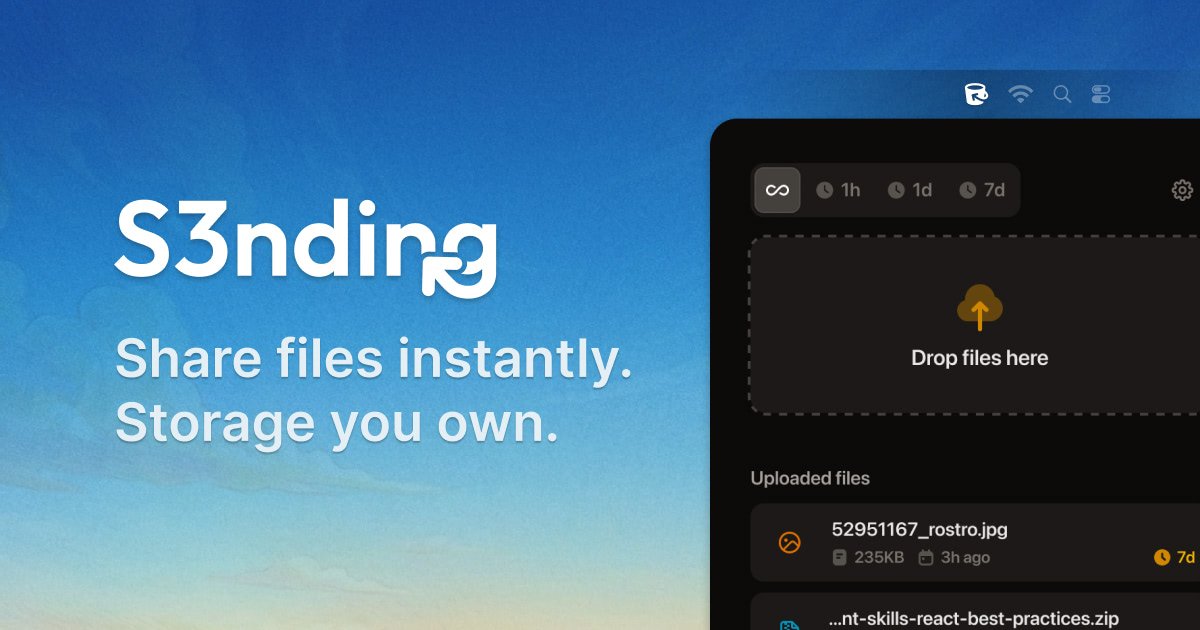
S3nding allows users to share files instantly by uploading directly to their own S3-compatible storage, eliminating subscriptions and vendor lock-in.
What is S3nding?
What is S3nding?
S3nding is a revolutionary file-sharing utility designed for users who prioritize data ownership, speed, and cost efficiency. Unlike traditional SaaS file-sharing platforms that lock you into their storage infrastructure and recurring subscription models, S3nding leverages your existing S3-compatible storage bucket (like AWS S3, DigitalOcean Spaces, or Cloudflare R2). This means you maintain complete control over where your files reside, ensuring maximum privacy and avoiding unnecessary markup fees.
This tool flips the script on file sharing: instead of uploading to a third party, you upload directly to your own infrastructure. The result is an incredibly fast workflow—upload, get a link, and share—all without monthly fees, storage limits imposed by a vendor, or the risk of vendor lock-in. It’s the perfect solution for developers, creators, and teams tired of paying twice for storage they already own.
Key Features
- BYO Storage (Bring Your Own Storage): Connects directly to any S3-compatible storage service, including AWS S3, DigitalOcean Spaces, Cloudflare R2, Backblaze B2, MinIO, and Hetzner Storage.
- No Subscriptions or Lock-in: A one-time purchase grants lifetime access. You only pay for the storage you use directly with your provider; S3nding adds no markup or recurring fees.
- Instant Link Generation: Upon successful upload, a shareable URL is automatically copied to your clipboard, streamlining the sharing process immediately.
- Expiring Share Links: Enhance security by setting links to automatically expire after 1 hour, 1 day, or 7 days, or keep them permanent.
- Unlimited Capacity: File size and total upload volume are limited only by the constraints of your connected S3 bucket, not by S3nding's platform.
- User-Friendly Workflow: Features a simple three-step process: Connect Bucket, Upload File (drag & drop supported), and Share Instantly.
- Privacy Control: Since files never touch S3nding's servers, you retain full control over data residency and access policies.
How to Use S3nding
Getting started with S3nding is designed to be quick and straightforward, focusing on integrating with your existing setup:
- Connect Your Bucket: The initial setup requires you to input your S3 credentials once. S3nding supports all major S3-compatible providers, ensuring flexibility.
- Upload Your File: Utilize the intuitive interface to drag and drop files directly into the application. S3nding securely handles the upload process via the S3 API to your designated bucket.
- Share Instantly: As soon as the upload completes, the unique, shareable link is automatically copied to your clipboard. You can immediately paste this link into Slack, email, or any communication channel.
For enhanced security, remember to configure link expiration settings during the upload process if you require temporary access for clients or collaborators.
Use Cases
S3nding is ideal for professionals who handle large assets or require strict control over data flow:
- Developers & DevOps Teams: Quickly share large build artifacts, application binaries, system logs, or database exports with teammates or QA environments without worrying about SaaS transfer limits or security reviews.
- Designers & Content Creators: Distribute high-resolution, uncompressed video exports, raw image sets, or large project files directly to clients, bypassing the quality degradation or size restrictions common on consumer platforms.
- Freelancers & Agencies: Deliver final client assets reliably and professionally. Instead of requesting access to a client's Drive or Dropbox, you send a direct link to the file hosted securely in your own infrastructure.
- Internal Teams & Collaboration: Facilitate rapid internal sharing of large documents, presentations, or datasets over internal communication tools like Slack or Teams, ensuring the transfer is fast and bypasses corporate file size limits.
- Cost-Sensitive Operations: Businesses already heavily invested in S3 storage can eliminate the redundant cost of paying for a separate file-sharing subscription service.
FAQ
Q: Is this a subscription service? A: Absolutely not. S3nding is offered as a one-time purchase for a lifetime license, including all future updates. You only pay for the underlying S3 storage usage you incur with your chosen provider.
Q: Do my files pass through S3nding's servers during upload or download? A: No. S3nding acts purely as a secure intermediary to generate the link. All file transfers (uploads and subsequent downloads by recipients) occur directly between the user/recipient and your personal S3-compatible bucket.
Q: What S3-compatible providers does S3nding work with? A: It is designed to work with any service that adheres to the S3 API standard. Officially supported examples include AWS S3, DigitalOcean Spaces, Cloudflare R2, Backblaze B2, MinIO, and Hetzner Storage.
Q: Are there any file size limits? A: S3nding itself imposes no file size limits. The maximum size of the file you can upload is determined entirely by the limits set by your connected S3 storage provider.
Q: Is my S3 credential data secure? A: Yes. Your credentials are used only to facilitate the connection and upload process. They are stored locally or securely managed by the application to interact with your bucket, ensuring they are never exposed or stored on S3nding's servers.
Alternatives

PDF Toolbox
PDF Toolbox is a comprehensive offline tool for creating, organizing, and securing PDF documents without compromising your privacy.

Voyager
Voyager is a next-generation file manager for macOS designed to replace Finder by creating dynamic, rules-based file views called Collections that automatically update as your work evolves.

Privacy-First
Free online converter tools for images, PDF, JSON, and more, ensuring 100% privacy with browser-only processing.

百度网盘
Baidu Cloud provides online backup, synchronization, and sharing services for your files, supporting education network acceleration and mobile usage.

Ghostfile
Ghostfile is a secure digital vault that allows users to manage their legacy by storing important documents and information, accessible only after their passing.

Afterpage
Afterpage is an intelligent document organizer for iPhone and iPad that learns your filing patterns to ensure you can instantly find any receipt, contract, or important file.