

Superscribe
Superscribe is a voice-powered time tracking tool designed to help professionals automatically track their billable hours by simply speaking.
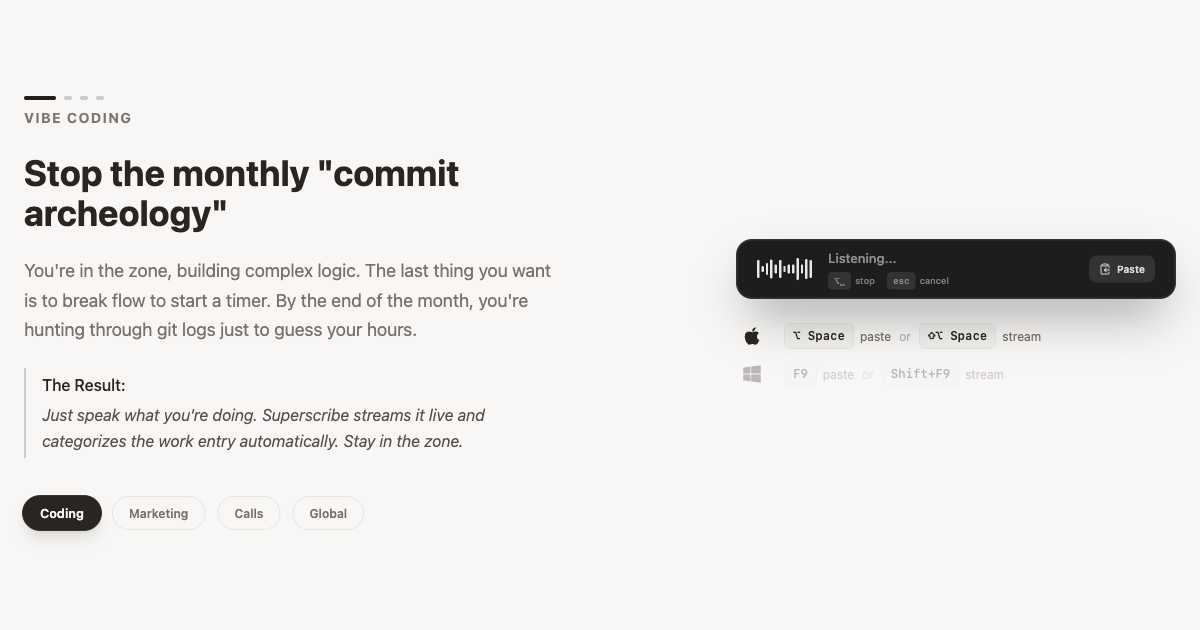
What is Superscribe?
What is Superscribe?
Superscribe is an innovative voice-to-text time tracking application that empowers professionals to effortlessly track their time without the need for manual input. By utilizing advanced voice recognition technology, Superscribe allows users to simply speak their tasks and activities, which are then automatically logged and categorized. This not only saves time but also ensures accuracy in tracking billable hours, making it an essential tool for freelancers, consultants, and anyone who needs to manage their time effectively.
With Superscribe, professionals can focus on their work rather than on the tedious process of time tracking. The app is designed to integrate seamlessly into daily workflows, providing a user-friendly experience that enhances productivity and efficiency.
Key Features
- Voice Recognition: Convert spoken words into text with high accuracy, allowing for hands-free time tracking.
- Automatic Time Logging: Automatically records and categorizes time spent on tasks based on voice commands.
- User-Friendly Interface: Intuitive design that makes it easy for users to navigate and utilize the app effectively.
- Integration Capabilities: Connects with popular project management and invoicing tools to streamline workflows.
- Customizable Categories: Users can create and manage their own categories for better organization of tracked time.
How to Use Superscribe
Getting started with Superscribe is simple and straightforward:
- Download and Install: Begin by downloading the Superscribe app from the official website or your device's app store.
- Create an Account: Sign up for a new account or log in if you already have one.
- Set Up Categories: Customize your time tracking categories to reflect your work needs.
- Start Speaking: Use the voice command feature to log your activities. Simply say what you are working on, and Superscribe will record it.
- Review and Export: At the end of your work period, review your logged hours and export them for invoicing or reporting purposes.
Use Cases
- Freelancers: Ideal for freelancers who need to track billable hours for multiple clients without the hassle of manual entry.
- Consultants: Consultants can use Superscribe to accurately log time spent on various projects, ensuring precise billing and client reporting.
- Lawyers: Legal professionals can benefit from automatic time tracking during client meetings and court appearances, helping to maintain accurate billing records.
- Creative Professionals: Designers and writers can track time spent on different projects, allowing for better time management and project planning.
- Remote Teams: Teams working remotely can use Superscribe to keep track of individual contributions and time spent on collaborative projects.
FAQ
Q: Is Superscribe compatible with other tools?
A: Yes, Superscribe integrates with various project management and invoicing tools to enhance your workflow.
Q: What devices can I use Superscribe on?
A: Superscribe is available on both mobile and desktop platforms, ensuring you can track your time anywhere.
Q: Is there a free trial available?
A: Yes, Superscribe offers a free trial period for new users to explore its features before committing to a subscription.
Q: How does Superscribe ensure accuracy in voice recognition?
A: Superscribe uses advanced voice recognition technology that continuously improves through user interactions, ensuring high accuracy in capturing spoken tasks.
Q: What support options are available?
A: Superscribe provides customer support through email and an extensive knowledge base on their website.
Alternatives
MealTime
MealTime is your personal, offline-first recipe companion designed to help you save, organize, plan meals, and generate smart grocery lists, all while keeping your data private.

dumppp
The fastest way to capture thoughts to Notion with a 0.5s launch time, eliminating friction and enhancing productivity.

Biji
Biji is a versatile platform designed to enhance productivity through innovative tools and features.

Gemma AI
Gemma AI is a smart application that calls you directly with personalized, intelligent voice reminders to ensure you never miss important tasks, appointments, or deadlines.

Prompty Town
Prompty Town is an innovative platform that allows users to transform their links into virtual buildings, creating a unique and engaging way to share and interact with content.

Tavus
Tavus introduces PALs: AI humans that remember, empathize, and grow with you, bridging the human-machine divide.