
Typeletter
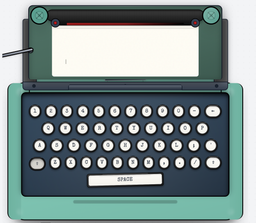
Typeletter is a free online vintage typewriter simulator that offers a realistic typing experience with authentic sounds and nostalgic aesthetics for writing letters, notes, and journals.
What is Typeletter?
What is Typeletter?
Typeletter is a sophisticated, free-to-use online vintage typewriter simulator designed to recapture the authentic feel and deliberate pace of writing on a classic mechanical typewriter. In an age dominated by fast-paced digital communication, Typeletter provides a unique sanctuary for mindful creation. It transforms your standard keyboard into a virtual writing instrument, complete with realistic mechanical sounds, satisfying carriage returns, and vintage visual styling. This tool is perfect for anyone seeking a distraction-free environment to focus purely on the act of writing, whether drafting important correspondence, capturing fleeting thoughts in a journal, or crafting evocative creative pieces.
More than just a novelty, Typeletter is engineered for writers who value process over speed. By simulating the tactile feedback and aesthetic constraints of older technology, it encourages users to think more carefully about every word they commit to the page. The platform requires absolutely no download or registration, offering instant access to a rich, immersive writing experience directly within your web browser. It merges nostalgic charm with modern convenience, allowing you to easily save, share, or export your finished work in beautiful, high-quality formats.
Key Features
Typeletter stands out by blending immersive sensory details with practical digital output capabilities. Its core features are designed to maximize the vintage writing experience while ensuring modern usability:
- Realistic Keystroke Sounds: Experience the satisfying clack of vintage mechanical keys with every letter typed, enhancing immersion.
- Authentic Visual Customization: Choose from multiple ink colors, including classic Black, vibrant Red, deep Blue, and aged Sepia, to personalize your document's look.
- Vintage Output Options: Finalize your work with the addition of authentic vintage wax seal stamps, giving your digital documents a tangible, historical feel.
- Ambient Soundscapes: Enhance focus and mood by selecting from ambient background sounds such as gentle Rain, relaxing Beach waves, smooth Jazz, or tranquil Park noise.
- Seamless Sharing and Export: Easily email your completed notes directly from the application or download them as high-quality, beautifully formatted images.
- Cross-Platform Accessibility: Fully mobile-friendly and responsive design ensures a consistent, high-quality experience across desktops, tablets, and smartphones.
- Zero Barrier to Entry: Completely free to use with no required downloads, installations, or user registration.
How to Use Typeletter
Getting started with Typeletter is designed to be instantaneous and intuitive, mimicking the simplicity of opening a physical typewriter:
- Begin Typing: Simply start using your standard keyboard. The simulator immediately registers your input, displaying characters with the appropriate vintage font and sound effect.
- Manage Lines: To advance to the next line, press the Enter key on your keyboard or click the visual carriage return lever on the interface.
- Navigate Paper: If your document exceeds the visible screen area, use the scroll knob located on the side of the virtual paper to scroll up or down through your text.
- Finalize and Export: Once you have completed your letter, note, or journal entry, click the designated "finish" button. This action will prompt options to save the document, email it directly to a recipient, or share it via social platforms like Twitter and LinkedIn.
This streamlined process ensures that the focus remains squarely on the content creation itself, minimizing digital friction.
Use Cases
Typeletter is an exceptionally versatile tool, finding its niche across various creative and professional endeavors:
- Mindful Journaling and Reflection: For users practicing digital detox or seeking deeper self-reflection, the deliberate pace of the typewriter encourages slower, more thoughtful processing of daily events and emotions.
- Crafting Heartfelt Correspondence: When sending a truly personal message—a thank you note, an apology, or a declaration of affection—the vintage aesthetic conveys sincerity and effort far beyond a standard email.
- Creative Writing and Storytelling: Novelists, poets, and screenwriters can use Typeletter to establish a specific mood or historical setting for early drafts, helping to immerse themselves in the narrative voice.
- Creating Unique Social Media Graphics: By exporting finished notes as high-quality images, users can generate distinctive, aesthetically pleasing content for platforms like Instagram or Pinterest that stands out from typical digital text.
- Developing Focused Writing Prompts: Educators or writing coaches can utilize the distraction-free environment to assign timed writing exercises, forcing students to concentrate solely on generating content without the temptation of editing or browsing.
FAQ
Q: Is Typeletter truly free to use, and are there any hidden costs or subscriptions? A: Yes, Typeletter is completely free to use. There are no required subscriptions, hidden fees, or premium tiers associated with accessing the core simulation features.
Q: Can I save my work directly within the application for later editing? A: The primary saving mechanism involves exporting the finished document as an image file or emailing it. While it does not function as a persistent cloud-based word processor, you can save the exported image or text to your local device for later reference or editing in another program.
Q: Does Typeletter support different languages or character sets? A: Typeletter primarily functions based on the standard layout of your physical keyboard. While it supports typing characters available on your keyboard (including accented letters if your OS supports them), its core focus is on the vintage English typewriter aesthetic.
Q: How realistic are the typewriter sounds? A: The sounds are carefully sampled and engineered to mimic the distinct mechanical actions of classic typewriters, including the key strikes, the carriage return thwack, and the bell ring (if applicable to the simulation mode), providing a highly immersive auditory experience.
Q: Is there a character limit for the notes I type?
A: While there is no hard-coded limit enforced by the simulator, extremely long documents might affect browser performance. It is best suited for letters, short stories, or journal entries rather than novel-length manuscripts.
Alternatives

PaperBetterAI
PaperBetterAI is an intelligent writing tool that generates academic papers and various writing materials in both Chinese and English using advanced AI technology.

心流AI助手
Xinliu is an AI assistant that helps you efficiently acquire knowledge, whether it's everyday entertainment information or professional academic paper insights, it can easily provide answers.

Scribeist
Scribeist is an AI-powered writing workspace platform that combines content generation, visual canvas collaboration, and streamlined publishing workflows to manage the entire content creation process from research to publication.
MagickPen
MagickPen is an AI-powered writing assistant that helps you generate high-quality content quickly and efficiently using ChatGPT technology.

PXZ AI
An All-In-One AI Platform that combines tools for image, video, voice, writing, and chat to enhance creativity and collaboration.

ProWritingAid
ProWritingAid is a comprehensive writing assistant that helps writers improve their craft through grammar checking, style editing, and personalized feedback.