
Tasks and calendar in one app
Bring tasks and calendar events into the same workspace so planning happens alongside scheduling rather than in separate tools.

Akiflow is a time-blocking digital planner and calendar that combines tasks, meetings, and scheduling in one workspace. It helps users capture work from multiple sources, plan the day visually, and manage execution with AI and productivity tools.
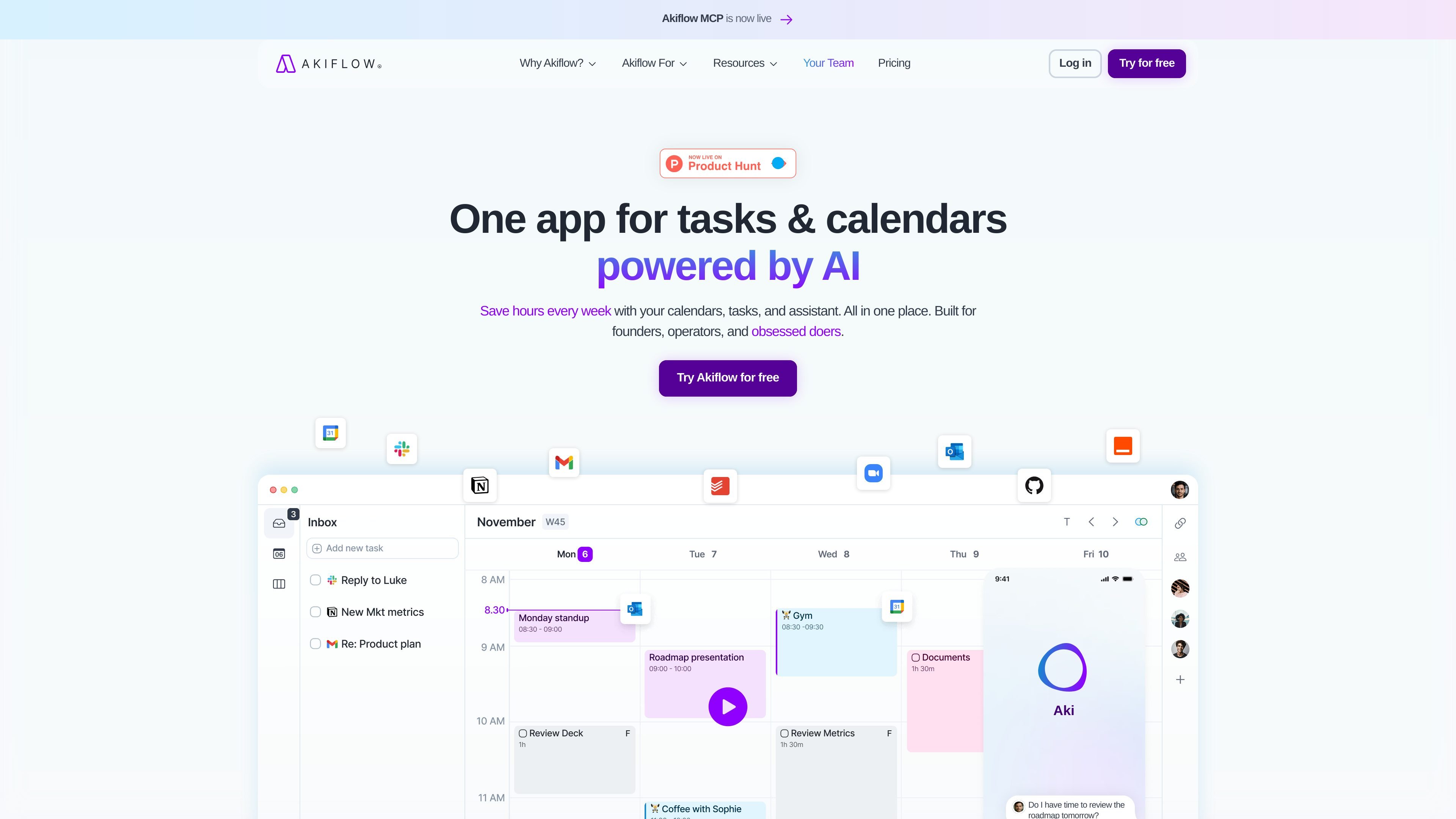
Akiflow is a digital planner and calendar app built around time blocking, task capture, and unified scheduling. The product combines tasks, meetings, and calendar planning in one workspace so users can move from collecting work to planning and execution without switching between multiple apps.
The site positions Akiflow for founders, operators, busy professionals, and teams that want a structured workflow for capturing tasks, prioritizing them, and placing them into the calendar. Its materials describe a method built around capture, process, plan, execute, and review, with AI assistance and integrations to help keep that system current.
Bring tasks and calendar events into the same workspace so planning happens alongside scheduling rather than in separate tools.
Use Aki, the AI executive assistant, to help clear time, reschedule items, automate routines, and respond to prompts for planning workflows.
Collect tasks from email, messages, and many connected tools into a single inbox, reducing the need to jump between apps.
Block time for specific work, review availability, and use scheduling links for one-off or recurring meetings.
Support focused execution with rituals, focus timer, shortcuts, offline use, and productivity stats for review and planning.
Connect with calendars and other apps, including Google Calendar, Outlook Calendar, Zapier, and IFTTT, as listed on the site.
Centralize tasks, meetings, and calendar blocks in one place when you need a clear daily plan and less context switching.
Capture tasks from email, chat, notes, or other connected tools, then turn them into actionable items without rebuilding your workflow from scratch.
Schedule focused work by assigning time blocks to tasks, leaving room for breaks, and using reminders and shortcuts to stay on track.
Coordinate one-off or recurring meetings with sharing links and visibility into availability, especially when managing a busy calendar.
Review progress and task flow with stats, inbox status, and planning rituals to refine how work gets organized over time.
Akiflow is built for people who manage tasks, meetings, and planning in one place. The site positions it for founders, operators, busy professionals, and teams that want a time-blocking workflow.
The pricing page states that new users can start a 7-day free trial and cancel anytime. It also references a free 1:1 onboarding call on the Pro Monthly plan.
The product pages describe Akiflow as combining a calendar, tasks, a universal inbox, time blocking, AI assistance, rituals, focus timer, and scheduling links. The exact onboarding flow is not detailed beyond the trial and onboarding call mention.
The site includes FAQ prompts about data security, support, discounts, payments, cancellation, and invoices, but the collected text does not provide full answers to each of those topics.

Biji es una plataforma versátil diseñada para mejorar la productividad a través de herramientas y características innovadoras.

Goldfish is an AI memory app for macOS that helps you reply, write, summarize, and continue using the context already on your Mac. It stores memory locally and writes in your tone.

Liam is an AI copilot for managing inboxes, writing replies, prioritizing email, and scheduling meetings. It is offered free for individuals, with custom pricing for teams and enterprise.

Gemma AI is a phone call reminder app that calls you with scheduled reminders instead of push notifications. It helps people who want a more direct way to stay on schedule, with Google Calendar sync and conversational call interactions.

ClawTick is an AI agent automation platform for scheduling jobs from the CLI, dashboard, or REST API. It is aimed at developers and teams running LangChain, CrewAI, webhook, or custom agent workflows that need monitoring, alerts, and logs.

Redline is a budgeting tool for Claude Code that paces sessions to stay within time, token, cost, or plan-percentage limits. It uses Claude Code’s native hooks and statusline to help sessions finish with a usable result instead of stopping abruptly.