
Sales and revenue analytics
View stacked charts for proceeds, sales, and downloads across all apps or a single SKU, with overlays for previous periods and year-over-year comparisons.

AppDesk is a native iOS and macOS App Store Connect client for viewing sales, subscription, and review data on-device. It helps indie developers and teams manage App Store reporting and review responses without sending data to third-party servers.
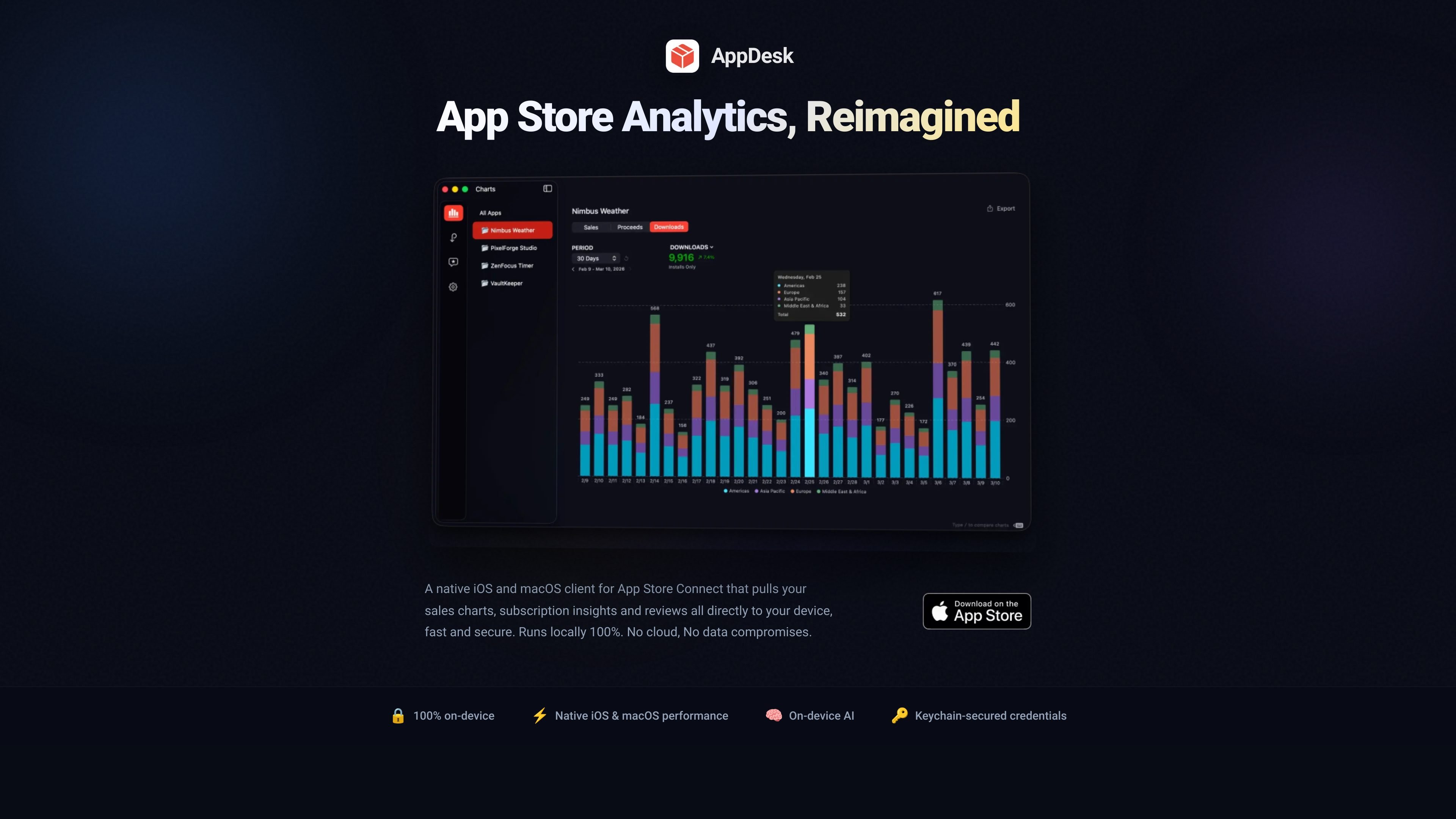
AppDesk is a native iOS and macOS client for App Store Connect that lets developers review sales, subscription, and review data directly on their devices. It is designed for iPhone, iPad, and Mac, with local storage and on-device processing instead of third-party servers.
The product focuses on three main jobs: reading performance data, understanding recurring revenue, and managing App Store reviews. It also includes keyboard-driven navigation, cached views, incremental sync, and an onboarding flow that walks users through App Store Connect API credentials.
According to the site, AppDesk stores credentials in the system Keychain and keeps review data on-device when generating AI responses. The homepage also points users to a demo mode and a setup guide before connecting an account.
View stacked charts for proceeds, sales, and downloads across all apps or a single SKU, with overlays for previous periods and year-over-year comparisons.
Track active subscribers, MRR, trial conversion rates, churn risk, billing retries, and grace period issues, broken down by product, country, device, and billing period.
Generate contextual review replies on-device, auto-categorize incoming reviews, filter by rating or status, and send responses back to App Store Connect.
Keep charts and app states cached so switching between apps, date ranges, and tabs feels immediate, with incremental sync pulling only changed data.
Export any view to CSV for further analysis outside the app.
Review sales charts, revenue trends, downloads, and year-over-year comparisons when you want a quicker read on how an app or SKU is performing.
Track active subscribers, churn risk, MRR, and trial conversion rates to watch recurring revenue and spot billing issues before they affect retention.
Filter incoming reviews, categorize feedback, and draft responses with on-device AI when you need to respond faster without moving review data to a cloud service.
Switch between apps, time ranges, and tabs while relying on cached states and incremental sync for a faster workflow during routine account checks.
Export views to CSV when you need to analyze App Store data in another tool or share it outside AppDesk.
AppDesk is a native iOS and macOS client for App Store Connect. It helps you review sales, subscriptions, and customer reviews on your device.
The product page says AppDesk runs locally on iPhone, iPad, and Mac. It stores data on your device and uses on-device AI for review responses.
The onboarding guide says you need an App Store Connect API key, an Issuer ID, a Key ID, a Vendor ID, and the downloaded .p8 private key file.
Apple only allows the private key to be downloaded once. If you lose the .p8 file, you need to revoke the key in App Store Connect and create a new one.
The source shows a pricing page path, but that page currently returns a 404. No plan details, pricing, or team limits are provided on the available pages.

Struere is an AI-native platform for turning spreadsheet data into structured operational software with dashboards, alerts, and automations. It is aimed at teams that want to replace manual spreadsheet workflows without building custom tools from scratch.

PromptScout tracks how ChatGPT, Gemini, Google AI Overviews, and Perplexity mention your brand or competitors, then pairs those results with source analysis and website audits. It helps teams decide what to fix in content, positioning, or site readiness next.

Goldfish is an AI memory app for macOS that helps you reply, write, summarize, and continue using the context already on your Mac. It stores memory locally and writes in your tone.

Lasso is an ecommerce product data platform for enriching catalog records, processing supplier files, generating product content, and monitoring competitors. It combines a web app with a REST API, SDK, and MCP server for teams and developers.

SaveMRR is a Stripe retention tool for SaaS teams that scans billing data for churn and MRR leaks, then automates recovery through dunning, cancel-save offers, win-back emails, and onboarding nudges. It is built for founders and bootstrapped teams using Stripe.

Hype is a web tool for finding trending YouTube topics by category, time range, and scoring mode. It helps creators spot emerging ideas, inspect source videos, and decide what to cover next.