
Private founder diary
Write private notes about the build, including wins, bugs, doubts, and other behind-the-scenes moments.

BuildBook is a web app for founders and solo builders to keep a private build diary and turn selected moments into public posts. It also supports voice-based drafting and a Ghibli-style image feature for build updates.
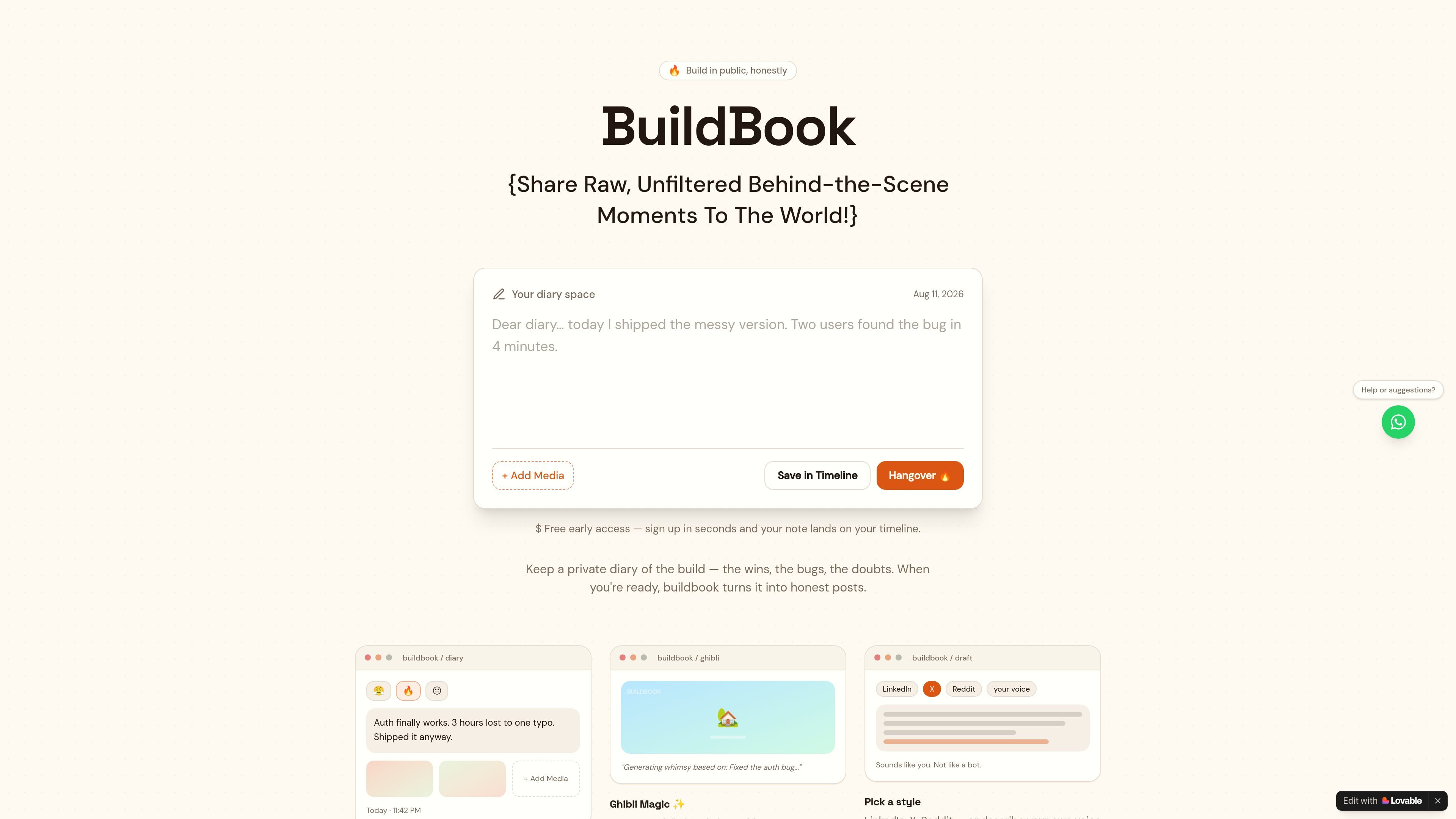
BuildBook is a founder diary for logging the day-to-day reality of building a product in private, then turning those notes into public posts. The home page frames it as a way to share raw, unfiltered behind-the-scenes moments instead of only polished launch updates.
The product centers on a timeline of short entries that can include text, mood, and media, plus a draft flow for shaping those moments into posts for platforms like LinkedIn, X, and Reddit. It also includes a separate Ghibli-style image generation feature tied to build moments.
Write private notes about the build, including wins, bugs, doubts, and other behind-the-scenes moments.
Add a mood, a screenshot, or other media to a note, then save it with the date and time on your timeline.
Turn diary moments into public posts that sound honest and specific rather than polished marketing copy.
Choose a target voice such as LinkedIn, X, or Reddit, or describe a custom voice before drafting content.
Generate Ghibli-style art from a build moment and apply a BuildBook watermark.
Use the diary when you want to capture a build update, bug, doubt, or small win before you forget the details.
Use the draft flow when you have a raw note and want to turn it into a cleaner post in a platform-specific voice.
Use the Ghibli feature when you want to turn a specific product moment into a whimsical image for sharing.
Use the timeline when you want to keep entries organized by date and time instead of scattered across separate notes.
BuildBook is designed around a private founder diary and a later transformation step into public-facing posts. The source also shows a draft area where you can pick a voice such as LinkedIn, X, or Reddit, or describe your own style.
The source shows free early access on the home page. The pricing page itself returns a 404, so there is no confirmed pricing structure or plan detail available from the collected pages.
The source indicates you can log a note with a mood, a screenshot, or other media, and save it with the date and time. It also shows a separate Ghibli feature for generating whimsical art from a moment.
The sign-in page says accounts use just a username and password, with no email on the account.

PaperBetterAI es una herramienta de escritura inteligente que genera trabajos académicos y diversos materiales de escritura en chino e inglés utilizando tecnología avanzada de IA.

心流AI助手是一款面向知识获取与内容处理的 AI 助手,可用于实时问答、长文总结和写作辅助。公开页面显示它覆盖日常百科、生活信息和学术论文相关场景,并提供 App 体验入口。

Goldfish is an AI memory app for macOS that helps you reply, write, summarize, and continue using the context already on your Mac. It stores memory locally and writes in your tone.

Topple.lol is a public pay-to-rank leaderboard where listings start at $1 and their bid balance decays over time and with clicks. It helps makers and marketers buy short-term visibility for product sites or X profiles while tracking live board stats.

Una plataforma de IA todo en uno que combina herramientas para imagen, video, voz, escritura y chat para mejorar la creatividad y la colaboración.

Slidesgo is a presentation template platform for Google Slides, PowerPoint, and selected Canva workflows. It offers free and Premium templates, plus AI-assisted presentation creation and team-friendly access options.