
Session browsing and search
Browse and search Claude Code sessions from a native macOS menu bar app instead of working from scattered files.

Claudoscope is a native macOS menu bar app for browsing, searching, and tracking Claude Code and Cowork sessions locally. It also flags leaked secrets, tracks session costs, and offers one-click hardening for a ~/.claude/ setup.
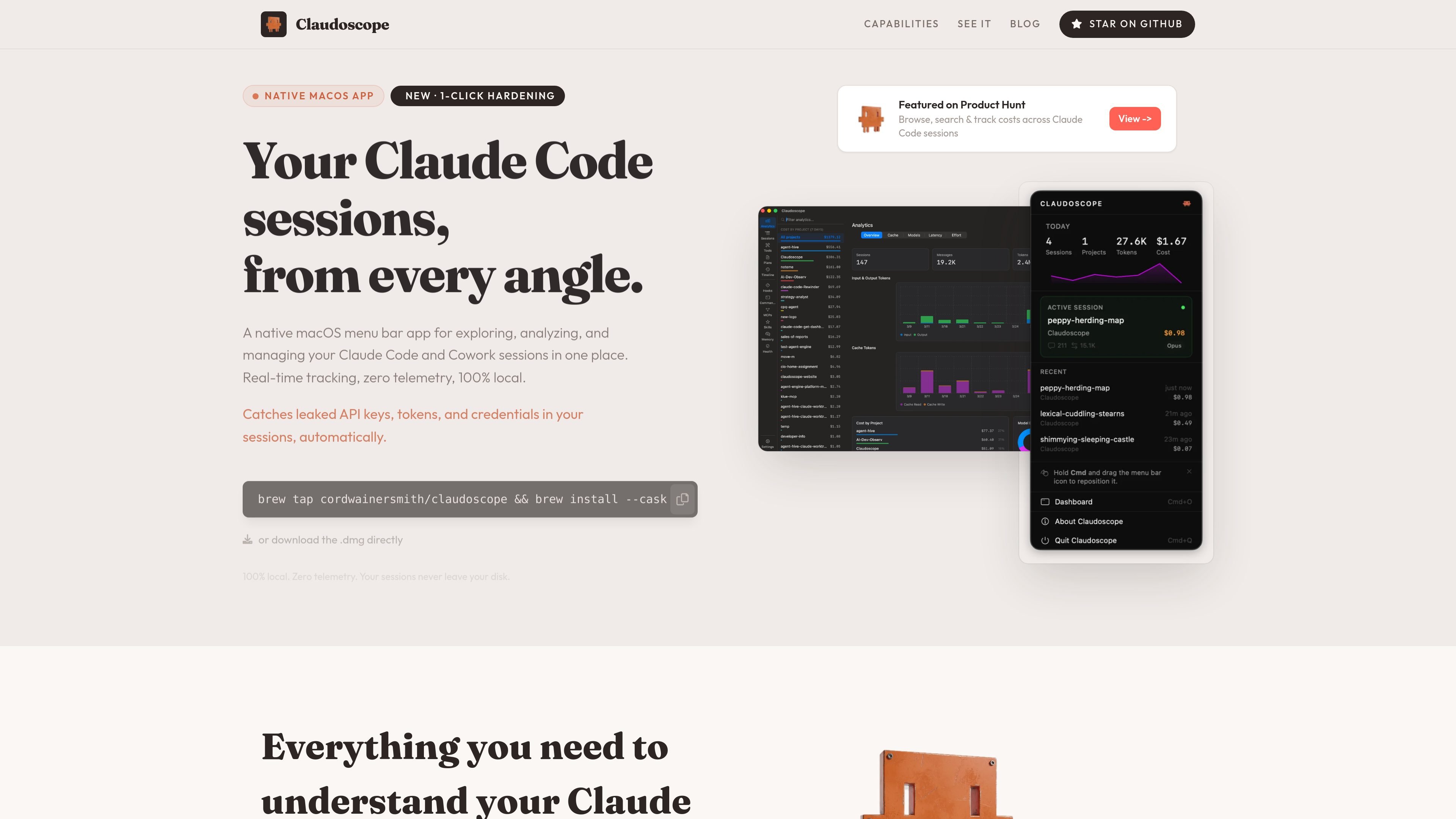
Claudoscope is a native macOS menu bar app for viewing, searching, and analyzing Claude Code and Cowork sessions in one place. It focuses on session history, cost tracking, and local security checks for developers working with Claude-based tools.
The site describes the app as 100% local with zero telemetry, and says your sessions never leave your disk. It also highlights automatic detection of leaked API keys, tokens, and credentials, plus a one-click hardening workflow for your ~/.claude/ setup.
Browse and search Claude Code sessions from a native macOS menu bar app instead of working from scattered files.
Track costs across Claude Code sessions in real time so you can review usage alongside activity.
Detect leaked API keys, tokens, and credentials automatically in session files.
Apply hardening to your ~/.claude/ setup in one click, based on the product’s stated workflow.
Keep session analysis local on the Mac with zero telemetry, according to the site.
Install via Homebrew cask or download the .dmg directly from the site.
Review Claude Code session history from a single macOS menu bar app when you need to find previous work or inspect activity across sessions.
Check how costs are accumulating as you use Claude Code so you can understand usage patterns alongside the session timeline.
Spot leaked API keys, tokens, or credentials in session files before they become a security issue.
Harden your ~/.claude/ setup with the app’s one-click workflow when you want to tighten local configuration.
Keep sensitive session analysis on-device when you prefer a local-only workflow with no telemetry.
Claudoscope is a native macOS menu bar app for browsing, searching, and tracking Claude Code and Cowork sessions locally. It is aimed at developers who want to review session history, costs, and security issues without sending session data off their machine.
The site presents Claudoscope as a macOS app with install options via Homebrew or a direct .dmg download. The source does not document a more detailed setup flow.
Claudoscope surfaces session browsing and search, real-time cost tracking, automatic secret detection, and one-click hardening for a ~/.claude/ setup.
The website states that Claudoscope is 100% local with zero telemetry, and that sessions never leave your disk.
The pricing page at the provided URL returns a 404, so the source does not confirm any paid plans, subscriptions, or donation options.

ByteAsk is a terminal-first AI coding agent for C and C++ that edits repositories and verifies changes with the real compiler, debugger, sanitizers, and tests before showing a diff. It offers a free tier plus paid plans, with editor connectors and zero-retention handling described in the source.

PromptScout tracks how ChatGPT, Gemini, Google AI Overviews, and Perplexity mention your brand or competitors, then pairs those results with source analysis and website audits. It helps teams decide what to fix in content, positioning, or site readiness next.

Sleek Analytics is a privacy-friendly web analytics tool with real-time visitor tracking, Core Web Vitals, and revenue attribution. It helps site owners understand traffic and conversions without cookie banners or a heavy setup.

GitBot is a local browser-based workspace for creating reusable coding bots powered by Claude Code, Codex, or OpenCode. It helps developers run those agents across repository folders with persistent threads and configurable permissions.

MacSpoof es un cambiador de MAC para macOS: cambia o aleatoriza tu MAC Wi‑Fi para reconectar y reducir el registro de identidad en redes públicas.

Grok 4.7 is an xAI model for software development and knowledge work, including extended coding tasks and professional analysis. It is available through Grok Build, Cursor, the Grok API, and other developer platforms, with token pricing starting at $2 per million input tokens and $6 per million output tokens.