
Terminal for agent coordination
Run coding agents inside Coldtea’s terminal, start and steer them individually or as a team, and review the work without copying context between separate panes or tools.

Coldtea is a local, IDE-like environment for self-driving software delivery that combines coding agents, agentic QA, production monitoring, and repair. It helps developers and teams test releases, investigate production issues, and coordinate agent work from one machine.
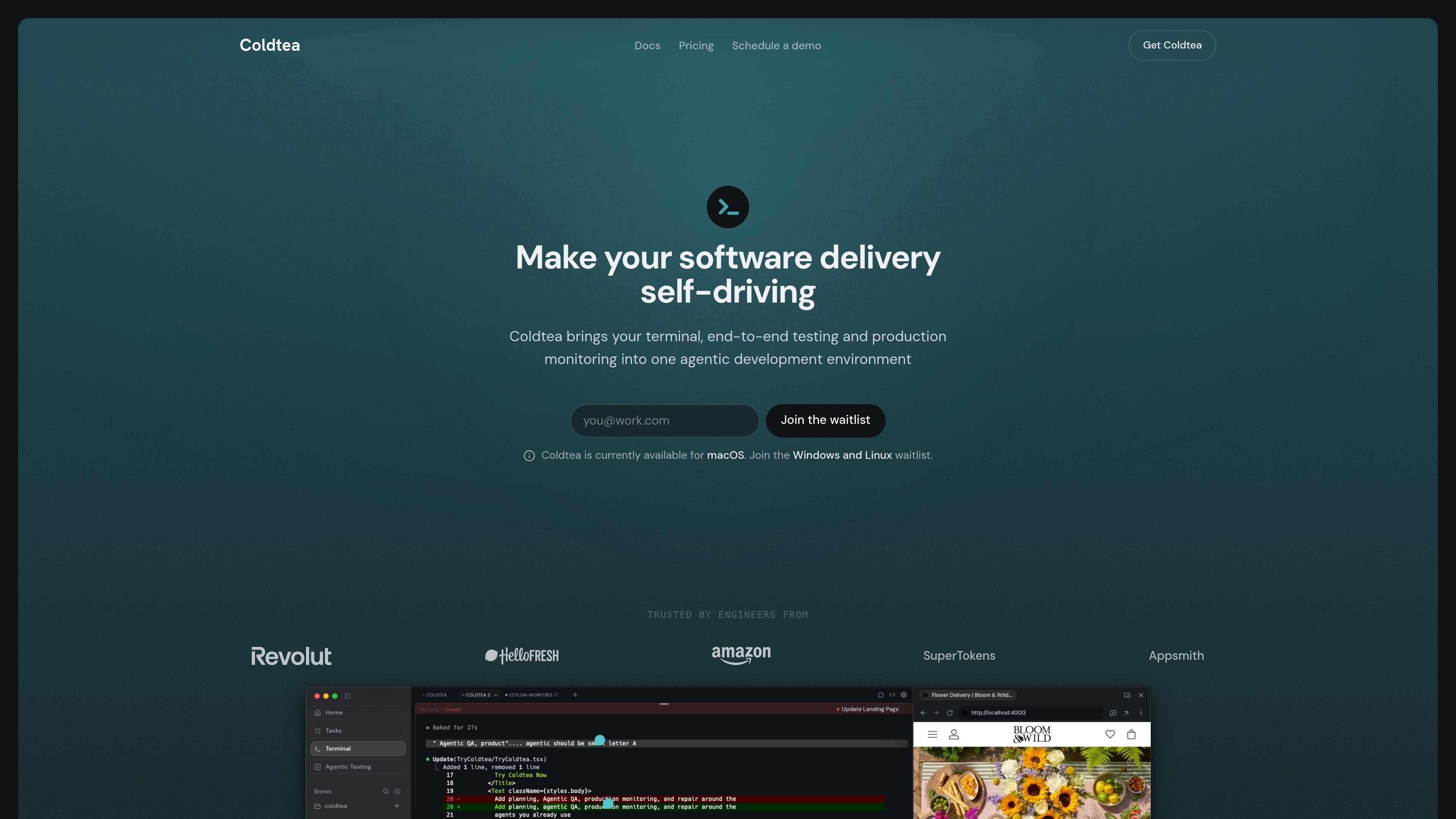
Coldtea is a self-driving software delivery environment that brings coding, testing, monitoring, and repair into one app. The product is positioned as an IDE rather than a dashboard, and it runs on your machine next to your repository using the shell and settings you already have.
Its core purpose is to cover the work that happens after code is written: QA agents verify releases, monitoring agents watch production, and the terminal lets you start, steer, and review agents while keeping control of the process. Cloud execution is available, but only when you turn it on.
Run coding agents inside Coldtea’s terminal, start and steer them individually or as a team, and review the work without copying context between separate panes or tools.
Describe web and mobile journeys in plain English, turn them into self-healing tests, and run them on every pull request preview so issues can be caught before merge.
Monitor production through error logs, customer feedback, and user sessions, then investigate findings and open a pull request for review.
Sweep the codebase for debt introduced by agent-written code and file issues onto your board for later work.
Sync your engineering board and assign tasks to background agents in the cloud, then track several tasks in parallel from one place.
Support for working with existing agents such as Claude Code, Codex, and OpenCode, rather than replacing them.
Use the terminal to coordinate one or more coding agents, plan work, review their output, and keep the session tied to your local repo instead of a separate agent dashboard.
Describe a release flow in plain English, generate web or mobile tests, and run them on each PR preview to catch regressions before merge.
Watch production error logs, customer feedback, and session data, then let monitoring agents investigate and draft a pull request for your review.
Send board items to cloud-running agents so routine work can progress in parallel while you continue working in the main environment.
Use the same environment to surface agent-introduced code debt and file follow-up work onto your board for later cleanup.
Coldtea is an IDE-like environment rather than a dashboard. It runs on your machine next to your repository, and it uses the shell, agents, and settings you already have.
Yes. The terminal is free forever, agentic testing has a generous free tier, and production monitoring is free to try. The pricing page also says the first seat in a TeaHouse is free for solo developers.
Coldtea supports a wide range of monitoring providers, including Sentry, Datadog, Grafana, New Relic, PostHog, and Vercel. If a provider is missing, you can request it from inside the app or by email.
The QA agent uses the app the way a person would. For mobile, it spins up simulators and loads real builds. For web, it drives the live site and, on pull requests, runs against the preview URL so regressions can be caught before merge.
Coldtea combines coding, testing, and production monitoring in one place so teams do not have to move between separate tools for those stages of delivery.

ByteAsk is a terminal-first AI coding agent for C and C++ that edits repositories and verifies changes with the real compiler, debugger, sanitizers, and tests before showing a diff. It offers a free tier plus paid plans, with editor connectors and zero-retention handling described in the source.

Manta AI is an autonomous web app testing tool for teams that want to map application behavior, catch regressions, and generate tests without writing scripts or maintaining selectors. It works from a URL and supports plain-English test flows, run results with screenshots, and scheduled or deployment-triggered checks.

Hoplite is a cloud coding agent platform for teams that want to run software tasks in isolated sandboxes with repository context and imported local setup. It offers published Pro, Scale, and Enterprise plans.

PromptScout tracks how ChatGPT, Gemini, Google AI Overviews, and Perplexity mention your brand or competitors, then pairs those results with source analysis and website audits. It helps teams decide what to fix in content, positioning, or site readiness next.

CreateOS Sandbox is an isolated compute environment for running code and agent workloads inside Firecracker micro-VMs. It is designed for workflows that need machine-level isolation, private networking between sandboxes, and programmatic control through SDK, CLI, or MCP.

Sleek Analytics is a privacy-friendly web analytics tool with real-time visitor tracking, Core Web Vitals, and revenue attribution. It helps site owners understand traffic and conversions without cookie banners or a heavy setup.