
AI dictation anywhere
Hold a hotkey, speak naturally, and Crodo transcribes your words, cleans grammar and punctuation, removes filler words, and pastes the result back into the focused Mac app.
Crodo AI is a macOS voice assistant for dictation, voice chat, screen-aware help, and meeting notes. It helps users work in the app they already have open while optionally connecting Gmail, Google Calendar, and Slack for real inbox and schedule lookups.
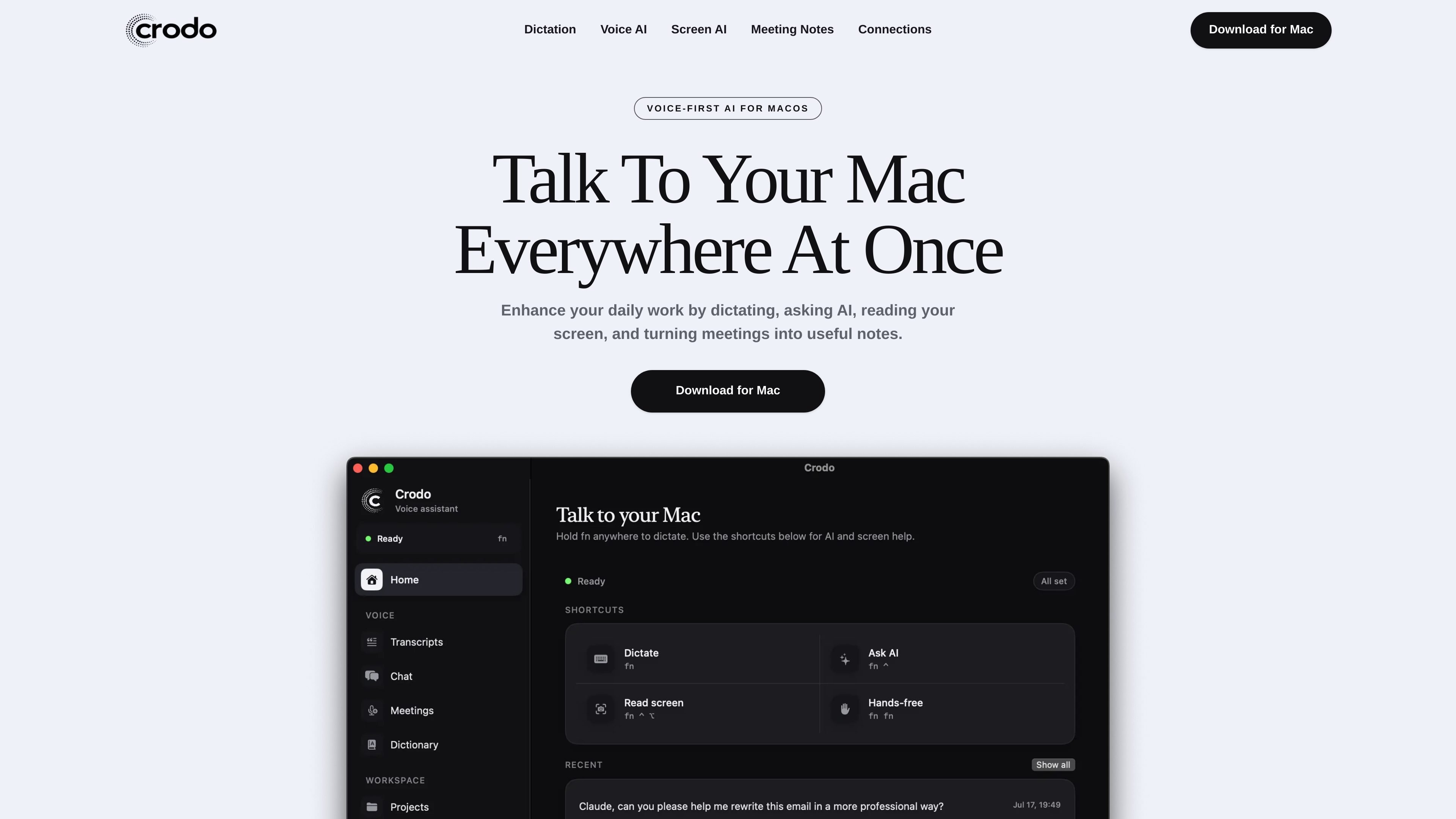
Crodo AI is a macOS voice assistant designed to sit behind global hotkeys and help you work without leaving the app in front of you. It combines dictation, voice-based AI chat, screen-aware questions, meeting transcription, and connected inbox and calendar access.
The product is built for tasks that usually require typing, copying, rewriting, or switching tabs: drafting text into any Mac app, asking follow-up questions, summarizing calls, and checking information from Gmail, Google Calendar, or Slack when those accounts are connected.
Hold a hotkey, speak naturally, and Crodo transcribes your words, cleans grammar and punctuation, removes filler words, and pastes the result back into the focused Mac app.
Ask questions out loud from a separate hotkey, continue the conversation with memory, and copy the answer back into your workflow without opening a browser.
Capture the active display and ask about the page, app, document, dashboard, or error that is already on your screen, so the answer uses visual context.
Record microphone plus meeting audio, create transcripts, and turn calls into summaries, decisions, and action items.
Connect Gmail, Google Calendar, and Slack so Crodo can answer from your real inbox and schedule, rather than guessing from context alone.
Teach Crodo names, products, and jargon it mishears, and use your preferred hotkeys and microphone input for your setup.
Speak a reply, note, or draft into Mail, Docs, chat, or a ticketing tool and let Crodo clean the text before it is pasted back into the focused app.
Ask what an error message means, summarize a dashboard, or request next steps based on what is visible on your Mac screen.
Record a meeting, then review a transcript with a summary, decisions, and action items instead of taking notes manually during the call.
Connect Gmail, Google Calendar, or Slack to check unread mail, today’s schedule, or availability, and to draft replies from the actual thread.
Use conversation memory and selected text to ask follow-up questions or rewrite existing copy into a shorter, clearer, or warmer version.
Crodo AI is a macOS voice assistant for dictation, voice questions, screen-aware help, and AI meeting notes.
Yes. Crodo uses global hotkeys and can paste dictated text into the app you are already using after transcription.
Yes. The Mac app can capture microphone and system audio, then send the recording through the backend for transcription and AI-generated notes.
Only if you connect them. Crodo supports Gmail, Google Calendar, and Slack, and it can answer from your real inbox and schedule after you approve access on the provider sign-in screen.
Crodo can search the web for current information and uses your Mac's local time, so time-sensitive requests like 'today' or 'tomorrow at 5' use your timezone.

SpeakoFlow is a free, open-source desktop voice-to-text app for Windows, macOS, and Linux. It supports dictation into any app, voice-driven writing with Flow, cleanup, translation, and a screen-aware assistant.

Tactiq is an AI note taker for Google Meet, Zoom, and Microsoft Teams that transcribes meetings live and turns them into summaries, action items, and follow-up outputs. It is built around a Chrome extension and supports team workflows through sharing and integrations.

Claude Overlay is a Windows desktop overlay for Claude Code that reads your screen so you can ask questions, inspect content, and request edits without leaving the current app. It runs on your existing Claude subscription through the Claude CLI, so no separate API key is required.

Goldfish is an AI memory app for macOS that helps you reply, write, summarize, and continue using the context already on your Mac. It stores memory locally and writes in your tone.

ArtDeck is a visual reference board app for iPhone, iPad, and Mac that lets artists collect mixed reference material on one canvas and study it with ToolBox lenses. It works offline, supports optional iCloud sync, and is sold as a one-time purchase with no account required.

Biji es una plataforma versátil diseñada para mejorar la productividad a través de herramientas y características innovadoras.