
Hotkey-driven overlay
Press ⌘⌥B to bring up a transparent arcade overlay on top of whatever you are doing. Press the hotkey again to dismiss it and return to the exact same workspace.

DeskArcade is a macOS app that overlays a small arcade on top of your current screen so you can play brief games without leaving your work. It is described as free for Mac, notarized by Apple, and built to keep your real apps untouched.
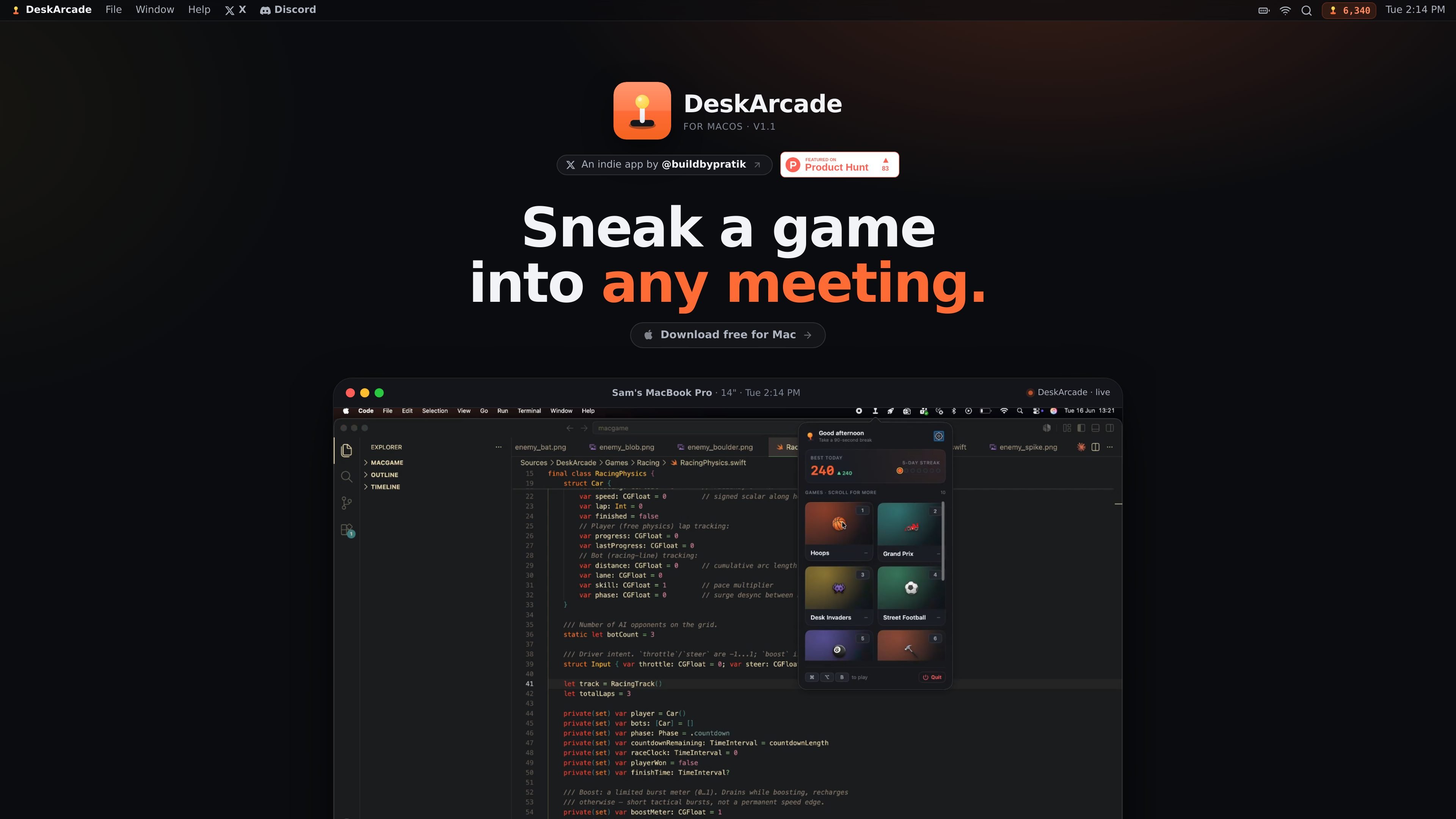
DeskArcade is a macOS app that overlays a small arcade on top of your current screen so you can play a quick game without leaving the app or meeting you are in. The site positions it as a way to take a short break while keeping your actual desktop and windows exactly where they were.
The product includes ten tiny games, launched from a menu-bar tray and controlled through a hotkey. The page says the overlay appears in its own window, uses app icon pixels for the display, and disappears when you press the shortcut again.
DeskArcade is described as free for Mac, notarized by Apple, and available for macOS 13 Ventura and later. The site also says it does not request permissions, does not use screen recording or accessibility access, and does not collect gameplay data.
Press ⌘⌥B to bring up a transparent arcade overlay on top of whatever you are doing. Press the hotkey again to dismiss it and return to the exact same workspace.
The app includes ten small games, including Desk Invaders, Screen Pocket Billiards, Whack-a-Window, Desktop Snake, Desk Hoops, Grand Prix, Desktop Football, Dock Overrun, Menu-bar Chess, and Hilltop Racer.
Games are presented as short breaks rather than long sessions. The site says each one is built to last about 90 seconds and can be launched from the menu-bar tray.
DeskArcade displays score information in the menu bar, which keeps gameplay visible without taking over the whole desktop.
The site says DeskArcade draws app icons for the overlay and does not touch the applications running underneath it, so your work stays in place while the game runs.
The download is described as a 5 MB universal binary for Apple silicon and Intel Macs, and the product page says it is notarized by Apple.
Open a quick game between agenda items or while waiting for a call to move on, then close it with the same shortcut and return to work immediately.
Use the overlay when you want a brief distraction that does not rearrange your windows or interrupt the document, spreadsheet, or browser you already have open.
Pick one of the menu-bar games for a short reset when you want a few minutes of play rather than a longer gaming session.
Try the app if you want a Mac-native break tool that stays within the desktop layer and does not ask for screen recording or accessibility access.
Keep it installed on a Mac laptop for quick, repeatable breaks during the day, since the download is small and the app is positioned as free for Mac.
DeskArcade is a macOS app that places a transparent arcade overlay over your screen. You can open it with the hotkey ⌘⌥B and close it the same way.
The landing page says DeskArcade is available for macOS 13 Ventura and later and is offered as a Mac download.
DeskArcade is designed to sit over your work without changing your real apps. The page says it does not use screen recording, accessibility access, or permissions, and that it does not touch your real apps.
The page says DeskArcade includes ten tiny games, each built to last about 90 seconds, and that you choose them from a menu-bar tray.
The site describes DeskArcade as free for Mac and says it is notarized by Apple. The pricing page was not available, so no additional plan details are confirmed here.

GuessWhat? 猜-猜 is a Chinese-language party word game for timed guessing rounds on Apple devices. It uses original topic decks and simple tilt controls for correct answers and skips.

GameGrad turns PDF study material into quiz questions that appear inside arcade games, so users can practice active recall while they play. It offers a free tier with one PDF and a Pro plan with more uploads, more questions, and answer explanations.

DailyPlay.ai is a behavioral growth platform that uses AI site scanning and micro-games to help brands improve engagement and conversion. It supports web, mobile, and other digital touchpoints, with a one-line script setup and a free engagement scan.

ChessWoodie is a chess tactics training app based on the Woodpecker Method. It helps players build pattern recognition through repeated puzzle cycles, track speed and accuracy, and review missed tactics from their own games.

PixelForge turns a single photo into a game-ready 2D character sprite pack, including a 4×4 sheet, transparent frames, direction strips, and looping walk GIFs. It is designed for engine-ready use in Godot, Unity, Phaser, GameMaker, and web games.

MacYaps es una app de barra de menús para macOS que reproduce clips de audio divertidos cuando ocurren eventos del sistema. Incluye voces, audios personalizados y licencia vitalicia.