
Persistent clipboard tray
DropK keeps copied items in a tray so they remain available after you copy something new. The listing says it is meant to hold text, links, files, images, folders, and mixed clipboard items together.

DropK- Clipboard & Shelf is a Mac productivity app that keeps copied text, files, images, links, and folders in a visible tray for later reuse. It helps people manage multi-item workflows, stage content between apps, and save reusable sets.
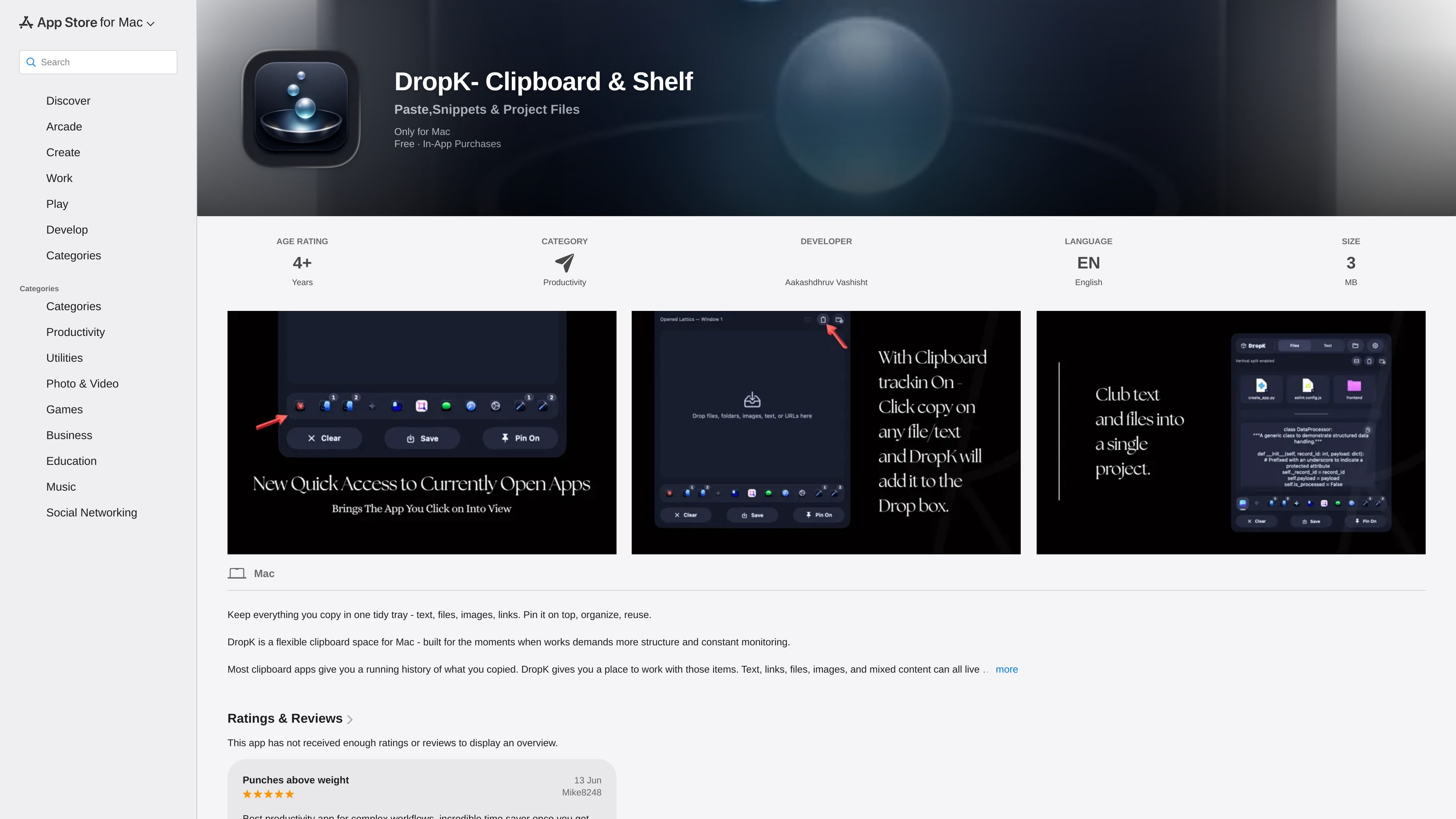
DropK- Clipboard & Shelf is a Mac productivity app that turns copied content into a visible working tray rather than a simple clipboard history. It is built to keep text, links, files, images, folders, and mixed clipboard items available while you continue moving between apps.
The app is positioned for everyday Mac work where you collect several items at once and need them to stay organized. Instead of letting newer copies overwrite older ones, DropK provides a lightweight space for gathering, reusing, and saving items until the task is done.
DropK keeps copied items in a tray so they remain available after you copy something new. The listing says it is meant to hold text, links, files, images, folders, and mixed clipboard items together.
Items can be dropped into the tray and pulled back out when needed. This makes the app useful as a quick holding space between source apps and destination apps.
The app supports small collections for specific tasks instead of a long recent-history list. You can build temporary workspaces for uploads, research, or multi-step tasks.
Useful trays can be saved for later reuse. That makes it easier to keep sets of snippets, links, or files that you return to often.
DropK includes a simple secondary mode for text, described as a place for cleanup, edits, or reuse. This is useful when copied text needs a quick review before being used elsewhere.
The release notes mention a search feature in file layouts, plus an in-app tray that can bring any open app to the forefront. These additions suggest the app continues to evolve around Mac workflow management.
Use DropK when you are gathering several reference items for a document, task, or presentation and want them to stay available together instead of disappearing from the clipboard.
Move files, images, snippets, and links between apps without relying on a long clipboard history. The tray gives you a place to stage mixed content before you paste or drop it elsewhere.
Save reusable trays for things you use repeatedly, such as common text snippets or project assets. This reduces the need to rebuild the same set of copied items every time.
Handle upload preparation by keeping related files and text in one place. The app’s mixed-content support is relevant when a workflow needs attachments, descriptions, and links together.
Open copied text in the app’s simple secondary mode when you need a quick cleanup pass before pasting it into another app or sharing it.
DropK is a Mac app that keeps copied content in a tray instead of only showing a recent-history list. It is designed for text, links, files, images, folders, and mixed clipboard items that you may want to reuse later.
The app supports Mac workflows where you move between several items at once, such as collecting research, preparing uploads, or gathering reusable snippets. It is especially useful when you want copied items to stay visible and organized while you continue working.
Yes. The listing shows DropK is free with in-app purchases, and the update notes mention a DropK Pro subscription with a 14-day free trial. The app page also lists a lifetime purchase option under in-app purchases.
The App Store listing states that DropK requires macOS 15.6 or later and is available only for Mac.
The app includes a simple secondary mode for opening text so you can clean it up, edit it, or reuse it quickly. The listing also mentions saved trays, search in file layouts, and an in-app tray added in a recent update.

Goldfish is an AI memory app for macOS that helps you reply, write, summarize, and continue using the context already on your Mac. It stores memory locally and writes in your tone.

Dcyde is a decision log for product teams that captures what was decided, the reasoning behind it, and the source in one shared place. It supports pinning decisions from Slack, Figma, or inside Dcyde and keeps the record searchable over time.

Lasso is an ecommerce product data platform for enriching catalog records, processing supplier files, generating product content, and monitoring competitors. It combines a web app with a REST API, SDK, and MCP server for teams and developers.

Biji es una plataforma versátil diseñada para mejorar la productividad a través de herramientas y características innovadoras.

Codex Plugins bundle reusable skills, app integrations, and MCP servers into workflows you can install in the Codex app or use from Codex CLI. They help extend Codex with connected-service tasks, reusable instructions, and shared team workflows.

Struere is an AI-native platform for turning spreadsheet data into structured operational software with dashboards, alerts, and automations. It is aimed at teams that want to replace manual spreadsheet workflows without building custom tools from scratch.