
Reports and dashboards as code
Define reports and dashboards in Markdown files with SQL and components, so analytics lives in the same codebase as the rest of the project.

Evidence is a code-based business intelligence platform for building reports, dashboards, and embedded analytics with SQL, Markdown, and components. It supports a hosted cloud product, self-hosted Core projects, and an analytics agent for working with data in chat tools.
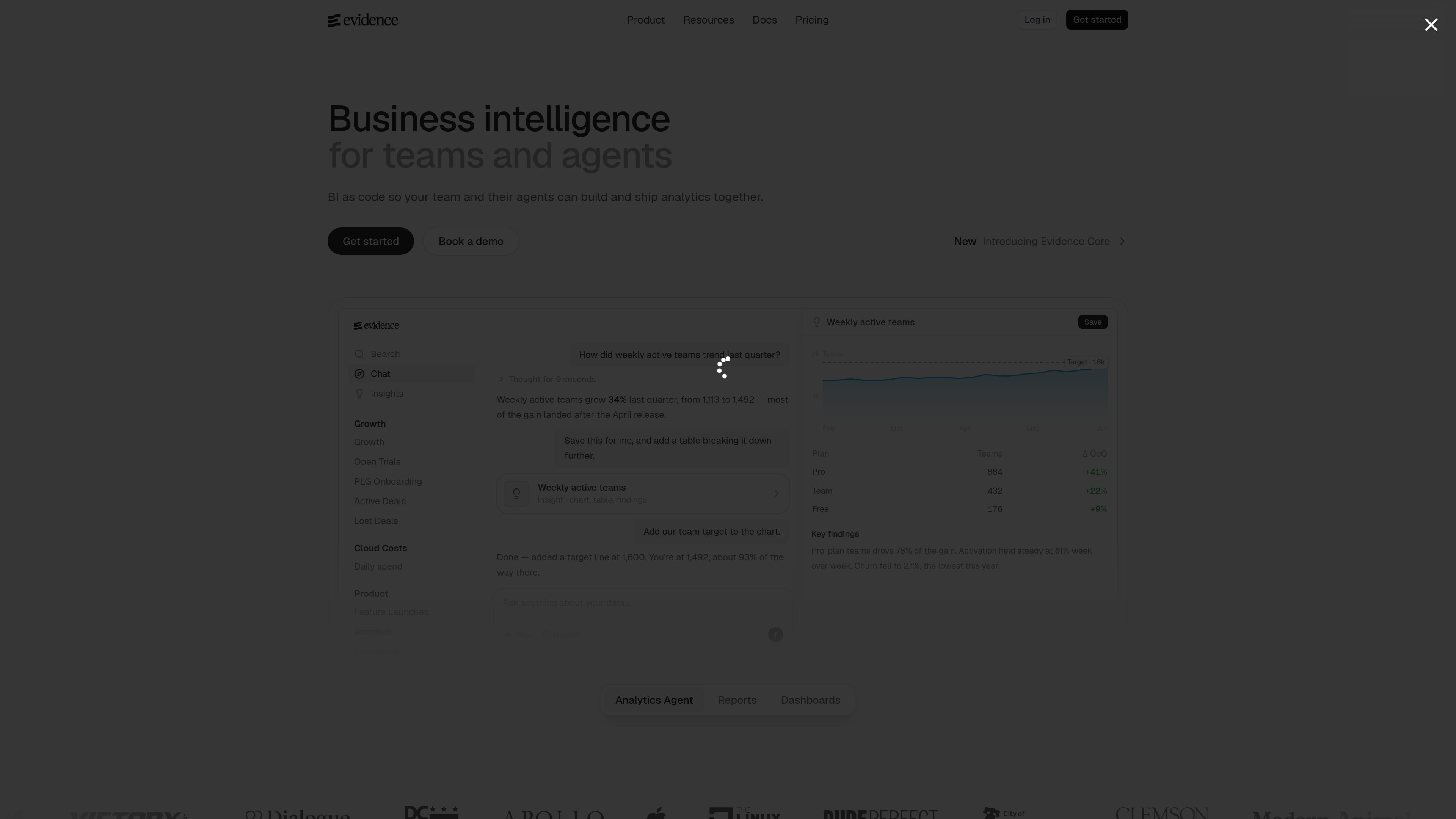
Evidence is a business intelligence platform built around a code-first workflow. The product positions itself as an open-source alternative to drag-and-drop BI tools, with analytics content defined in SQL, Markdown, YAML, and components rather than through a purely visual editor.
The platform is aimed at teams and their coding agents. It combines authoring, deployment, access control, distribution, and an analytics agent so users can build reports, dashboards, and customer-facing analytics products from a version-controlled project.
Define reports and dashboards in Markdown files with SQL and components, so analytics lives in the same codebase as the rest of the project.
Use the analytics agent to ask questions about data, build reports, and extend its behavior with custom context and skills stored in the repo.
Ship analytics projects with a cloud editor, local CLI, Git integration, branch previews, continuous integration, and instant rollback.
Control who can access pages and rows through page-level access control, table-level controls, row-level access rules, and user groups where available.
Deliver reports by scheduled email, PDF export, or multi-tabbed XLSX export, and track which reports are read through usage analytics.
Support embedded or white-labeled analytics products with themes, multi-tenancy, and deployment options for enterprise environments.
Create internal dashboards and reports in a repository so analysts and engineers can review changes, reuse metrics, and ship updates through Git-based workflows.
Build customer-facing analytics products with embedded reports, white labeling, multi-tenancy, and page-level access control.
Let teammates ask questions about data and generate analysis through the analytics agent in Slack, MCP clients, or supported chat tools.
Schedule recurring report delivery by email and export polished outputs as PDF or XLSX for distribution outside the product.
Run a self-hosted deployment in containers when you want to control infrastructure, or use Evidence Studio for hosted development and deployment features.
Evidence Cloud offers a 30-day trial. The pricing page also lists a Team plan at a flat monthly price and an Enterprise plan with custom pricing.
The pricing page says billing is not per user. The Team plan includes unlimited users, with pricing billed as a flat monthly amount.
Evidence is built for reports, dashboards, analytics pages, and customer-facing analytics products defined with SQL, Markdown, and components.
If a workspace uses all included AI credits, it can enable usage-based billing, wait for the next credit cycle, or move to an Enterprise arrangement with custom credit limits.
Evidence says projects can be deployed to your own containers when self-hosted, or to Evidence Studio for hosted features such as development environment, email distribution, page-level access control, and a hosted MCP server.

ByteAsk is a terminal-first AI coding agent for C and C++ that edits repositories and verifies changes with the real compiler, debugger, sanitizers, and tests before showing a diff. It offers a free tier plus paid plans, with editor connectors and zero-retention handling described in the source.

Epherem is a static security scanner for web apps built with AI coding tools such as Lovable, Bolt, v0, Replit, Cursor, and Claude Code. It checks source files and dependencies for common security mistakes, then provides categorized findings and suggested fixes without running the app.

PromptScout tracks how ChatGPT, Gemini, Google AI Overviews, and Perplexity mention your brand or competitors, then pairs those results with source analysis and website audits. It helps teams decide what to fix in content, positioning, or site readiness next.

SaveMRR is a Stripe retention tool for SaaS teams that scans billing data for churn and MRR leaks, then automates recovery through dunning, cancel-save offers, win-back emails, and onboarding nudges. It is built for founders and bootstrapped teams using Stripe.

CreateOS Sandbox is an isolated compute environment for running code and agent workloads inside Firecracker micro-VMs. It is designed for workflows that need machine-level isolation, private networking between sandboxes, and programmatic control through SDK, CLI, or MCP.

Hype is a web tool for finding trending YouTube topics by category, time range, and scoring mode. It helps creators spot emerging ideas, inspect source videos, and decide what to cover next.