
Always-on desktop execution
Friday can run in the background while you keep working. The homepage says it minimizes to a status bar, keeps task progress visible, and continues execution without interrupting your flow.

Friday AI is a desktop AI agent for product managers, designers, developers, founders, and startups. It combines research, design, coding, and outreach in one local app for moving from idea to execution.
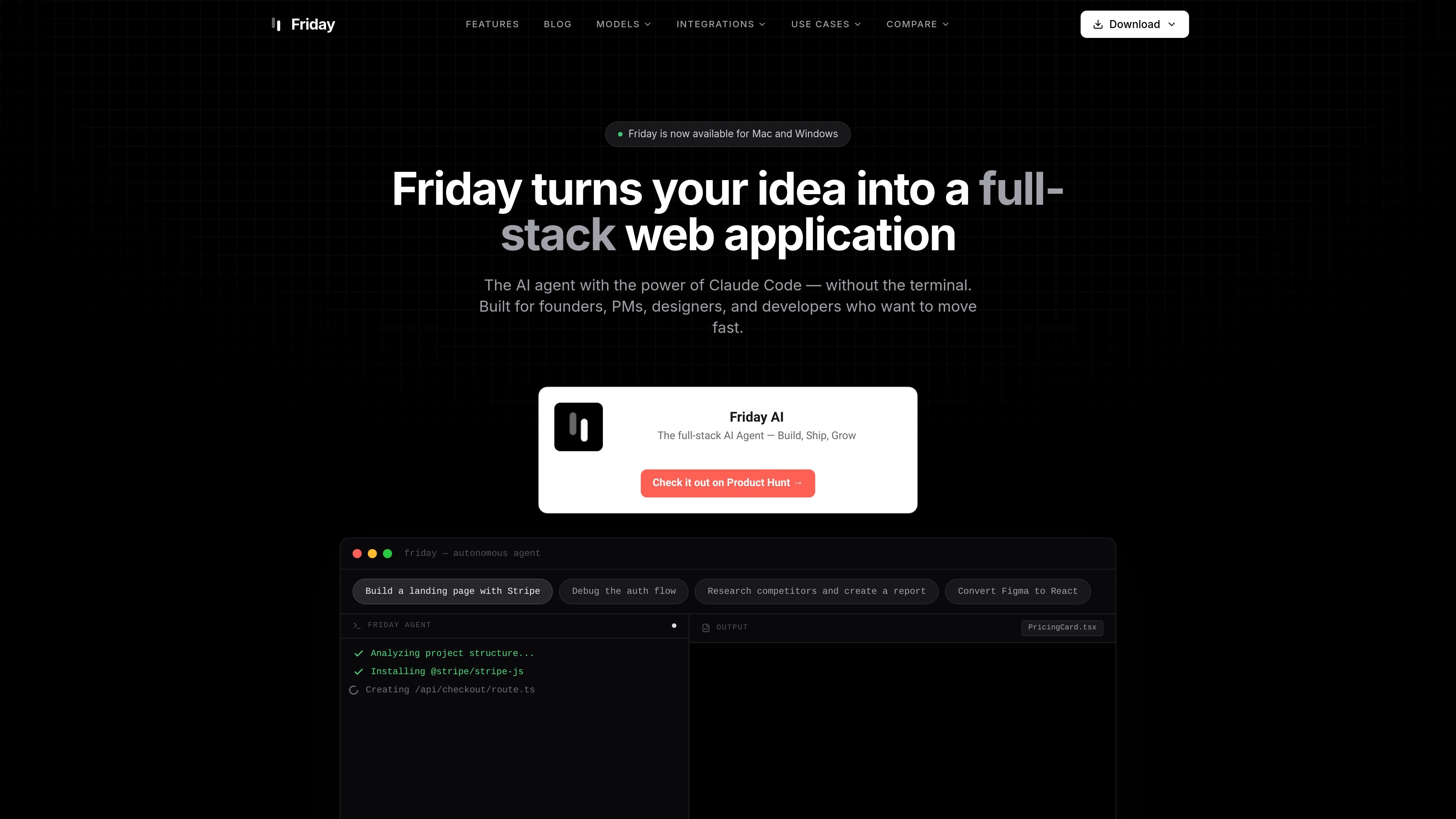
Friday AI is a desktop AI agent for product teams that combines research, design, coding, debugging, and outreach in one local app. The site positions it for founders, product managers, designers, and developers who want to move from idea to shipped work without switching between separate web tools or terminal-based workflows.
The product emphasizes a guided workflow: you share context by describing a goal, screen sharing, or uploading files; Friday then plans the task, executes it in the background, and asks for approval when necessary. The homepage and use-case pages show it being used to build web apps, convert Figma designs into React code, research competitors, and automate outreach or bug-fix workflows.
Friday can run in the background while you keep working. The homepage says it minimizes to a status bar, keeps task progress visible, and continues execution without interrupting your flow.
The product accepts screen shares, file uploads, and natural-language instructions. Friday says it can see your screen, understand files, and connect to your tools before taking action.
Friday includes native connections to common product and engineering tools such as Slack, Jira, Linear, GitHub, Notion, Figma, Intercom, Mixpanel, Amplitude, and Google Drive.
The site highlights specialized agents accessible with tags like @designer, @copywriter, and @developer, allowing different task types to use different expertise.
Friday can generate full-stack web apps, landing pages, Figma-to-React output, bug fixes, research reports, and outreach workflows, depending on the use case pages and homepage examples.
Friday presents a plan before acting and asks for approval where needed, so users can approve, refine, or redirect work as it proceeds.
Friday’s homepage shows it building a full-stack web application from an idea prompt, including examples like a landing page with Stripe, a debugged auth flow, and a research report. The use-case page adds Vite + React or Next.js scaffolding, Supabase, and Vercel deployment.
The Figma integration page describes a workflow for connecting a Figma workspace, reading frames and components, extracting tokens, and generating React + Tailwind TSX files that can be reviewed locally and deployed to GitHub and Vercel.
The competitor research page shows Friday scraping competitor sites, analyzing results across multiple models, and generating structured reports in Google Docs and Sheets with scheduled monitoring for future changes.
The homepage shows Friday handling bug-related work such as screen-aware debugging and a bug-to-PR pipeline that can move from Slack discussion to a GitHub pull request.
Friday also supports automated outreach examples, including finding leads, researching them, and sending personalized email at scale while work continues in the background.
Friday is described as a desktop AI agent that helps product managers, designers, developers, founders, and startups move from idea to execution. It can research, design, code, debug, and handle outreach from one app.
Friday is shown as available for Mac and Windows, and the homepage describes it as a desktop app that works in your local environment.
The site shows Friday connecting with tools such as Slack, Jira, Linear, GitHub, Notion, Figma, Intercom, Mixpanel, Amplitude, and Google Drive, and also references integrations with Gmail, Google Workspace, Supabase, Vercel, Firecrawl, and Hunter on other pages.
The site emphasizes that Friday can work while minimized, use screen sharing, and ask for approval before acting. The Figma page also shows a workflow for reading designs, generating React + Tailwind TSX files, and deploying to GitHub and Vercel.
The pricing page did not resolve to pricing details in the collected source. The site does show a free download call to action and says no credit card is required, but no plan pricing was available in the provided evidence.

ByteAsk is a terminal-first AI coding agent for C and C++ that edits repositories and verifies changes with the real compiler, debugger, sanitizers, and tests before showing a diff. It offers a free tier plus paid plans, with editor connectors and zero-retention handling described in the source.

Ghost es un asistente de IA para terminal para chatear, generar código y ejecutar tareas en la línea de comandos. Incluye modelos gratuitos, es compatible con Linux, macOS y Windows, y es de código abierto.

imgcook is a design-to-code tool that converts design drafts into front-end code. It supports plugin-based and developer workflows for Sketch, Photoshop, VS Code, and CLI usage.

CreateOS Sandbox is an isolated compute environment for running code and agent workloads inside Firecracker micro-VMs. It is designed for workflows that need machine-level isolation, private networking between sandboxes, and programmatic control through SDK, CLI, or MCP.

hob is an independent workspace for coding agents that keeps agent sessions, terminals, history, and follow-up work organized around the tools and providers you already use. It is aimed at developers who want local control over routing, history, and workspace structure rather than a bundled model stack.

Manta AI is an autonomous web app testing tool for teams that want to map application behavior, catch regressions, and generate tests without writing scripts or maintaining selectors. It works from a URL and supports plain-English test flows, run results with screenshots, and scheduled or deployment-triggered checks.