
Fast native desktop app
GHSwitch runs as a lightweight desktop app built with Rust and Tauri v2, with a focus on quick profile changes and a small memory footprint.

GHSwitch is a desktop app for switching Git profiles from the macOS menu bar or Windows system tray. It updates local Git identity settings, including user.name, user.email, and user.signingkey, without sending configuration to the cloud.
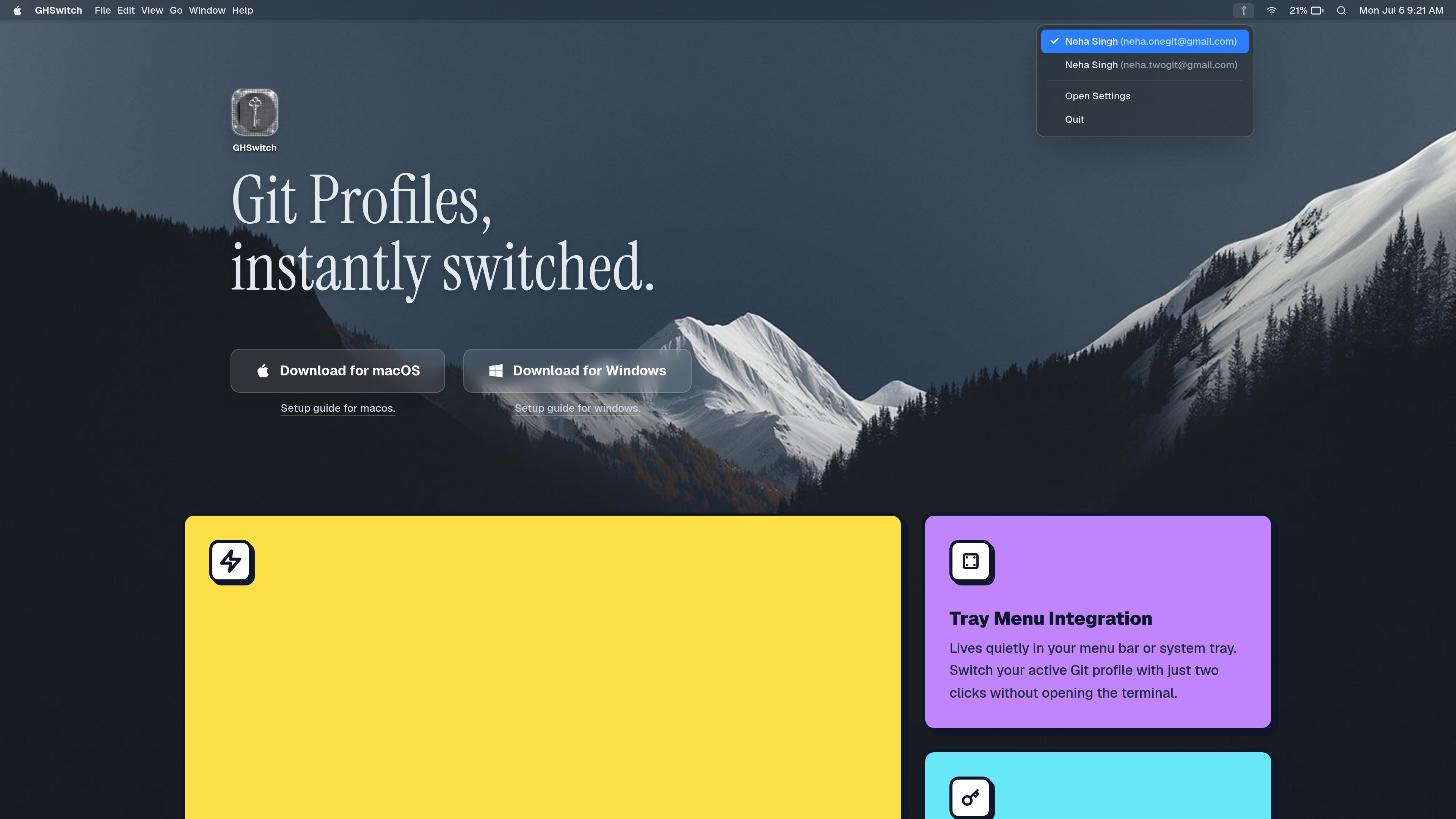
GHSwitch is a desktop utility for switching Git profiles from the macOS menu bar or Windows system tray. It is designed for developers who want to change Git identity settings without opening the terminal or editing config files manually.
The app updates only the local ~/.gitconfig entries for user.name, user.email, and user.signingkey, so the rest of your Git configuration stays intact. According to the site, it runs locally, keeps configuration on the machine, and supports startup launch for a quicker workflow.
GHSwitch runs as a lightweight desktop app built with Rust and Tauri v2, with a focus on quick profile changes and a small memory footprint.
The app lives in the macOS menu bar or Windows system tray, so you can switch profiles without opening a terminal window.
It edits the specific Git identity fields stored in your local ~/.gitconfig, including user.name, user.email, and user.signingkey.
Profiles can include SSH or GPG signing keys, letting you manage signing settings alongside identity details.
The app can launch automatically at startup so your chosen profiles are available as soon as the system starts.
Settings allow you to add, edit, or remove profiles from a simple interface opened from the tray menu.
Useful when you need to switch between personal and work Git identities quickly before committing, without opening a shell or manually editing config files.
Helpful for developers who use signing keys and want those keys tied to a particular Git profile rather than configured separately each time.
Good for people who move between projects and want a persistent desktop app that can launch on startup and keep profile switching close at hand.
Useful for users who prefer a local tool that does not sync settings to the cloud and keeps all changes on the machine.
Helpful on macOS and Windows for users who want a tray-based settings panel to add, edit, or remove Git profiles from one place.
No. The site says GHSwitch only changes the specific user.name, user.email, and user.signingkey fields in your local ~/.gitconfig, and leaves the rest of your configuration alone.
No. The product description states that GHSwitch is a local, offline tool with no telemetry, no tracking, and no cloud syncing.
Open the tray or menu bar menu and choose Open Settings. From there you can add, edit, or remove profiles and their associated signing keys.
GHSwitch is fully compatible with macOS and Windows. The site says Linux support may be added in a future release.

ByteAsk is a terminal-first AI coding agent for C and C++ that edits repositories and verifies changes with the real compiler, debugger, sanitizers, and tests before showing a diff. It offers a free tier plus paid plans, with editor connectors and zero-retention handling described in the source.

CreateOS Sandbox is an isolated compute environment for running code and agent workloads inside Firecracker micro-VMs. It is designed for workflows that need machine-level isolation, private networking between sandboxes, and programmatic control through SDK, CLI, or MCP.

GitBot is a local browser-based workspace for creating reusable coding bots powered by Claude Code, Codex, or OpenCode. It helps developers run those agents across repository folders with persistent threads and configurable permissions.

hob is an independent workspace for coding agents that keeps agent sessions, terminals, history, and follow-up work organized around the tools and providers you already use. It is aimed at developers who want local control over routing, history, and workspace structure rather than a bundled model stack.

Manta AI is an autonomous web app testing tool for teams that want to map application behavior, catch regressions, and generate tests without writing scripts or maintaining selectors. It works from a URL and supports plain-English test flows, run results with screenshots, and scheduled or deployment-triggered checks.

SonOf connects to your repo and PM tool, audits the codebase and surrounding product context, and turns approved work into shipped tickets with senior engineering review. It is aimed at founders and engineering leaders who need backlog help without hiring a full team immediately.