
Five-dimension Agent Score
Combines outcome, reliability, cost, speed, and safety into one view so teams can assess trade-offs rather than optimizing a single metric.

Latitude Agent Score evaluates AI agent performance using production traces across outcome, reliability, cost, speed, and safety. It helps engineering teams investigate the sessions behind a score, turn recurring failures into evaluations, and verify fixes after release.
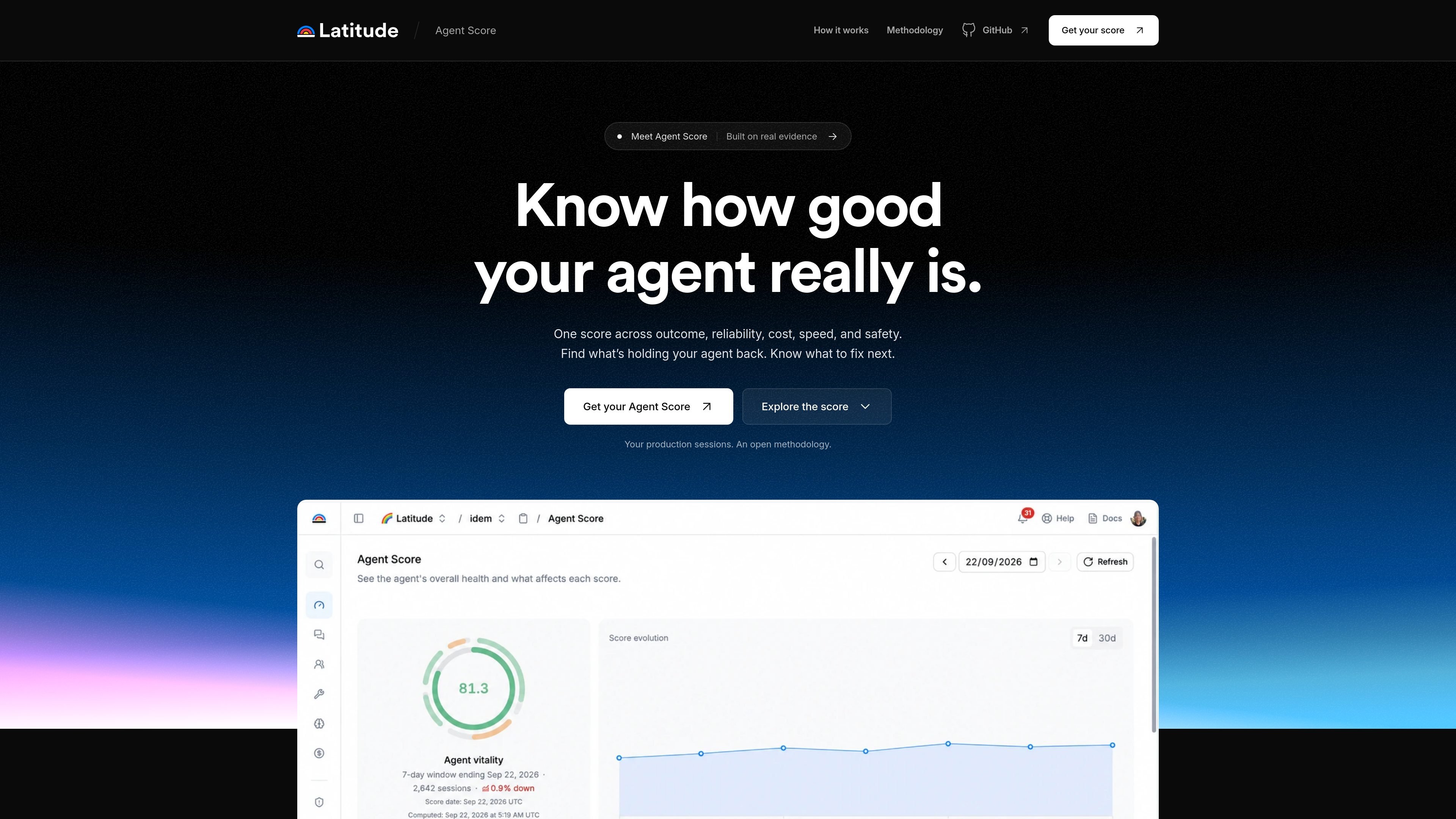
Latitude Agent Score is a production-evidence tool for evaluating AI agents. It turns traced production sessions into a score across outcome, reliability, cost, speed, and safety, helping teams understand whether an agent completed its task, failed operationally, used avoidable resources, introduced delay, or caused confirmed harm.
The score is designed as the starting point for investigation rather than a standalone benchmark. Teams can inspect the sessions behind a result, identify recurring failure patterns, convert them into evaluations, and compare behavior after shipping a fix. Latitude accepts traces through OpenTelemetry or existing trace data, with scoring gated by traffic, coverage, and confidence requirements.
Combines outcome, reliability, cost, speed, and safety into one view so teams can assess trade-offs rather than optimizing a single metric.
Uses production sessions as evidence and reports a 95% confidence interval, while withholding a score when the evidence is insufficient.
Shows the sessions behind score changes and failures, allowing teams to move from an aggregate result to the underlying production behavior.
Helps teams identify recurring issues, turn a failure pattern into an evaluation, and monitor the same behavior in later production sessions.
Accepts production traces through OpenTelemetry or existing trace data, and can capture agent messages, costs, tool calls, and errors through Latitude telemetry.
Connects evidence to an editor-based workflow through MCP so a coding agent can receive the problem context and help verify changes after release.
Use the five dimensions together to see whether a release improved real task completion without creating new reliability, cost, speed, or safety problems.
Move from a score dip or recurring signal to the affected production sessions, then identify the common failure behavior instead of reviewing isolated logs.
Convert a validated production failure into an evaluation and follow it across subsequent sessions to check whether a fix remains effective.
Give a coding agent the relevant issue context, sample traces, and a workspace link through MCP, then verify the agent's behavior after the fix is deployed.
Agent Score evaluates production sessions across five dimensions: outcome, reliability, cost, speed, and safety. It is intended to show what is affecting an agent's performance and which evidence-backed improvement to investigate next.
Connect production sessions through OpenTelemetry or bring traces that already exist. Latitude processes the incoming evidence and checks whether the score eligibility requirements have been met.
A score appears only after all five dimensions pass the required traffic, coverage, and confidence gates. Latitude states that at least 1,000 eligible sessions are required, and the evidence must cover a qualifying whole-week window of 7, 14, 21, or 28 days.
Each score includes a 95% confidence interval. If the evidence is insufficient, Latitude does not display a score yet.
Latitude is available on a free Starter plan and a paid Pro plan, with Enterprise options for custom credit volume, retention, deployment, roles, and support. Pricing and limits vary by plan.

ByteAsk is a terminal-first AI coding agent for C and C++ that edits repositories and verifies changes with the real compiler, debugger, sanitizers, and tests before showing a diff. It offers a free tier plus paid plans, with editor connectors and zero-retention handling described in the source.

Manta AI is an autonomous web app testing tool for teams that want to map application behavior, catch regressions, and generate tests without writing scripts or maintaining selectors. It works from a URL and supports plain-English test flows, run results with screenshots, and scheduled or deployment-triggered checks.

EAS Observe is a production performance monitoring tool for Expo and React Native apps. It shows startup metrics, session timelines, release markers, and errors inside the Expo dashboard.

Traccia is an agent observability and governance platform that adds OpenTelemetry-native tracing, policy enforcement, prompt evaluation, and compliance evidence for AI workflows. It supports frameworks including LangChain, CrewAI, OpenAI Agents SDK, AutoGen, and LlamaIndex.

Hoplite is a cloud coding agent platform for teams that want to run software tasks in isolated sandboxes with repository context and imported local setup. It offers published Pro, Scale, and Enterprise plans.

LoupeKit is a browser panel that inspects live web pages for stack details, layout, SEO, accessibility, and AI-generated code smells. It works as an over-the-page extension with a free tier and Pro options for exports, reports, advisories, and server-side readings.