
Save from multiple sources
Capture research from web pages, PDFs, videos, emails, AI chats, and local files so material does not stay scattered across separate tools.

Liminary is an AI-powered knowledge workspace that saves information from web pages, PDFs, videos, emails, AI chats, and local files, then surfaces relevant context when you need it. It is built for knowledge workers who need research, fact-checking, and project memory to carry across deliverables.
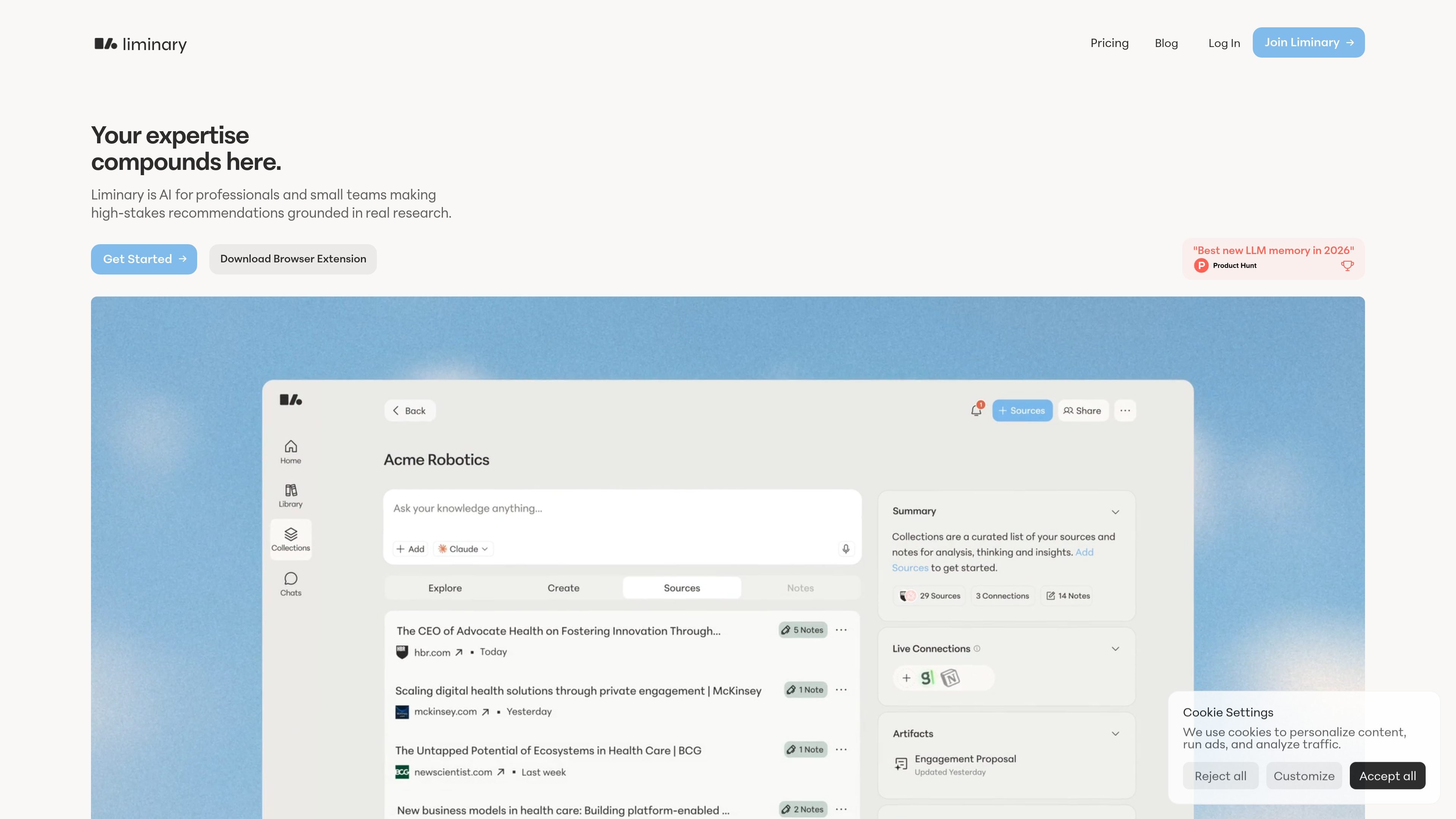
Liminary is an AI-powered knowledge workspace for people who need research and expertise to carry forward from project to project. It is designed to save information from web pages, PDFs, videos, emails, AI chats, and local files, then surface relevant context when you need it instead of leaving you to search through disconnected folders, tabs, or notebooks.
The product emphasizes retrieval with source traceability. Liminary says every answer can show where it came from, every source is one click away, and user data is encrypted, siloed to the workspace, and not used to train AI models. The site also positions Liminary as useful for research, fact-checking, gap detection, and collaboration across deliverables and teams.
Capture research from web pages, PDFs, videos, emails, AI chats, and local files so material does not stay scattered across separate tools.
Add notes and context while reading so saved material includes your own thinking as well as the source content.
Keep track of new information on a client or project with a watchlist that monitors for updates.
Retrieve relevant past work when starting something new, including material from earlier projects and deliverables.
Check claims against stored sources and surface missing information before you deliver work.
Use the Chrome extension and assistant workflows to capture meetings, draft or edit emails in Gmail, and work in Notion with saved context.
Save research as you browse, add notes, and later pull that material back into a new client engagement or internal project without rebuilding context from scratch.
Work across articles, PDFs, AI chats, and meeting notes while keeping source references attached, which is useful when you need to verify a claim before publishing or presenting it.
Monitor a client, sector, or topic with a watchlist so new material is surfaced automatically instead of requiring repeated manual searches.
Capture meeting context and later reuse it in drafting, editing, or follow-up work, including Gmail and Notion workflows mentioned on the site.
Keep knowledge shared across a small team so research and sources can be reused rather than isolated in individual workspaces.
Liminary is an AI-powered memory and research workspace. It lets you save content from multiple sources, add notes, and later retrieve or surface relevant information when you need it.
It is aimed at knowledge workers who need research to compound over time, including consultants, researchers, strategists, analysts, and other professionals who work across many projects.
Liminary differs by focusing on saving and recalling knowledge across sources, rather than handling a single chat or notebook at a time. The site positions it as a layer underneath your work that can surface relevant saved context in the tools where you work.
The site says you can save articles, reports, PDFs, AI chats, videos, emails, and local files, and that it supports recalling knowledge from LLM chats, web pages, PDFs, and videos.
Liminary can support team use through a Team plan, and the product pages also mention shared research, shared team knowledge bases, and workflow integrations.

garden-md is an open-source Node.js CLI that turns meeting transcripts into a local company wiki. It links entities across transcripts, keeps the original text intact, and renders the result as a browsable wiki.

recall is an AI flashcard app that turns reading and notes into study cards through Claude, ChatGPT, or another MCP client. It uses one-time lifetime access pricing and spaced repetition review.

Goldfish is an AI memory app for macOS that helps you reply, write, summarize, and continue using the context already on your Mac. It stores memory locally and writes in your tone.

Lasso is an ecommerce product data platform for enriching catalog records, processing supplier files, generating product content, and monitoring competitors. It combines a web app with a REST API, SDK, and MCP server for teams and developers.

Struere is an AI-native platform for turning spreadsheet data into structured operational software with dashboards, alerts, and automations. It is aimed at teams that want to replace manual spreadsheet workflows without building custom tools from scratch.

Falconer is an AI-powered company brain that keeps internal documentation accurate, searchable, and up to date by syncing with tools like GitHub, Slack, and Linear. It helps engineering and cross-functional teams centralize knowledge and answer questions from a shared source of truth.