
On-device AI workflows
Run chat, coding, and meeting workflows on your Mac so requests stay on-device rather than being sent to a cloud service.

Local is a macOS app that runs AI on your own machine, keeping chat, coding, and meeting workflows on-device. It also recommends models based on your Mac’s chip and memory, with optional cloud model access through your own API key.
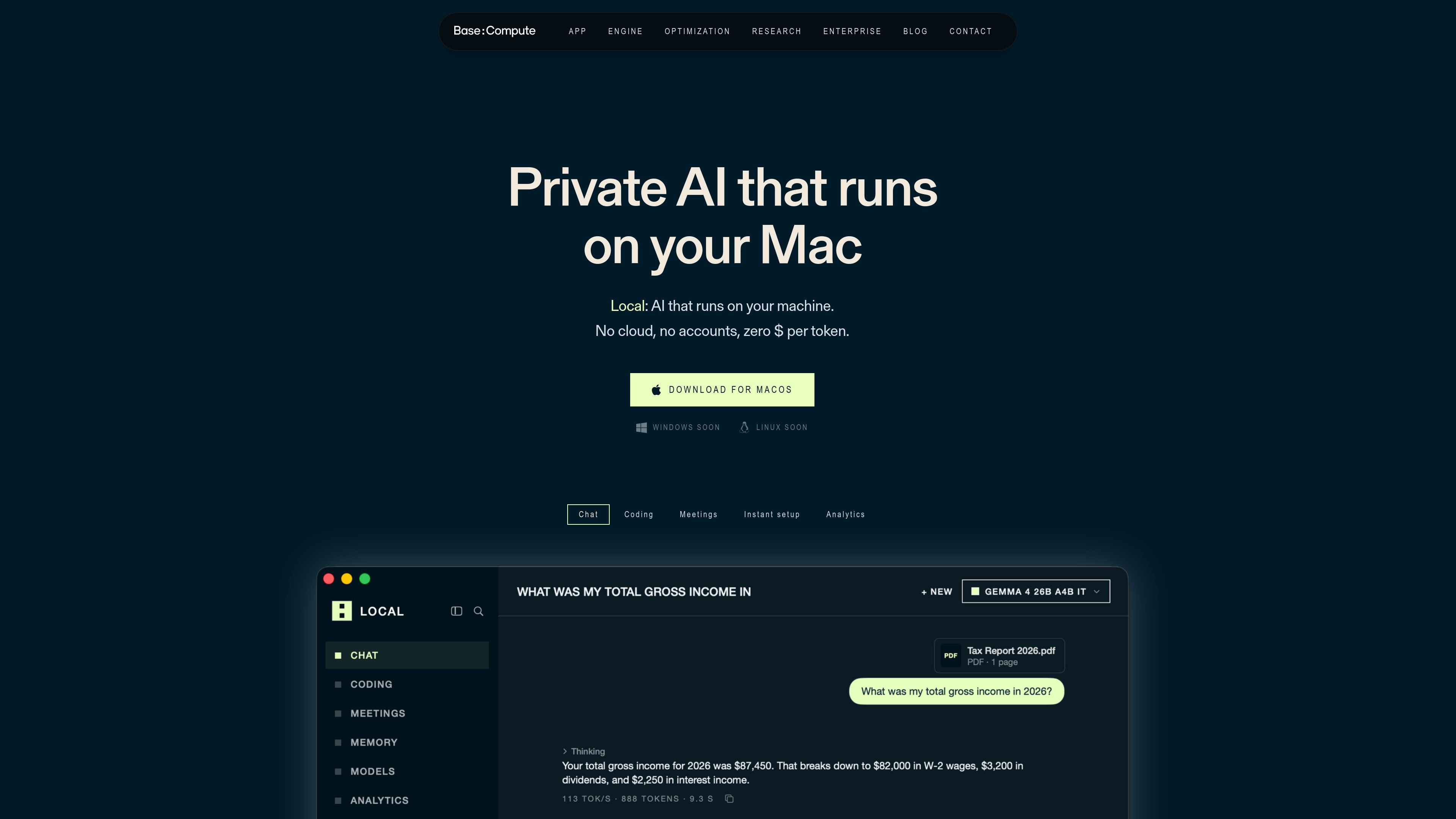
Local is a macOS app for running AI on your own machine. It is positioned around private, on-device use: the site says nothing leaves your device, no account is required, and memory stays on the Mac.
The app covers several common AI workflows, including chat, coding, meeting notes, and model selection. It also reads your Mac’s chip and memory, then recommends models that fit the hardware and tunes inference with BaseRT, its chip-specific runtime, on first launch.
Run chat, coding, and meeting workflows on your Mac so requests stay on-device rather than being sent to a cloud service.
Ask questions about files, drop in a PDF for summarization, and draft writing in a local chat interface.
Point Local at a project, then edit and run code in place inside your folder without uploading the codebase.
Record and transcribe meetings on the device, with speaker labels included in the written output.
Keep a visible, editable list of lasting facts about you on the machine, with the option to mark one as sensitive so it never leaves the Mac.
See token counts, speed by model, and what the same work would have cost through a cloud API.
Use Local to ask questions about files, summarise PDFs, and draft text while keeping the work on your Mac.
Open a codebase in Local, then let it read, edit, and run code directly in the project folder without uploading the repository.
Record a meeting, transcribe it on-device, and produce notes with speaker labels for later review.
Let Local recommend models based on the memory and chip in your Mac so you can choose a setup that fits the hardware.
Use a cloud model only when needed by adding your own API key, then return to local models for day-to-day work.
Yes. The site says Local needs an internet connection to download the app and a model, but after that everything runs offline on your Mac.
Local supports any Mac with Apple silicon. It uses your machine’s memory to choose a model that fits, so larger-memory Macs can run larger models.
According to the site, no. Everything lives in a database on your Mac, and the page says there is no account and no telemetry.
Yes, with your own API key. The page says GPT and Claude can be used, but those requests go to the provider, so cloud models are off while privacy mode is on.
Local uses BaseRT, an inference engine compiled for your chip on first launch. The site says this custom build is faster than the generic engines shipped by other local apps.

ByteAsk is a terminal-first AI coding agent for C and C++ that edits repositories and verifies changes with the real compiler, debugger, sanitizers, and tests before showing a diff. It offers a free tier plus paid plans, with editor connectors and zero-retention handling described in the source.

MeetStream is a meeting bot API for Zoom, Google Meet, Microsoft Teams, and Webex. It helps developers record, stream, and analyze meetings programmatically, with usage-based pricing and a $5 free credit to start.

Liam is an AI copilot for managing inboxes, writing replies, prioritizing email, and scheduling meetings. It is offered free for individuals, with custom pricing for teams and enterprise.

Tactiq is an AI note taker for Google Meet, Zoom, and Microsoft Teams that transcribes meetings live and turns them into summaries, action items, and follow-up outputs. It is built around a Chrome extension and supports team workflows through sharing and integrations.

garden-md is an open-source Node.js CLI that turns meeting transcripts into a local company wiki. It links entities across transcripts, keeps the original text intact, and renders the result as a browsable wiki.

Ghost es un asistente de IA para terminal para chatear, generar código y ejecutar tareas en la línea de comandos. Incluye modelos gratuitos, es compatible con Linux, macOS y Windows, y es de código abierto.