
Instant photo logging
Take a photo of a meal and the app identifies it and calculates macros. The product page says it is built for fast visual logging rather than manual database searching.

Macrobite is a macro tracking app for iPhone, iPad, and Apple Watch that uses photo logging, barcode scanning, and editable macro entries to simplify food tracking. It is aimed at people who want a faster way to monitor protein, carbs, and fats without heavy manual input.
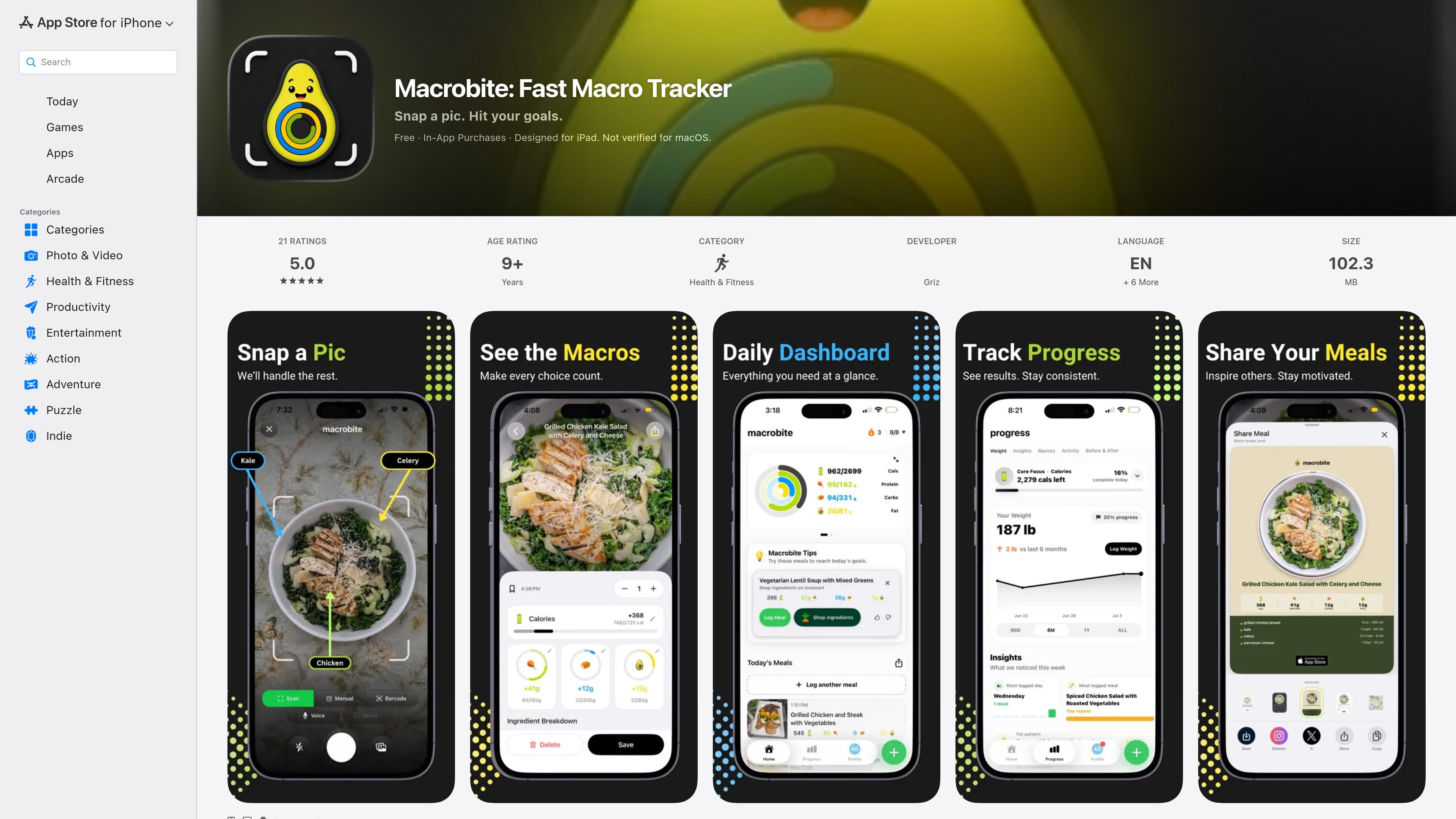
Macrobite is a nutrition and macro tracking app for iPhone, iPad, and Apple Watch. Its main promise is fast logging: the product page says you can snap a photo, have the meal identified, and see macro totals without digging through large food databases or doing long manual entry.
The app focuses on reducing friction in day-to-day food tracking. Along with photo logging, the source mentions barcode scanning, editable macro entries, smart history for recurring meals, custom notifications, and a clean dashboard that highlights remaining protein, carbs, and fats. Recent version history also points to added features such as voice tracking, Siri logging, progress snapshots, supplement tracking, and an Instacart integration.
Take a photo of a meal and the app identifies it and calculates macros. The product page says it is built for fast visual logging rather than manual database searching.
Scan packaged items with barcode support. The version history also notes barcode scanning for more accurate measurements of packaged food.
Adjust the app’s initial estimate with intuitive controls. Reviews describe tapping the main macros to refine entries after a photo scan.
See remaining protein, carbs, and fats in a simplified dashboard. The app is presented as a clean tracking view without a cluttered interface.
Store recurring meals in visual history and log them again quickly. This supports repeat logging without rebuilding the entry each time.
Receive custom alerts before you miss daily goals. The app lets notifications be turned off if you do not want them.
Use Macrobite when you want to log breakfast, lunch, or dinner by taking a quick photo instead of searching a database or entering each ingredient by hand.
Scan packaged items when you need a more direct way to capture nutrition information for food with a barcode.
After the app estimates a meal, refine the macro totals with the built-in editing controls so the entry better matches your portion size or meal details.
Use the dashboard and notifications to keep an eye on remaining macros during the day and get prompts before you miss a target.
Re-log meals from visual history when you eat the same foods often and want a quicker repeat workflow.
Macrobite is built for iPhone, iPad, and Apple Watch. The source also notes that it is designed for iPad and has Apple Watch support in version history.
The product page says you can snap a photo of a meal and Macrobite identifies the meal and calculates macros instantly. It also says barcode support is included, and version history mentions voice tracking and Siri logging in later updates.
The app presents a clean dashboard for remaining protein, carbs, and fats, and it includes smart history for recurring meals plus custom notifications. Version history also mentions weekly progress snapshots and supplement tracking.
The source shows Macrobite is free to download with in-app purchases. No pricing tiers, subscription prices, or trial terms were visible in the provided page text.
The available sources do not show export options, third-party integrations beyond an Instacart integration in recent version history, or family/team sharing features.

Google Fitbit Edge is an ultra-slim fitness tracker for everyday wear and structured workouts. It provides on-wrist exercise guidance, built-in GPS, automatic activity recognition, and health and wellness trend tracking, with some Health Guardian features requiring Google Health Premium.

Malyatko is a baby tracker for logging feeding, sleep, growth, teething, and milestones in one app. It works on iPhone, Apple Watch, and widgets, with no sign-up, offline use, and family sharing through iCloud.

MIRA vision develops synthetic-data-driven AI for pathology image analysis in medical diagnostics. Its website positions the product for teams that need privacy-compliant training data, automatic annotations, and controlled data generation.

Teloframe is an AI-powered football coaching platform for building tactics, editing drills, planning sessions, and managing player development in one workspace. It includes a Free tier plus Pro and Club plans for coaches and analysts who need more collaboration and team features.

LeanUp is an AI calorie tracker and meal-planning app for logging meals, tracking macros, and getting personalized nutrition guidance. It supports barcode scanning, photo-based food recognition, manual search, and recipe reuse.

TrakMac is a voice-first macro tracking app for fitness-focused users on iOS. It estimates calories and macros from spoken meal descriptions, then helps users log food and stay aligned with their training goals.