
Instant capture
Drag, paste, clip or screenshot to save content immediately, with no confirm dialog. The browser extension and in-app capture are designed to turn saving into a single step.

Muse is a native Mac bookmark and media manager that stores links, files, images and notes in one searchable local library. It helps people capture, organize and rediscover collected material without an account or subscription model.
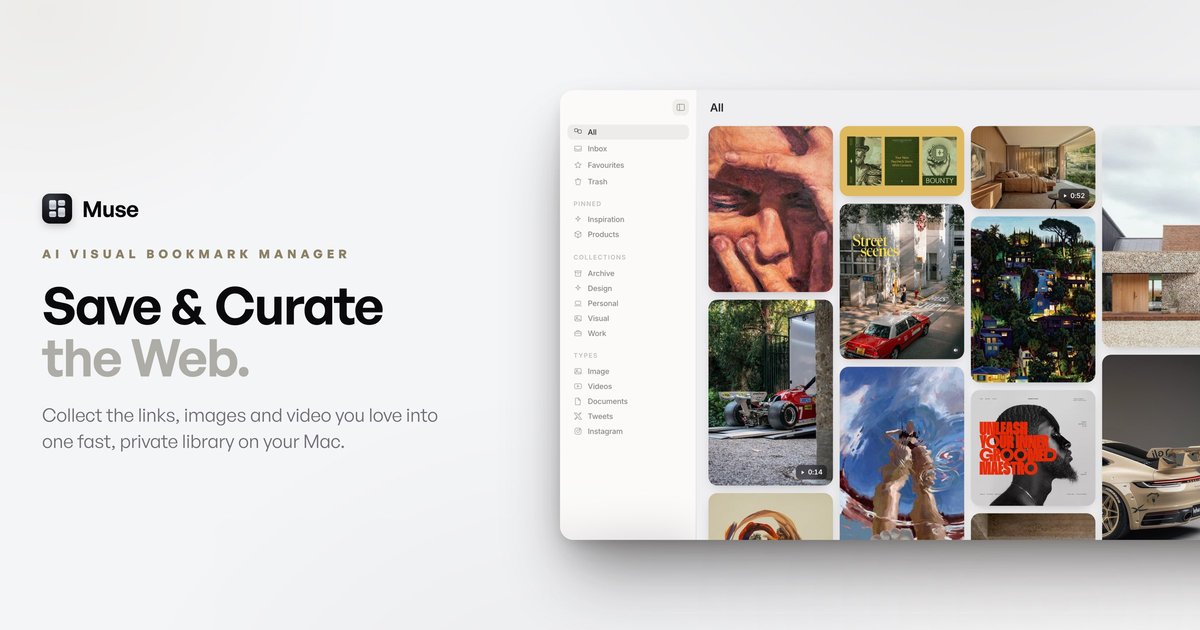
Muse is a native Mac app for saving and organizing things you collect online and on your computer. It combines bookmark management, local file handling and AI-assisted search in one private library stored on your Mac.
The product is built around a simple workflow: capture items quickly, organize them into collections or boards, then find them again by text, visual similarity, tags, colour or meaning. The site positions Muse for people who want links, notes and files treated as equal parts of the same library rather than separate tools.
Drag, paste, clip or screenshot to save content immediately, with no confirm dialog. The browser extension and in-app capture are designed to turn saving into a single step.
Save links, images, videos, files and notes as local items rather than treating bookmarks as secondary records. The product page also says links become 'living bookmarks' with title, favicon and a key image.
Search by OCR text, a colour name or plain meaning, and use on-device tagging to keep items organised. The product also offers search inside images and a full-sentence search mode through optional Claude features.
Import existing material from Eagle, Raindrop, CSV, browser bookmarks and Pinterest. The comparison page also says Muse can import a whole Eagle library in one step.
File saved items into nested collections and boards, with support for one item in many collections without duplication. The app also offers batch actions for filing, tagging, favouriting and deleting.
Choose between Moodboard, Cards or List views, use the Shelf for recent items, and arrange items freely on the Canvas. Canvas exports to PDF, and files can be dragged out to Mail, Slack or Finder as real files.
Save screenshots, links, GIFs and reference files into one place while browsing, then return to them later through search rather than by reopening many tabs.
Collect visual inspiration, file it into boards or collections, and switch between moodboard, cards or list views depending on how you want to review it.
Import an existing archive from Eagle, Raindrop, CSV or browser bookmarks so an established library can move into Muse instead of starting from scratch.
Use OCR text search, colour search and AI-assisted organization to recover a saved image or screenshot when the filename is unhelpful or missing.
Clip items from the web with the browser extension, then send them to the local Muse app on the same Mac without creating an online account.
Save items to Downloads, then drag them out to Finder, Mail or Slack as real files when they need to be reused elsewhere.
Muse is a native Mac app that collects images, screenshots, GIFs, video, web links and text notes into one searchable library. It saves items locally on your Mac and can search the text inside images.
The source says Muse imports from Eagle, Raindrop, CSV, browser bookmarks and Pinterest, and it can also save from the web through its companion extension. Items can be dragged, pasted, clipped or captured as screenshots.
Muse is built for macOS and the comparison page describes it as an Apple Silicon Mac app. The privacy page says the library stays on your Mac and the extension only sends what you choose to save to the local app.
The comparison page says Muse exports files or a PDF moodboard, and the privacy page says items stay as real files in a visible 'Muse Library' folder. It also says export is available anytime.
Muse includes on-device AI for automatic tagging, text-in-image search and colour search. The privacy page also says two optional features go online only when enabled: Muse Vision and Claude-based features that use your own Anthropic API key.

ArtDeck is a visual reference board app for iPhone, iPad, and Mac that lets artists collect mixed reference material on one canvas and study it with ToolBox lenses. It works offline, supports optional iCloud sync, and is sold as a one-time purchase with no account required.

qbrin is an enterprise AI search and governed agent platform that turns company knowledge into cited answers and can abstain when evidence is missing. It is built for teams that need source-backed responses, policy controls, and traceable AI actions.

Goldfish is an AI memory app for macOS that helps you reply, write, summarize, and continue using the context already on your Mac. It stores memory locally and writes in your tone.

Lasso is an ecommerce product data platform for enriching catalog records, processing supplier files, generating product content, and monitoring competitors. It combines a web app with a REST API, SDK, and MCP server for teams and developers.

Codex Plugins bundle reusable skills, app integrations, and MCP servers into workflows you can install in the Codex app or use from Codex CLI. They help extend Codex with connected-service tasks, reusable instructions, and shared team workflows.

Struere is an AI-native platform for turning spreadsheet data into structured operational software with dashboards, alerts, and automations. It is aimed at teams that want to replace manual spreadsheet workflows without building custom tools from scratch.