
Sandbox login
Authenticate once with tenant-scoped credentials before running guardrail, MCP, or diagnostics commands.

Paybond CLI is a terminal tool for setting up guardrails, MCP configuration, diagnostics, and JSON automation for agent spend workflows. It supports both TypeScript and Python with the same command tree and output contract.
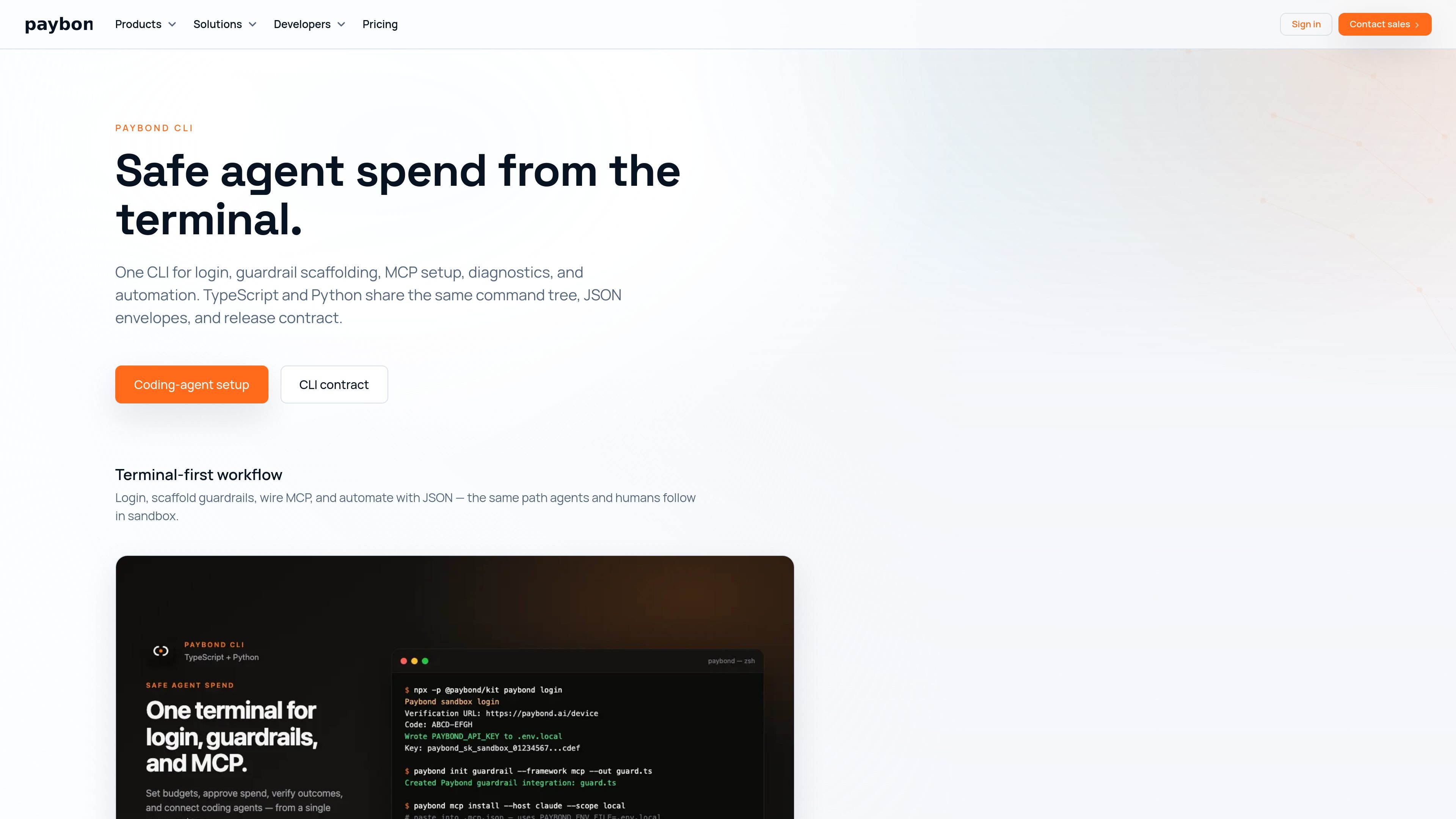
Paybond CLI is a terminal-first tool for setting up safe agent spend with Paybond Kit. It combines sandbox login, guardrail scaffolding, MCP configuration, diagnostics, and automation in one command surface for both TypeScript and Python runtimes.
The CLI is designed for workflows that need spend controls before a coding agent uses a paid tool. The documentation shows a sandbox-first setup flow, then MCP installation and validation, with JSON output available for scripting and CI.
Authenticate once with tenant-scoped credentials before running guardrail, MCP, or diagnostics commands.
Create a first paid-tool guardrail from a preset that matches the framework and output path, with separate paths for TypeScript and Python.
Install and verify MCP host configuration, including the env-file pattern used by coding agents.
Check credentials, principal lookup, MCP startup, and tool listing before agents hit production spend paths.
Return stable JSON envelopes for scripts, CI pipelines, and agent automation.
Keep the command tree, help text, and exit codes aligned across the TypeScript and Python kits.
Use the CLI to log into a sandbox tenant, scaffold a first paid-tool guardrail, and validate that the agent path is wired correctly before any live spend is involved.
Install MCP host configuration for a coding agent, using the same environment-file pattern that the docs recommend for local setup and verification.
Run doctor checks and diagnostics to catch credential issues, principal lookup problems, or MCP drift before a workflow reaches production spend paths.
Use the JSON output mode in scripts or CI when a workflow needs stable machine-readable envelopes instead of terminal-only output.
Choose either the TypeScript or Python kit when a team already has a preferred runtime but needs the same command tree and CLI contract.
No. The source says both the TypeScript and Python kits expose the same `paybond` command tree and JSON contract, so you can pick the runtime your agent or app already uses.
Yes. The CLI supports `--format json` with stable envelopes for scripts, CI, and agent automation.
The CLI installs and verifies MCP host configuration, while the MCP server itself is launched separately through `npx` or the host's stdio config after login.
The documented sandbox path is `login`, scaffold a guardrail, install MCP config, then run `doctor --agent` to validate credentials, principal lookup, MCP startup, and tool listing.
The source distinguishes sandbox-only flows from production flows. The first guardrail and login path are for sandbox use, while live settlement rails and production spend flows belong on higher tiers and the later production lifecycle.

ByteAsk is a terminal-first AI coding agent for C and C++ that edits repositories and verifies changes with the real compiler, debugger, sanitizers, and tests before showing a diff. It offers a free tier plus paid plans, with editor connectors and zero-retention handling described in the source.

CreateOS Sandbox is an isolated compute environment for running code and agent workloads inside Firecracker micro-VMs. It is designed for workflows that need machine-level isolation, private networking between sandboxes, and programmatic control through SDK, CLI, or MCP.

hob is an independent workspace for coding agents that keeps agent sessions, terminals, history, and follow-up work organized around the tools and providers you already use. It is aimed at developers who want local control over routing, history, and workspace structure rather than a bundled model stack.

Manta AI is an autonomous web app testing tool for teams that want to map application behavior, catch regressions, and generate tests without writing scripts or maintaining selectors. It works from a URL and supports plain-English test flows, run results with screenshots, and scheduled or deployment-triggered checks.

SonOf connects to your repo and PM tool, audits the codebase and surrounding product context, and turns approved work into shipped tickets with senior engineering review. It is aimed at founders and engineering leaders who need backlog help without hiring a full team immediately.

Ghost es un asistente de IA para terminal para chatear, generar código y ejecutar tareas en la línea de comandos. Incluye modelos gratuitos, es compatible con Linux, macOS y Windows, y es de código abierto.